P0sixninja has finally launched its OpenJailbreak website, where all the members of the world’s jailbreak community can find tools they need. The big event took place on August 24th, during the Worldwide Jailbreak Conference.
Archive
Tag: bootloaderiH8sn0w, through a new tweet, informs that his new utility f0recast will be released tonight.
There are many different iPhone and iPod Touch models and firmware versions for them. Each device has it’s own bootrom, bootloader, iBoot and baseband versions that determine if user can perform jailbreak and unlock. So it is quite complicated for users to answer a simple question: “Is my device jailbreakable?”. f0recast will solve this problem.
f0recast is a small Windows application that will able to give a straight answer if the iPhone or iPod touch is able to be jailbroken. Just connect your iPhone, launch the app and push a button.
f0recast is only an informational tool which determines if your device can or cannot be jailbreaked. It will NOT jailbreak your device.
Fuzzyband, the application to downgrade the baseband, is updated with support of firmware 3.1.3
Feb 15Fuzzyband is an application that can downgrade the baseband for iPhone 3G. Recently it has been updated to include the support for firmware 3.1.3 baseband 05.12.01. It works only with bootloader 05.08 (early iPhone 3G).
Why do users need to downgrade the baseband? The answer is simple: if they accidentally upgraded the new firmware and need to run unlock software (blacksn0w and ultrasn0w). Unlocked iPhones do not need Fuzzyband. iPhone 3GS users cannot downgrade baseband with Fuzzyband.
Fuzzyband is available for jailbreaked iPhones in Cydia (repository BigBoss, category “System” ).
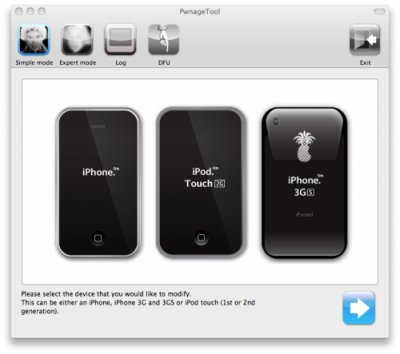
The iPhone Dev-Team has released PwnageTool 3.1.5 for Mac OS X. It allows iPhone and iPod Touch users to safely upgrade to firmware 3.1.3. With PwnageTool you can preserve jailbreak and ultrasn0w unlock. But if you’re using the blacksn0w unlock with baseband 05.11.07 you will need to stay at firmware 3.1.2.
PwnageTool 3.1.5 creates a custom 3.1.3 IPSW for the following devices:
- iPhone 2G
- iPhone 3G
- iPhone 3GS with early bootrom
- iPod touch 1G
- iPod touch 2G with early bootrom
Warning! Don’t try to use this tool if you have iPhone 3GS with firmware 3.1.3 – it just won’t work. If you have iPod Touch 1G, iPhone 2G or factory unlocked iPhone 3G , try to use redsn0w – is would be much easier.
You can download PwnageTool 3.1.5. .
released just a day ago. And now WinPwn – iPhone jailbreaker and unlocker for windows is avaliable. The main new feature – it supports firmware 2.0.1.
Download 2.0.0.4: [] []
Download firmwares: iPhone , , , iPhone 3G ,
2.0.0.4 features:
- Support for both 1.1.4, 2.0, 2.0.1
- Root partition resize support
- Installer support
- Support for WinXP and Vista 32/64bit.
Notes are as usual:
- You MUST do a full uninstall of winpwn before installing the new version
- Make sure you have the latest version of iTunes (from 7.7)
- WinPwn uses 300MB of ram at peak due to the ipsw being extracted in memory
- You must first click browse and load an IPSW to use WinPwn (i thought this was clear)
- For 2.0 only the *5A347_Restore.ipsw files are valid. The 345 image will not work
- If you see Failed to load image catalog/payload catalog, this is fine and won’t cause problems
- If you already have service with AT&T do not activate or install Youtube Fix
- As usual jailbreak for iPhone and iPhone 3G, unlock only for iPhone.
- It is recommended to use at least 550mb partition size to accommodate a space issue that causes some folks errors such as “the ipsw failed to create”.
How to: