Push | Jailbreak iPhone, iPod Touch, iPad Skip to content

Jailbreak iPhone, iPod Touch, iPad

новости про джейлбрейк iPhone, iPod Touch и iPad

Archive

Tag: push

Saurik has released an iOS 8 compatible version of Cydia for manual download following the release of an untethered Pangu jailbreak for iOS 8 – iOS 8.1.

I’ve given a new version of Cydia Installer in the form of a standard jailbreak bootstrap for inclusion in a new version of their jailbreak. I’ve also pushed the .deb of the iOS 8 version of Cydia to apt.saurik.com for manual download, but not yet to my repository. A lot of thanks goes out to limneos, who tested the new build for me, as I was at an airport (and now am frantically typing this message while they figure out how to retract the jetbridge from the plane I’m on that is about to take off).

Recently the Pangu8 jailbreak was released for Windows only, and without a compatible version of Cydia. Now that the compatible Cydia deb has been released you can download it from here: http://apt.saurik.com/debs/cydia_1.1.13 … os-arm.deb.


Read the rest of this entry »

Apple has posted a document warning users that jailbreaking their iOS devices may cause instability, security vulnerabilities, shortened battery life, and other issues. The document was posted on February 3rd, the same day the Evasi0n jailbreak was originally expected to drop. Take a look:


Read the rest of this entry »

Pod2g confirmed that the Evad3rs Dev-Team is ready with a jailbreak for iOS 6.1 and credits Planetbeing and Pimskeks for the accomplishment in an interview with iDigitalTimes.

“For your information and this is important to me that everybody knows about it also, this jailbreak will be @planetbeing and @pimskeks. I arrived at the end, gave ideas that pushed them to their maximum, I kinda unblocked the situation, but it would certainly have happened without me helping.”


Read the rest of this entry »

downgrade-to-501

iH8sn0w, developer of sn0wbreeze and iFaith, has found a way to downgrade the firmware on A5 devices – iPhone 4S, iPad 2.

Using saved SHSH blobs, iH8sn0w was able to downgrade his A5 iPad 2 from iOS 5.1 to iOS 5.0.1. He says his method will also work with the A5X processor once firmware updates are released for the new iPad. That means that it’s possible to restore to any firmware you want on A5 devices, as long as you have the SHSH blobs saved.

This is great news for those with the iPhone 4S and newer iPads. As it stands now, if you have to restore for any reason, you will be forced to upgrade to the latest firmware. This could leave you without the ability to jailbreak for some time.


Read the rest of this entry »

redsn0w-099b1 redsn0w-099b1-extra

MuscleNerd has announced via Twitter that jailbreak utility RedSn0w 0.9.9b1 is released with major update and numerous new features:

Major improvements and features added to redsn0w 0.9.9b1! See update #9 at http://is.gd/6eek4Y Feedback: @redsn0w_testers

Indeed the list of new features is quite high. There are two main ones:

  • There is no need to download firmware any more. There is no need to push Browse IPWS button any more (but you still can).
  • Developers added lots of functionality to work with SHSH keys (extract, submit, download, verify, stitch etc)

However this new version does not bring features like untethered jailbreak for iOS 4.3.5 or iOS 5.

Due to some possible bugs we still recommend to use the old RedSn0w 0.9.8b7b, but the new 0.9.9b1 is worth seeing and playing with.

Here are links to our RedSn0w 0.9.8b7b iOS 4.3.5 jailbreak tutorials:

You can download RedSn0w 0.9.9b1 here:

Here is the full list of features from DevTeam:


Read the rest of this entry »

MuscleNerd, hacker from DevTeam, has announced via Twitter that a major update to RedSn0w is coming soon.

There will be no need to select an IPSW. Rather than requiring ipsw selection, RedSn0w will now automatically fetch the important pieces directly from Apple (and caches them so that it never needs to re-fetch them again). New version also brings the ability to save and submit SHSH Blobs to Cydia.

Will be pushing out a major redsn0w feature upgrade before my trip to Korea: http://is.gd/PMAdT1 (and look, no IPSW selection button!)

The new version of RedSn0w is expected to be released on Monday.

Check out the screenshots below:

new-redsn0w new-redsn0w-1


Read the rest of this entry »

Here is a nice video overview of popular Cydia apps.

My personal top 30 Cydia tweaks of 2011. The tweaks chosen are both new and old, popular and unpopular. 30 is a big number so, I hope that most of you are able to find a tweak that you will enjoy having on your iPhone, iPod Touch, or iPad. The tweaks are my personal picks and we all will have our opinion. I know that there are allot of other awesome Cydia tweaks that I was unable to mention but, feel free to tell us about them in a video response or comment.

Cydia tweaks include: Tab+, Multiconmover, Infiniboard, Infinidock, SBSettings, Alphacon, Android Delete, Graviboard, Grid Lock, Animate Battery, Winterboard, Flipover, List Launcher, Cy Delete, Folder Enhancer, Pull to Refresh Safari, RetinaPad, Barrel, Camera Wallpaper, icon renamer, double tap to open, Pagenames, iSwipe, Stayopened, iTypeappleicon, retina app, icons, page pusher, Bytafont, AndroidLock XT, Insomnia

If you have never done jailbreak, you might want to try 🙂

sn0wbreeze-251

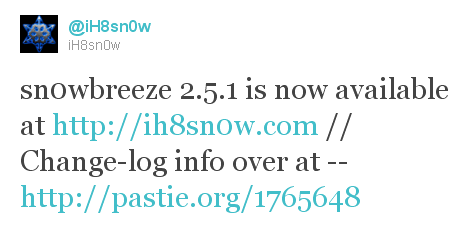
iH8sn0w updated their iOS 4.3.1 untethered jailbreak utility – released Sn0wBreeze 2.5.1.

They have added

Sn0wBreeze is used to create custom firmwares with jailbreak and preserve iPhone baseband. It is available for Windows only.

You can download Sn0wBreeze 2.5.1 here.

Here’ official changelog.


Read the rest of this entry »

Apple will soon disable restoring to iOS 4.2.1 for iPad and iPhone. In order to preserve jailbreak and unlock save your SHSH keys now! 4.3b keys might also help you in future untethered jailbreak.

You can do that using TinyUmbrella utility. Download it for Mac or Windows here. Just run it and push “Save ALL SHSHs” button.

The other way is to save SHSHs via Cydia. Run Cydia and make sure the keys are saved (green line on the top).

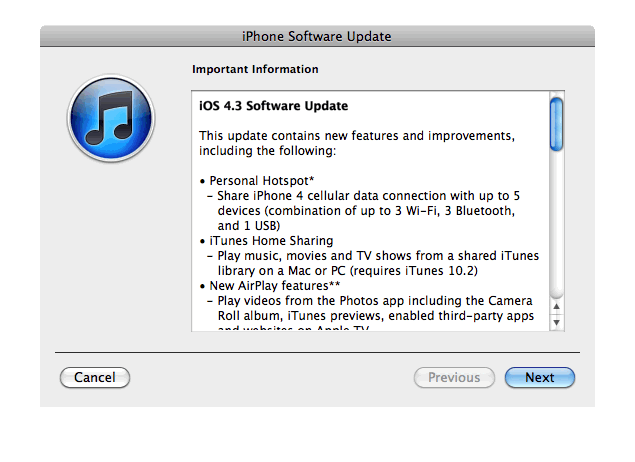
Apple just released new iOS 4.3 firmware. Jailbreakers and unlockers should wait for new tools. Everybody else will benefit. iOS 4.3 has Safari speed improvements, AirPlay features, hotspot, Home sharing, a new option for customizing the iPad’s side switch to serve as a mute toggle or screen orientation lock and much more:

This update contains new features and improvements, including the following:

* Personal Hotspot
– Share iPhone 4 cellular data with up to 5 devices (combination of up to 3 Wi-Fi, 3 Bluetooth, and 1 USB)

* iTunes Home Sharing
– Play music, movies, and TV shows from a shared iTunes library on a Mac or PC (requires iTunes 10.2)

* New AirPlay features
– Play videos from the Photos app including the Camera Roll album, iTunes previews, enabled third-party apps and websites on Apple TV
– Play slideshows from Photos on Apple TV using transitions available on Apple TV

* Faster Safari performance with Apple Nitro JavaScript engine

* HD video out using the Apple Digital AV Adapter
– View 720p HD videos from Videos app, iPod app, Photos, YouTube, Safari, Keynote, and enabled third-party apps on an HDMI display

* Ping features
– Push notifications for comments and follow requests
– Post and Like songs directly from the Now Playing screen
– Parental controls

* New Settings
– Messages setting for number of times to repeat an alert
– iPad side switch setting to lock screen rotation or mute audio notifications and sound effects

* Single tap conference call dialing with a pause to send a passcode

* Bug fixes

Products compatible with the software update:

  • iPhone 4 (GSM model)
  • iPhone 3GS
  • iPad
  • iPod touch (4th generation)
  • iPod touch (3rd generation)
  • Apple TV 2G

iPhone 3G, iPod Touch 2G and iPhone 4 Verizon do not have iOS 4.3 update.

Here are the direct links to download iOS 4.3:

device version release date
AppleTV(2G) (AppleTV2,1) 4.3 (8F191m) 03/09/2011 13:07:02
iPad (iPad1,1) 4.3 (8F190) 03/09/2011 13:07:02
iPad2,1 (iPad2,1) 4.3 (8F191) 03/09/2011 13:07:02
iPad2,2 (iPad2,2) 4.3 (8F191) 03/09/2011 13:07:02
iPad2,3 (iPad2,3) 4.3 (8F191) 03/09/2011 13:07:02
iPhone3GS (iPhone2,1) 4.3 (8F190) 03/09/2011 13:07:02
iPhone4 (iPhone3,1) 4.3 (8F190) 03/09/2011 13:07:02
iPodTouch(3G) (iPod3,1) 4.3 (8F190) 03/09/2011 13:07:02
iPodTouch(4G) (iPod4,1) 4.3 (8F190) 03/09/2011 13:07:02
  • Page 1 of 2
  • 1
  • 2
  • >