IOS 4.3.3 | Jailbreak iPhone, iPod Touch, iPad Skip to content

Jailbreak iPhone, iPod Touch, iPad

новости про джейлбрейк iPhone, iPod Touch и iPad

Archive

Tag: iOS 4.3.3

jailbreak

UPDATE: Apple latest firmware is iOS 5.1.1. Apple has stopped signing all other firmwares, including iOS 5.0.1, iOS 4.3.3 and iOS 4.3.5. This means you can NOT restore to 5.0.1/4.3.3/4.3.5 any more (both original and custom), unless you have saved your SHSH keys for it.

If you have decided to perform an untethered jailbreak and unlock, you need to get the following information:

  1. What type of device do you have (iPhone 3G/3GS/4, iPod Touch 3G/4G, iPad 1/2, Apple TV)?
  2. Do you need unlock (if your iPhone locked to one carrier and you want to use it with another)?
    The answer is NO, if the device is not iPhone, if it was purchased as factory unlocked and can be used with any cellular carrier (f.e. in Canada, France, etc).
    If the answer is YES, you need to find out your modem version (Setting-General-About-Modem).
  3. What firmware version do you have? Take a look at Setting-General-About-Version. For example it could be iOS 4.3.3.
  4. What operating system do you use on your desktop (Windows, Mac OS)?

How to perform jailbreak, when you do NOT need an unlock

For iPhone 3G the latest is iOS 4.2.1. You can perform jailbreak with any utility. For iOS 4.2.1 you can also use them or GreenPois0n (Windows, Mac OS).

iPad 2 jailbreak is available only for iOS 4.3.3 via JailbreakMe and and iOS 5.0.1 via Absenthe.

iPhone 4S jailbreak is available for iOS 5.0 / iOS 5.0.1 via Absenthe.

iOS 4.3.3

Apple stopped signing iOS 4.3.3, so you cannot update to iOS 4.3.3 without SHSH keys saved (in advance some time ago). If you have iPhone 4, iPhone 3GS, iPad 1, iPod Touch 3G or iPod Touch 4G that run iOS 4.3.3 – use JailbreakMe or RedSn0w to untether jailbreak your device.

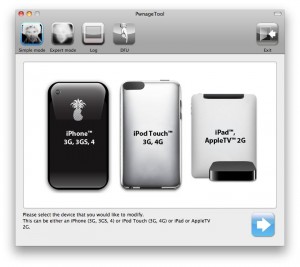
If you have saved SHSH keys for iOS 4.3.3 you can use PwnageTool (Mac OS) or Sn0wBreeze (Windows).

iOS 4.3.4/4.3.5

For iOS 4.3.4/4.3.5 only tethered jailbreak is possible with redsn0w. Tethered means that each time you restart your device you will have to connect it to a computer and run redsn0w. The untethered iOS 4.3.5 jailbreak is possible only for iPhone 3GS with old bootrom. You can detect your bootrom version using this tutorial.

iOS 5

To jailbreak and unlock iOS 5 use latest version of redsn0w 0.9.9 or sn0wbreeze 2.8. You can jailbreak tethered or semi-tethered.

The untethered iOS 5 jailbreak is possible only for iPhone 3GS with old bootrom. You can detect your bootrom version using this tutorial.

iOS 5.0.1

For iPhone 4/3GS, iPad 1, iPod Touch 3G/4G an untethered jailbreak is available for iOS 5.0.1. For untethered jailbreak use the latest redsn0w 0.9.10 or Corona – package from Cydia to untether currently installed tethered jailbreak.

Tutorial how to untether installed tethered jailbreak is available here.

For iPhone 4S and iPad 2 use Absenthe.

For tethered iOS 5.0.1 jailbreak you an use redsn0w 0.9.9 and sn0wbreeze 2.8.

iOS 5.1 / iOS 5.1.1

For now only tethered jailbreak is available for iPhone 4/3GS, iPad 1 and iPod Touch 3G/4G for iOS 5.1 and iOS 5.1.1.

You can download all firmwares here.

Tutorials

Here are our step-by-step tutorials that will guide you through the jailbreak process:

iphone4s iPhone 4S

UnTethered jailbreak iOS 5.0 / iOS 5.0.1:

iphone-4 iPhone 4

Tethered jailbreak iOS 5.1.1:

Tethered jailbreak iOS 5.1:

UnTethered jailbreak iOS 5.0.1:

Semi-Tethered jailbreak iOS 5:

Tethered jailbreak iOS 4.3.5:

UnTethered jailbreak iOS 4.3.3:


Read the rest of this entry »

434-untether

Famous iPhone hacker Stefan Esser, also known as i0n1c, recently wrote on twitter that we should not expect untether jailbreak for iOS 4.3.4 anytime soon. i0n1c was the one who created untether for iOS 4.3.3 firmware.

Our advice is simple – save your 4.3.3 SHSH keys asap. With these SHSH keys you will be able to restore to iOS 4.3.3 anytime, without – only iOS 4.3.4. Here are tutorials for you.

jailbreakme-ipad-6

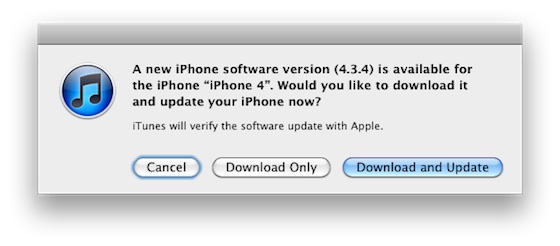
Apple today released iOS 4.3.4 to block the recent jailbreak released by comex. Do not update if you want to remain jailbroken.

Apple will soon stop signing iOS 4.3.3 so please save your SHSH blobs as soon as possible. We have step-by-step tutorials for you:

If you want to jailbreak but haven’t yet, you can find our instructions on how to jailbreak here.

ios_4_3_4

Apple has released iOS 4.3.4 to block the PDF exploit used by comex in JailbreakMe utility. JailbreakMe can wireless jailbreak all devices on iOS 4.3.3.

iOS 4.3.4 Software Update
Fixes security vulnerability associated with viewing malicious PDF files.

Products compatible with this software update:
iPhone 4 (GSM model)
• iPhone 3GS
• iPad 2
• iPad
iPod touch (4th generation)
• iPod touch (3rd generation)

For iPhone 4 Verizon Apple released iOS 4.2.9.

The official information is available here: http://support.apple.com/kb/HT1222

Take a Look at the video demonstration of the new Comex iOS 4.3.3 jailbreak on Apple iPad 2:

Here’s another video showing iPhone 4 jailbreak:


Read the rest of this entry »

JailbreakMe2

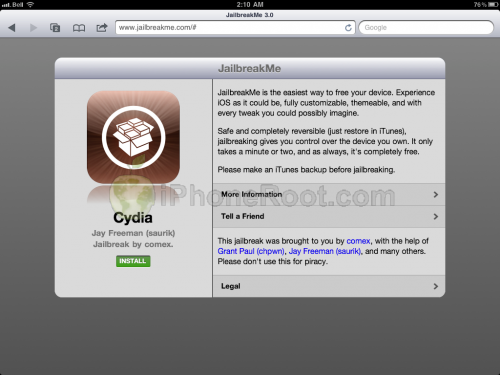
Today Comex has officially released the new web-based jailbreak for iOS 4.3.3. It supports all devices including iPad 2.

The jailbreak uses a PDF exploit similar to old JailbreakMe and does not require your device to be connected to the computer.

To jailbreak, navigate to http://www.jailbreakme.com on your iOS device after updating to iOS 4.3.3 (if you do not need unlock). We will be posting detailed instructions shortly.

Here is the list of devices and iOS versions that are supported:

  • iPad 1: iOS 4.3 – 4.3.3
  • iPad 2: iOS 4.3.3
  • iPhone 3GS: iOS 4.3 – 4.3.3
  • iPhone 4 GSM: iOS 4.3 – 4.3.3
  • iPhone 4 CDMA: iOS 4.2.6 – 4.2.8
  • iPod Touch 3G: iOS 4.3, 4.3.2, 4.3.3
  • iPod Touch 4G: iOS 4.3 – 4.3.3

Step by step JailbreakMe tutorials:

geveyultra

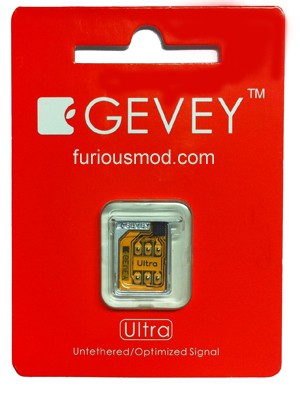
Gevey has released a new hardware unlock for iPhone 4 called Gevey Ultra SIM.

The main difference compared to the old Gevey unlock method is that you don’t have to dial 112. dialing 112/911 and hanging up is illegal in most countries, now this problem is gone.

Gevey Ultra works with

  • iOS 4.0, 4.1, 4.2.1, 4.3, 4.3.1, 4.3.2, 4.3.3
  • Basebands 1.59, 2.10, 3.10.1, 4.10, 4.10.1

Some sources claim that Gevey Ultra works even with the latest iOS 5 beta 1.

If you have 01.59 baseband you can still use free software ultrasn0w unlock. For everything else – just buy Gevey Ultra for $35 here.

The installation is simple, but requires jailbreak. Good luck iOS 4.3.3 is jailbreakable. See our jailbreak instructions here (Mac OS) and here (Windows).

Take a look at the Gevey Ultra video demo:


Read the rest of this entry »

redsn0w-096rc15 pwnagetool-42

DevTeam released the untethered jailbreak for the latest iOS 4.3.3 – utilities RedSn0w 0.9.6 rc15 and PwnageTool 4.3.3.

The 4.3.3 untether works on all Apple devices that support 4.3.2 except for the iPad2:

  • iPhone 3GS
  • iPhone 4 (GSM)
  • iPod Touch 3G
  • iPod Touch 4G
  • iPad 1
  • AppleTV 2G (PwnageTool only for now)

Redsnow is easy to use, it is available for Windows and Mac OS. As usual for unlockers – do not update to 4.3.3, use PwnageTool (MAC) and Sn0wBreeze (Windows) to preserve the baseband.

You can download RedSn0w 0.9.6 rc15 here.

You can download PwnageTool 4.3.3 here.

Ultrasn0w was also updated to support old baseband on new iOS 4.3.3. Ultrasn0w 1.2.3 (for unlockers with old baseband) is available in Cydia.

New tutorials for iOS 4.3.3 are ready:

RedSn0w 0.9.6 rc16 (Windows)

RedSn0w 0.9.6 rc16 (Mac OS)

PwnageTool 4.3.3.1 (Mac OS)

Sn0wBreeze 2.7.3 (Windows)