The iPhone Dev-Team has released UltraSn0w 1.2.8 to bring unlock support for some older basebands on iOS 6.1.
MuscleNerd commented in twitter:
Version 1.2.8 is compatible with 6.1 main firmware
The iPhone Dev-Team has released UltraSn0w 1.2.8 to bring unlock support for some older basebands on iOS 6.1.
MuscleNerd commented in twitter:
Version 1.2.8 is compatible with 6.1 main firmware
The iPhone Dev-Team has released UltraSn0w 1.25 which brings iOS 5.0.1 support to the unlock for older compartible basebands.
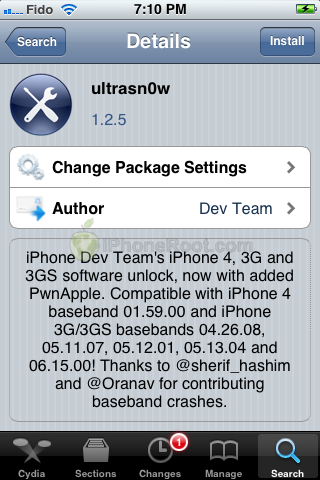
iPhone Dev Team’s , 3G, and 3GS software unlock, now with added PwnApple. Compatible with iPhone 4 baseband 01.59.00 and iPhone 3G/3GS basebands 04.26.08, 05.11.07, 05.12.01, 05.13.04 and 06.15.00! Thanks to @sherif_hashim and @Oranav for contributing baseband crashes
UltraSn0w 1.2.5 is now available in Cydia.
If you have one of the supported basebands and wish to update to iOS 5.0.1 you will need to do so with a custom ipsw that doesn’t update your baseband.
If for some reason you don’t want to use to jailbreak your iOS 5, here is a good alternative utility – Sn0wBreeze 2.8b8. It can perform a tethered jailbreak for iPhone 3GS, , iPad 1, iPod Touch 3G and iPod Touch 4G.
As usual it will preserve your baseband (modem) version for unlock with or Gevey Sim.
You can download Sn0wBreeze 2.8b8 .
UPDATE: Sn0wBreeze 2.8b8 step-by-step jailbreak and unlock tutorials:
The iPhone Dev-Team has released an update to their UltraSn0w unlock bringing support for iOS 5. Remember that NO new basebands are supported in this release. It only adds support for iOS 5 with old basebands.
Here is the list of supported basebands:
If have one of the above baseband version and need unlock you can upgrade to iOS 5 without updating your baseband using .
Ultrasn0w 1.2.4 is available in Cydia.
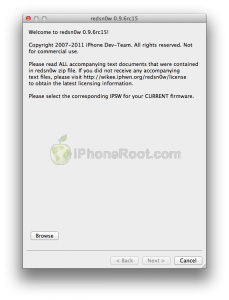
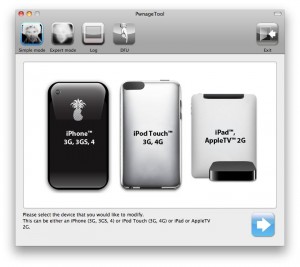
DevTeam released the untethered jailbreak for the latest iOS 4.3.3 – utilities RedSn0w 0.9.6 rc15 and PwnageTool 4.3.3.
The 4.3.3 untether works on all Apple devices that support 4.3.2 except for the iPad2:
Redsnow is easy to use, it is available for Windows and Mac OS. As usual for unlockers – do not update to 4.3.3, use PwnageTool (MAC) and Sn0wBreeze (Windows) to preserve the baseband.
You can download RedSn0w 0.9.6 rc15 .
You can download PwnageTool 4.3.3 .
Ultrasn0w was also updated to support old baseband on new iOS 4.3.3. Ultrasn0w 1.2.3 (for unlockers with old baseband) is available in Cydia.
New tutorials for iOS 4.3.3 are ready:
RedSn0w 0.9.6 rc16 (Windows)
RedSn0w 0.9.6 rc16 (Mac OS)
PwnageTool 4.3.3.1 (Mac OS)
Sn0wBreeze 2.7.3 (Windows)
The iPhone Dev team has just released PwnageTool 4.3.2 which adds support for iOS 4.3.2. The jailbreak uses i0n1c’s untether, which Apple did not fix in 4.3.2. Ultrasn0w has also been updated to 1.2.2 adding support for the new firmware.
You can download PwnageTool 4.3.2 . Ultrasn0w 1.2.2 is available in Cydia.
UPDate: !
UPDate 2: Attention! We’ve received info, that Apple stopped signing iOS 4.2 for devices for which iOS 4.3 is available. This means you will not be able to restore to 4.2.1 without saved SHSH keys.
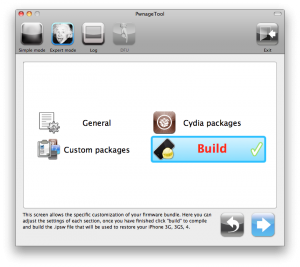
Using this tutorial you will be able to jailbreak iOS 4.2.1 running on iPhone 3G, iPhone 3GS, , iPod Touch 3G, iPod Touch 4G and iPad. Pwnagetool will also preserve baseband version if you need carrier unlock. If you have updated the baseband to version 06.15, you can use this tutorial. This tutorial uses PwnageTool 4.2 for Mac OS X.
We are not developers of jailbreak utilities, so we cannot assure that everything will work just fine. However we tried this tutorial on several devices and succeeded.
We will use iPhone 4 in our jailbreak tutorial. The process is the same for all devices.
Step One
Make a folder called “Pwnage” on the desktop. Download a couple of things:

This is the tweet from MuscleNerd posted a minute ago. So it is just minutes to wait for new unlock utility ultrasn0w.
UPDATE: New ultrasn0w released! New PwnageTool released. Read carefully from DevTeam first, then reread again!