TinyUmbrella | Jailbreak iPhone, iPod Touch, iPad Skip to content

Jailbreak iPhone, iPod Touch, iPad

новости про джейлбрейк iPhone, iPod Touch и iPad

Archive

Tag: TinyUmbrella

tinyumbrella-mac-4

Don’t Forget to Save Your iOS 5.1.1 SHSH Blobs to preserve the ability to do iOS 5.1.1 untethered jailbreak in the future. Apple might release updated iOS firmware soon to fix and disable the jailbreak. After next firmware release you will not be able to restore to 5.1.1 any more.

Read the rest of this entry »

sn0wbreeze-29

iH8sn0w has released new version of popular jailbreak utility Sn0wBreeze 2.9. Sn0wbreeze is used to create a custom firmware with jailbreak and preserve iPhone modem (baseband) version for unlock. New version 2.9 adds support for untethered iOS 5.0.1 jailbreak as well as support for all firmwares supported by previous versions of sn0wbreeze.

For now Sn0wBreeze 2.9 supports untethered jailbreak for iOS 3.1.3, 3.2.x, 4.0.x, 4.1, 4.2.1 – 4.2.8, 4.3 – 4.3.3 and 5.0.1. Supported devices are: iPhone 2G, iPhone 3G, iPhone 3GS, iPhone 4, iPad 1, iPod Touch 2G, iPod Touch 3G, iPod Touch 4G.


Read the rest of this entry »

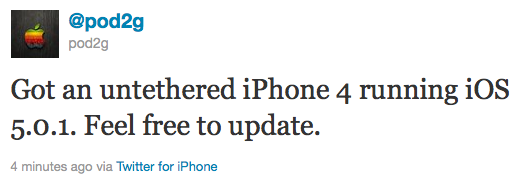
Pod2g has recently announced that he has successfully performed an untethered jailbreak on an iPhone 4 running iOS 5.0.1.

Got an untethered iPhone 4 running iOS 5.0.1. Feel free to update.

Of course, if you want to SIM unlock, don’t update using Apple’s original FW nor update OTA.

This means jailbreakers can update to iOS 5.0.1. Previously it was recommended to stay on iOS 5. Unlockers as usual should stay away from Apple’s firmwares and from iOS 5.0.1.

We strongly recommend that everyone use TinyUmbrella to save their iOS 5.0.1 SHSH Blobs.

Pod2g writes in his blog, that next devices he will try to untehter jailbreak are iPod 3G, iPod 4G and iPad 1.

iphone4-untethered-jailbreak

redsn0w-099b1 redsn0w-099b1-extra

MuscleNerd has announced via Twitter that jailbreak utility RedSn0w 0.9.9b1 is released with major update and numerous new features:

Major improvements and features added to redsn0w 0.9.9b1! See update #9 at http://is.gd/6eek4Y Feedback: @redsn0w_testers

Indeed the list of new features is quite high. There are two main ones:

  • There is no need to download firmware any more. There is no need to push Browse IPWS button any more (but you still can).
  • Developers added lots of functionality to work with SHSH keys (extract, submit, download, verify, stitch etc)

However this new version does not bring features like untethered jailbreak for iOS 4.3.5 or iOS 5.

Due to some possible bugs we still recommend to use the old RedSn0w 0.9.8b7b, but the new 0.9.9b1 is worth seeing and playing with.

Here are links to our RedSn0w 0.9.8b7b iOS 4.3.5 jailbreak tutorials:

You can download RedSn0w 0.9.9b1 here:

Here is the full list of features from DevTeam:


Read the rest of this entry »

434-untether

Famous iPhone hacker Stefan Esser, also known as i0n1c, recently wrote on twitter that we should not expect untether jailbreak for iOS 4.3.4 anytime soon. i0n1c was the one who created untether for iOS 4.3.3 firmware.

Our advice is simple – save your 4.3.3 SHSH keys asap. With these SHSH keys you will be able to restore to iOS 4.3.3 anytime, without – only iOS 4.3.4. Here are tutorials for you.

jailbreakme-ipad-6

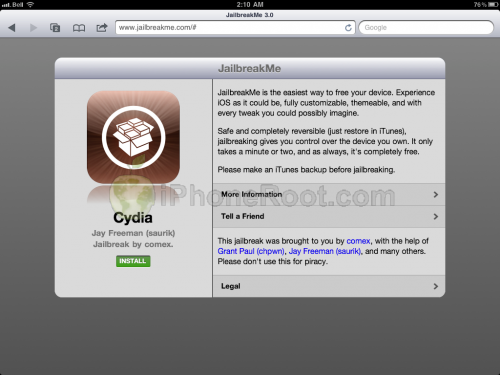
Apple today released iOS 4.3.4 to block the recent jailbreak released by comex. Do not update if you want to remain jailbroken.

Apple will soon stop signing iOS 4.3.3 so please save your SHSH blobs as soon as possible. We have step-by-step tutorials for you:

If you want to jailbreak but haven’t yet, you can find our instructions on how to jailbreak here.

Apple will soon disable restoring to iOS 4.2.1 for iPad and iPhone. In order to preserve jailbreak and unlock save your SHSH keys now! 4.3b keys might also help you in future untethered jailbreak.

You can do that using TinyUmbrella utility. Download it for Mac or Windows here. Just run it and push “Save ALL SHSHs” button.

The other way is to save SHSHs via Cydia. Run Cydia and make sure the keys are saved (green line on the top).

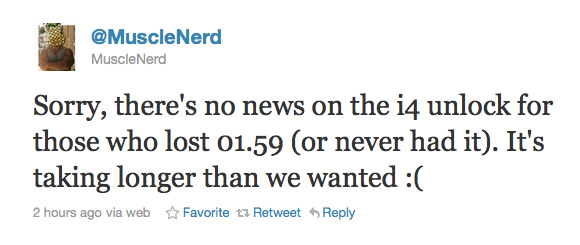
MuscleNerd recently tweeted some news regarding iPhone 4 unlock. Unfortunately:

Sorry, there’s no news on the i4 unlock for those who lost 01.59 (or never had it). It’s taking longer than we wanted 🙁

This means that users have to wait more. No due date was given. If you need unlock just remember to save your SHSH keys using Cydia or TinyUmbrella and do NOT update to iOS 4.3.

This news are for users with locked iPhone 4 with baseband 02.10 or 03.10, iPhone 3G/3GS with baseband 05.14 or 05.15. For 05.14 and 05.15 there is a possibility to update to 06.15 and unlock, but there are special risks.

gp_web_win

These are step-by-step instructions on how to jailbreak iOS 4.2.1 on iPhone 3GS, iPhone 4, iPad, iPod Touch 2G, iPod Touch 3G, iPod Touch 4G using Greenpois0n for Windows. Tutorial for Mac OS X users is available here. All the steps are the same for all devices, we will cover iPhone.

Greenpois0n has been updated to support the iOS 4.1 and iOS 4.2.1 firmware. Use Limera1n if you want to jailbreak iOS 4.0, iOS 4.0.1, iOS 4.0.2.

Remember: Greenpois0n recommends a clean restore before continuing.

Unlockers: do not update to iOS 4.1 or iOS 4.2.1 if you need the unlock. Ultrasn0w does not support that baseband yet. The only exception is the iPhone 4. Experienced users can also try update to iOS 4.2.1 without upgrading your baseband by using TinyUmbrella. Start TSS Server->Start iTunes->Plug in your iPhone->Restore 4.2.1->Error 1013->Put phone into DFU Mode->Launch Greenpois0n.

We are not authors of this app. We do not promise that everything will go well, use this tutorial at your own risk.

Read the rest >>>>

gp_web_win

These are step-by-step instructions on how to jailbreak iOS 4.2.1 on iPhone 3GS, iPhone 4, iPad, iPod Touch 2G, iPod Touch 3G, iPod Touch 4G using Greenpois0n for Windows. Tutorial for Mac OS X users is available here. All the steps are the same for all devices, we will cover iPhone.

Greenpois0n has been updated to support the iOS 4.1 and iOS 4.2.1 firmware. Use Limera1n if you want to jailbreak iOS 4.0, iOS 4.0.1, iOS 4.0.2.

Remember: Greenpois0n recommends a clean restore before continuing.

Unlockers: do not update to iOS 4.1 or iOS 4.2.1 if you need the unlock. Ultrasn0w does not support that baseband yet. The only exception is the iPhone 4. Experienced users can also try update to iOS 4.2.1 without upgrading your baseband by using TinyUmbrella. Start TSS Server->Start iTunes->Plug in your iPhone->Restore 4.2.1->Error 1013->Put phone into DFU Mode->Launch Greenpois0n.

We are not authors of this app. We do not promise that everything will go well, use this tutorial at your own risk.

Step One
Open your web browser and download the latest Windows version of GreenPois0n from here.


Read the rest of this entry »

  • Page 1 of 2
  • 1
  • 2
  • >