IPod Touch 3G | Jailbreak iPhone, iPod Touch, iPad - Part 3 Skip to content

Jailbreak iPhone, iPod Touch, iPad

новости про джейлбрейк iPhone, iPod Touch и iPad

Archive

Tag: iPod Touch 3G

sn0wbreeze-29

iH8sn0w has released new version of popular jailbreak utility Sn0wBreeze 2.9. Sn0wbreeze is used to create a custom firmware with jailbreak and preserve iPhone modem (baseband) version for unlock. New version 2.9 adds support for untethered iOS 5.0.1 jailbreak as well as support for all firmwares supported by previous versions of sn0wbreeze.

For now Sn0wBreeze 2.9 supports untethered jailbreak for iOS 3.1.3, 3.2.x, 4.0.x, 4.1, 4.2.1 – 4.2.8, 4.3 – 4.3.3 and 5.0.1. Supported devices are: iPhone 2G, iPhone 3G, iPhone 3GS, iPhone 4, iPad 1, iPod Touch 2G, iPod Touch 3G, iPod Touch 4G.


Read the rest of this entry »

pwnagetool-501

The iPhone Dev-Team has updated PwnageTool with support for the iOS 5.0.1 untethered jailbreak. PwnageTool lets you easily create a custom ipsw for upgrading to iOS 5.0.1.

Unlockers can use custim firmware to preserve baseband version and unlock with ultrasn0w or gevey. Depending on your device you can also configure the ipsw with boot logos and Cydia packages.

PwnageTool 5.0.1 supports iPhone 3GS, iPhone 4, iPad 1, Apple TV 2G, iPod Touch 3G, iPod Touch 4G.

You can download the new version of PwnageTool 5.0.1 from here.

UPDATE: Here are our step-by-step tutorials that will guide you through all the process of untethered jailbreaking iOS 5.0.1 with PwangeTool 5.0.1:

iphone-4iPhone 4

iphone3gs_siPhone 3GS

Here are our step-by-step tutorials that will guide you through all the process of jailbreaking iOS 5.0.1 with sn0wbreeze, redsn0w, pwnagetool and absenthe:

iphone4s iPhone 4S

UnTethered jailbreak iOS 5.0 / iOS 5.0.1:

iphone-4 iPhone 4

UnTethered jailbreak iOS 5.0.1:


Read the rest of this entry »

redsn0w-0-9-10-b1 untether-ios501

Untethered jailbreak is available for iOS 5.0.1 firmware on iPhone3GS, iPhone4, iPhone4-CDMA, iPad1, iPod touch 3G, iPod touch 4G.

1. If you’re already on iOS 5.0.1 with a tethered jailbreak, you have two even choices:

  1. Run redsn0w 0.9.10 over your current jailbreak (deselect “Install Cydia”)
  2. Install the Cydia package prepared by the chronic devteam. It is called Corona 5.0.1 Untether. (tutorial)

2. If you are not on 5.0.1 yet, update now! If you unlock via ultrasn0w or gevey, make sure you update to 5.0.1 via a custom IPSW! See our guides for sn0wbreeze here. Once you’re at 5.0.1, use the latest redsn0w 0.9.10 to both jailbreak and untether.

You can download RedSn0w 0.9.10b1 here.

Our step-by-step tutorials for untethered jailbreak using redsn0w 0.9.10:

jailbreak

Hacker pod2g is currently busy working on iOS 5.0.1 untethered jailbreak. He has recently posted an interesting update:

The jailbreak is near ready for prime time (excluding 4S and iPad 2).

For now the jailbreak is tested on all devices, including iPhone 4, iPhone 3GS, iPad 1, iPod Touch 3G and iPod Touch 4G. iPad 2 and iPhone 4S status is “work in progress”.


Read the rest of this entry »

sn0wbreeze-28b11
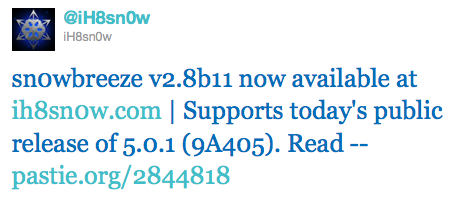
iH8Sn0w has released Sn0wBreeze 2.8b11 with support of recently released iOS 5.0.1 firmware.

As usual the jailbreak is semi-tethered for iPhone 4, iPad, iPhone 3GS with new bootrom, iPad Touch 3G, iPod Touch 4G and untethered for iPhone 3GS with old bootrom.

Sn0wBreeze 2.8b11 will create a custom firmware with jailbreak and preserve modem version for unlock. Unlockers will also be able to flash 06.15 iPad modem for unlock.

You can download Sn0wBreeze 2.8b11 here.

sn0wbreeze-28b11

Here are our step-by-step tutorials that will guide you through all the process of jailbreaking iOS 5.0.1 with sn0wbreeze 2.8b11:

Other tutorials are available here.

semitethered

Iinstructions how to change tethered iOS 5 jailbreak to a semi tethered jailbreak are available here.

Here are our step-by-step tutorials that will guide you through all the process of jailbreaking iOS 5 with redsn0w 0.9.9 and sn0wbreeze 2.8:

iphone-4 iPhone 4

Semi-Tethered jailbreak iOS 5:


Read the rest of this entry »

redsn0w-099b6

The iPhone Dev-Team released jailbreak utility RedSn0w 0.9.9b6 for both Windows and Mac users. The new version offers full iOS 5 jailbreak support for Windows and fixes Location Services issue for iPhone 3GS devices running the 06.15 baseband. This is still a tethered jailbreak for iPhone 4, iPhone 3GS, iPad 1, iPod Touch 3G and iPod Touch 4G:

We’ve released version 0.9.9b6 of redsn0w, with both a functional fix and cosmetic fix for iOS5 jailbreakers. For iPhone3GS owners with the 06.15 baseband, this redsn0w eliminates the network crash you saw when using Location Services in iOS5 (in fact, you don’t even need to disable Location Services anymore during the initial setup). The cosmetic fix is to the visual countdown you see when going into DFU mode.

It’s okay to re-run this redsn0w over an existing device jailbroken at iOS5. Just choose “Jailbreak” again and de-select Cydia (in other words, all the checkboxes will be unchecked). If you are lucky enough to have an old-bootrom iPhone3GS, please pre-select the IPSW first (redsn0w can’t yet auto-detect the FW version of your old-bootrom 3GS if it’s already been jailbroken).

Just as redsnow 0.9.9b5 the new version supports creating custom firmwares with preserving baseband (modem) version for unlock. Unfortunately right now custom firmware functionality works only with Mac version.

You can download the latest RedSn0w version here.

UPDATE:
Here are links to our RedSn0w 0.9.9 iOS 5 jailbreak tutorials:

sn0wbreeze28b8-2 sn0wbreeze28b8-1

If for some reason you don’t want to use redsn0w 0.9.9 to jailbreak your iOS 5, here is a good alternative utility – Sn0wBreeze 2.8b8. It can perform a tethered jailbreak for iPhone 3GS, iPhone 4, iPad 1, iPod Touch 3G and iPod Touch 4G.

As usual it will preserve your baseband (modem) version for unlock with ultrasn0w 1.2.4 or Gevey Sim.

You can download Sn0wBreeze 2.8b8 here.

UPDATE: Sn0wBreeze 2.8b8 step-by-step jailbreak and unlock tutorials: