Redsn0w 0.9 | Jailbreak iPhone, iPod Touch, iPad - Part 5 Skip to content

Jailbreak iPhone, iPod Touch, iPad

новости про джейлбрейк iPhone, iPod Touch и iPad

Archive

Tag: redsn0w 0.9

jailbreak-iOS-5

We didn’t have to wait long for the Windows version of recently released iOS 5 jailbreak utility for Mac OS.

DevTeam created a Windows version of Redsn0w 0.9.8 b1 and iH8sn0w released Sn0wBreese 2.8 b1. Both perform a tethered jailbreak of iOS 5 beta 1 on iPhone 3GS/4, iPod Touch 3G/4G and iPad 1.

You still need activated UUID. Both tools do NOT hactivate devices.

You can download Redsn0w 0.9.8 b1 for Windows here and Sn0wBreese 2.8 b1 here.

ios5-redsn0w

MuscleNerd recently Tweeted that iOS 5 beta 1 jailbreak is already available. DevTeam released Redsn0w 0.9.8 b1.

For now the jailbreak is tethered (you have to run redsn0w each time you reboot) and available for Mac OS X only. It will not activate your device, so you need have registered UDID. iPhone 3GS users with 06.15 baseband: redsn0w will get you past the iTunes restore error. This redsn0w will probably work on future versions of iOS 5.

Redsn0w 0.9.8 b1 works with iOS 5 b1 on iPhone 4 (GSM / CDMA), iPhone 3GS, iPod Touch 3G, iPod Touch 4G, iPad 1.

This is mostely for developers of Cydia apps. Most tweaks and Cydia applications do not work on iOS 5.

You can download Redsn0w 0.9.8 b1 here.

redsn0w-096rc15 pwnagetool-42

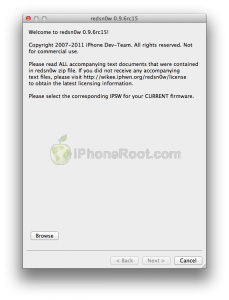
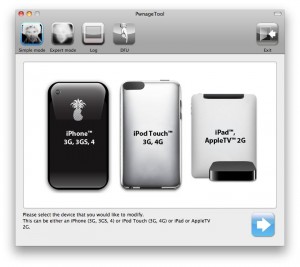
DevTeam released the untethered jailbreak for the latest iOS 4.3.3 – utilities RedSn0w 0.9.6 rc15 and PwnageTool 4.3.3.

The 4.3.3 untether works on all Apple devices that support 4.3.2 except for the iPad2:

  • iPhone 3GS
  • iPhone 4 (GSM)
  • iPod Touch 3G
  • iPod Touch 4G
  • iPad 1
  • AppleTV 2G (PwnageTool only for now)

Redsnow is easy to use, it is available for Windows and Mac OS. As usual for unlockers – do not update to 4.3.3, use PwnageTool (MAC) and Sn0wBreeze (Windows) to preserve the baseband.

You can download RedSn0w 0.9.6 rc15 here.

You can download PwnageTool 4.3.3 here.

Ultrasn0w was also updated to support old baseband on new iOS 4.3.3. Ultrasn0w 1.2.3 (for unlockers with old baseband) is available in Cydia.

New tutorials for iOS 4.3.3 are ready:

RedSn0w 0.9.6 rc16 (Windows)

RedSn0w 0.9.6 rc16 (Mac OS)

PwnageTool 4.3.3.1 (Mac OS)

Sn0wBreeze 2.7.3 (Windows)

redsn0w-096rc14

DevTeam released the untethered jailbreak for the latest iOS 4.3.2 – RedSn0w 0.9.6 rc14.

The 4.3.1 untether works on all Apple devices that support 4.3.2 except for the iPad2:

Redsnow is easy to use, it is available for Windows and Mac OS. As usual for unlockers – do not updaate to 4.3.1, wait for PwnageTool and Sn0wBreeze.

You can download RedSn0w 0.9.6 rc14 here.

New tutorials are on it’s way. For now you can still use our tutorials for iOS 4.3.1. Just download iOS 4.3.2 here, update in iTunes, point redsn0w to it, everything else is the same:

redsn0w-rc10

DevTeam released a new version of RedSn0w 0.9.6 rc10. Short after that they released a fix for that – RedSn0w 0.9.6 rc11.

DevTeam have added boot animation logo, removed some unnecessary settings, and fixed some bugs.

Everything else is the same – untethered jailbreak for iOS 4.3.1 for all devices and both Windows and Mac OS X users.

You can download the latest RedSn0w here.


Read the rest of this entry »

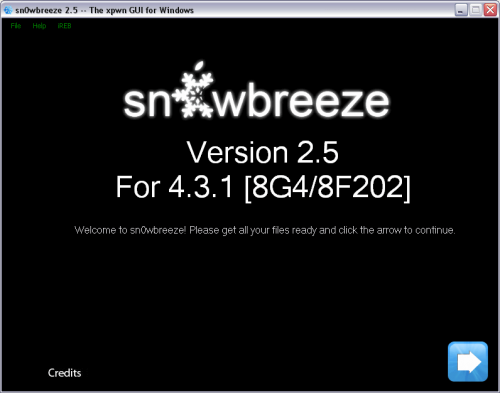
ih8sn0w released Sn0wBreeze 2.5 – utility to untether jailbreak iOS 4.3 for Windows. It uses the same method as Redsn0w 0.9.6 rc9 and Pwnagetool 4.3.

Sn0wbreeze also preserves your baseband, which is very useful for unlockers. That is why it is so-called Pwnagetool for Windows. With Sn0wbreeze you can update to firmware iOS 4.3.1, while preserve old unlockable baseband. It also works with iPhone 3GS with 06.15 baseband.

Sn0wBreeze 2.5 does not support iPhone 4 Verizon and iPad 2.

You can download Sn0wBreeze 2.5 for Windows here.

DevTeam released much anticipated untethered jailbreak for the latest iOS 4.3.1 – RedSn0w 0.9.6 rc9 and PwngeTool 4.3.

The 4.3.1 untether works on all Apple devices that support 4.3.1 except for the iPad2:

Redsnow is easy to use, it is available for Windows and Mac OS. Pwnagetool can be used to create custom ipsw and preserve baseband, it supports Mac OS only.

You can download RedSn0w 0.9.6 rc9 here and PwnageTool 4.3 here.

Here are our tutorials:

Ultrasn0w doesn’t work on iOS 4.3.1 yet (even with iOS 4.3.1 + old baseband). The fix will be available soon. Here’s a warning from DevTeam for unlockers:


Read the rest of this entry »

DevTeam released much anticipated untethered jailbreak for the latest iOS 4.3.1 – RedSn0w 0.9.6 rc9 and PwngeTool 4.3.

The 4.3.1 untether works on all Apple devices that support 4.3.1 except for the iPad2:

Redsnow is easy to use, it is available for Windows and Mac OS. Pwnagetool can be used to create custom ipsw and preserve baseband, it supports Mac OS only.

You can download RedSn0w 0.9.6 rc9 here and PwnageTool 4.3 here.

Here are our tutorials:

Ultrasn0w doesn’t work on iOS 4.3.1 yet (even with iOS 4.3.1 + old baseband). The fix will be available soon. Here’s a warning from DevTeam for unlockers:


Read the rest of this entry »

greenpois0n-rc5

The Chronic Dev-Team has finally released the new version of Greenpois0n, which features a full untethered jailbreak for iOS 4.2.1. No SHSH blobs needed. The exploit used has already been patched in iOS 4.3, so it not work on future iOS 4.3.

You can jailbreak iPhone 4, iPhone 3GS, iPod Touch 2G, iPod Touch 3G, iPod Touch 4G, iPad and Apple TV 2G. Unlike redsn0w 0.9.6 this is untethered, so there is no need to connect iOS device to a computer after restart.

There is only Mac OS X version available. Chronic Dev-Team will release Windows and probably Linux version soon.

Unlockers: do not update to stock iOS 4.2.1. You should keep your baseband version. Wait for new version of PwnageTool.

You can download GreenPois0n RC5 from here.

UPDATE: Step-by-step tutorial

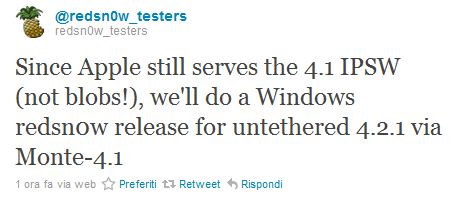
Good news everyone. DevTeam recently posted a tweet where they inform us that they will soon release a new version of Redsn0w utility for Windows. It will be an untethered jailbreak for iOS 4.2.1 using the Monte iOS 4.1 technique.


Read the rest of this entry »