This is a tutorial, that shows step by step how to use installed Java on the IPhone. Just in case you do not have Java installed on your IPhone there is a tutorial how to do it.
What we need is a working IPhone with Java Installed. I used latest firmware 1.1.4, unlocked, jailbreaked and customized by .
Step 1: Create simple Java application, compile and run.
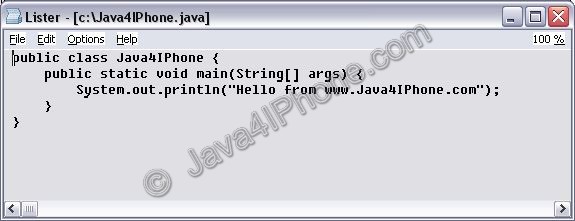
- Create file Java4IPhone.java and put simple Java hello-world code there. I used the following code:
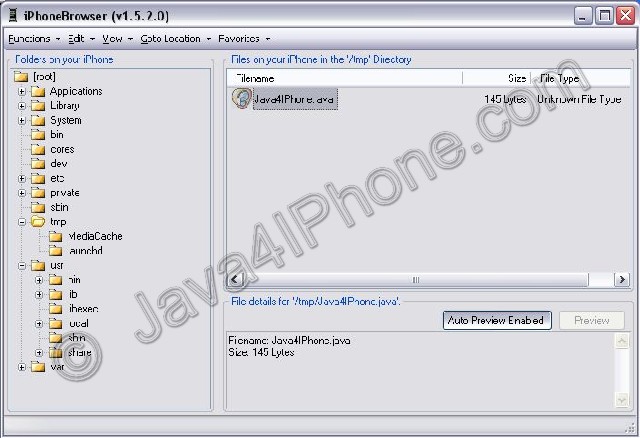
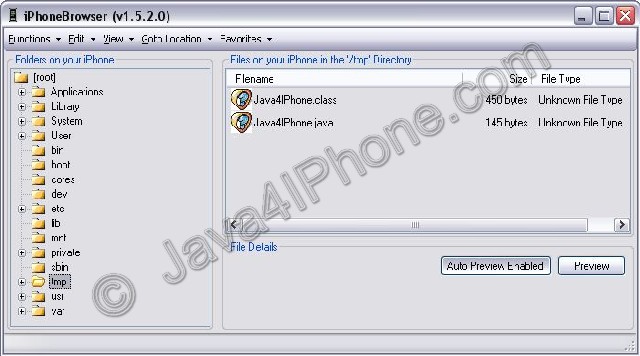
- Upload to IPhone. I used /tmp directory. For uploading I used .
- Run Terminal.
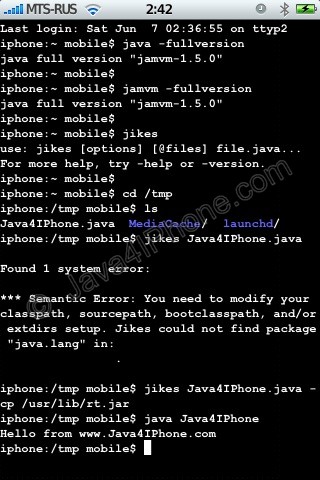
- Use command java -fullversion or jamvm -fullversion to see if java is avaliable.
- Use command jikes to invoke java compiler.
- Go to /tmp directory, using command cd /tmp
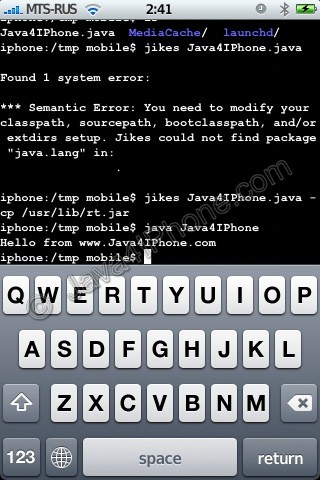
- Compile. We need to specify classpath to basic java packages. If we do not do that, jikes will produce an error (see screenshot). So use the following command: jikes Java4IPhone.java -cp /usr/lib/rt.jar
- After compiling Java4IPhone.class file should appear in the same directory. To run use commandjava Java4IPhone
- Take a look at the screenshots. Hopefully you’ll have something similar.

Step 2: Have fun!
Comments