разлочка | Jailbreak iPhone, iPod Touch, iPad - Part 3 Skip to content

Jailbreak iPhone, iPod Touch, iPad

новости про джейлбрейк iPhone, iPod Touch и iPad

Archive

Tag: разлочка

hack-iphone3gs

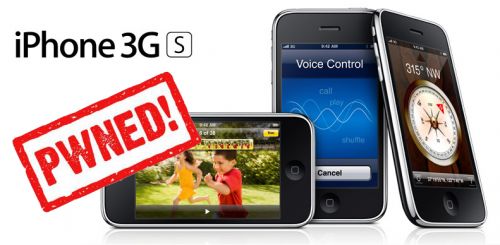
And after the various Key and provocations made by GeoHotz, the DevTeam has decided to write a new article on the official blog with good news for all owners of an iPhone 3GS! The DevTeam has verified that the exploit called 24Kpwn (used for the first time to unlock the iPod Touch 2G) is still valid and it works wonderfully for iPhone 3GS.

It seems the new version of bootrom used by Apple in 3GS dates back in August, a few months before the release of 24Kpwn, so there was no time to solve the problem.

In addition, the new daemon released by the team under the name of ultrasn0w (unlock for iPhone 3G) will work with iPhone 3GS.

New versions of redsn0w (jailbreak) and ultrasn0w (unlock) with iPhone 3GS support will be released soon.
unlock

DevTeam released Ultrasn0w – application that will unlock your iPhone 3G with firmware 3.0. Here are the instructions:

  1. Ensure you have upgraded to iPhone OS 3.0
  2. Jailbreak your iPhone using redsn0w (this will also install Cydia)
  3. Run Cydia
  4. Please add the repo repo666.ultrasn0w.com to Cydia. That last “o” is actually the number zero “0”! If you use the letter “o” you’ll get an error.
  5. Search for ‘ultrasn0w’ in cydia or icy and install ultrasn0w
  6. Reboot your iPhone 3G
  7. T-Mobile USA users should disable 3G before using ultrasn0w
  8. Enjoy

This is a step-by-step tutorial. If you have iPhone 3G this guide will help you jailbreak and activate the device. For iPhone 2G it will also perform the unlock.

I recommend using 2.2 firmware, because iPhone 3G unlock is avaliable now. But you can use it with old v2.1, v2.0.1 and v2.0.2.


Read the rest of this entry »

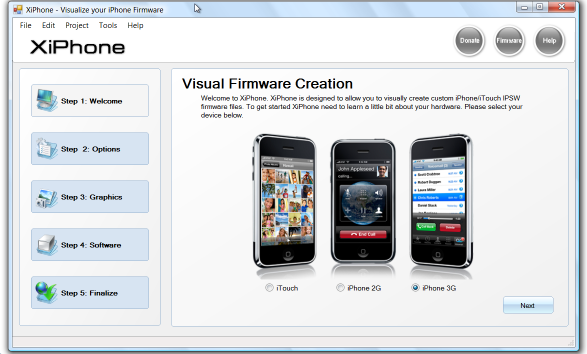
Recently a new project has been started, called XiPhone. It will be based on XPWN. So functionality similar to WinPwn and Pwnage will be present (jailbreak, unlock, etc). In addition to that developers plan to include:

  • Auto downloading of stock firmware files from apple’s site (no need to hunt for it then select it)
  • Wizard based modern GUI (created with .net 2.0), and Vista Style UI.
  • Export of firmware settings so users can pass around an XML file which contains a configuration that works for them.
  • Auto updates to the XiPhone software.
  • Community based wallpapers used for Bootscreen, Restore screen and others
  • Enabling / Disabling of options available based on the device you select.

Unfortunately, only Windows platform users will be able to use XiPhone.