Activation | Jailbreak iPhone, iPod Touch, iPad Skip to content

Jailbreak iPhone, iPod Touch, iPad

новости про джейлбрейк iPhone, iPod Touch и iPad

Archive

Tag: activation

The team behind the Pangu untethered jailbreak of iOS 7.1-7.1.2 has released a Pangu8 untethered jailbreak for iOS 8 – 8.1.

Currently a jailbreak utility is only available for Windows and at this time Cydia and Mobile Substrate are not working.

Here’s the translated details via reddit user zsm1703:


Read the rest of this entry »

Semi-Restore is a new solution for iPhone, iPad, and iPod touch users who want to wipe their device clean without losing their jailbreak.

Created by CoolStar, the process will restore your device running iOS 5.0 through 6.1.2 to near stock condition. It’s performed using a simple one click app that is available to download for Mac, Windows, and Ubuntu.


Read the rest of this entry »

redsn0w-0912b1 redsn0w-0912b1-extras

The iPhone Dev-Team has released updates to RedSn0w and PwnageTool that bring support for the iOS 5.1.1 untethered jailbreak.

RedSn0w 0.9.12b1 supports untethered iOS 5.1.1 jailbreak for all devices:

  • iPhone 3GS
  • iPhone 4
  • iPhone 4S
  • iPad 1
  • iPad 2
  • new iPad 3
  • iPod Touch 3G
  • iPod Touch 4G

PwnageTool 5.1.1 allows to create custom firmware and preserve modem version for unlock with ultrasn0w or Gevey. PwnageTool 5.1.1 supports all A4 devices:

  • iPhone 3GS
  • iPhone 4
  • iPad 1
  • iPod Touch 3G
  • iPod Touch 4G
  • Apple TV 2G

You can download RedSn0w 0.9.12b1 here and PwnageTool 5.1.1 here.

iOS 5.1.1 untethered jailbreak tutorial using Redsn0w is available here.

Official DevTeam comments:


Read the rest of this entry »

redsn0w-0910b8 redsn0w-0910b8-1

The iPhone Dev-Team has updated RedSn0w with the ability to save iPhone unlock tickets (SAM unlock).

redsn0w 0.9.10b8 adds the ability to backup arbitrary directories or files from your device into a zip file on your Mac or PC. The new button is Extras->Even More->Backup and it requires your device to be jailbroken with the afc2 service enabled (most jailbreaks include that). By default it will backup your activation records from /var/root/Library/Lockdown, which is useful for everyone taking advantage of today’s SAM unlock using Loktar_Sun’s trick

You can download the new version of RedSn0w 0.9.10b8 here.

You can save unlock tickets through Extras -> Even More -> Backup.

iOS_5

Apple recently released iOS 5 beta and iTues 10.5 beta. It is available only for Apple registered developers. But you can try it too. Remember that you do it at your own risk. Below you will find iOS 5 download links for iPhone 3GS, iPhone 4, iPod Touch 3G, iPod Touch 4G, iPad 1, iPad 2, Apple TV 2G and download links to iTunes 10.5 Mac and Windows.

Keep in mind that your iDevice will need to be activated, your UUID needs to be registered in Apple. Installing iOS beta on a non-activated device will render it useless. If you need help with registering UUID – write us, we will try to help..

Remember that currently there is no jailbreak for iOS 5 released.

You can download iOS 5.0 beta 1 and iTunes 10.5 beta here.

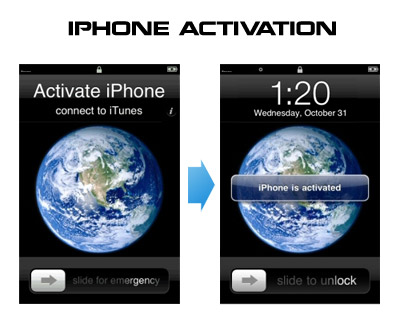
Having problems activating your iPhone? Don’t have original SIM-card? Cannot get passed emergency unlock screen? We have a solution:

If you have iPhone 3G, just use redsn0w to jailbreak and hactivate. If you have iPhone 3GS or iPhone 4 follow these instructions:

If you are already Jailbroken:

So you have an iPhone with iOS 4.0, but don’t have the original SIM and stuck on the Emergency Call Screen:

  1. Download ifunbox software (download link)
  2. Run ifunbox software and sync with phone
  3. Go to /private/var/root/Library/, delete original lockdown folder and put this lockdown folder after you extract it from the zip file
  4. Restart phone

If you are not jailbroken


Read the rest of this entry »

AppStore and iTunes are great. But when we want other useful apps we jailbreak and run Cydia. Some use Installer, others prefer Icy. Here is a demonstration of new app to install 3-rd party apps called Kryptes:

ants1

Once again we have the ability to have ants running on our iPhone. This little toy was available on firmware 1.1.x. Now the developer has update the code to support firmware 2.x. If you don’t remember ants take a look at the video below. This toy is easy to use. As you might remember you open the app and activate the ants. Then open your notes and watch the ants fill the screen. You can smash them or shake your iPhone to remove them. Ants is available in Cydia for jailbreaked iPhones.

jailbreak_skype

If you have jailbreaked iPhone your Skype app may crash. Here is what we know so far:

  • If Skype crashes when trying to input text: Disable both Clippy (Use SBSettings toggle) and any custom Winterboard sounds relating to the keyboard tick (tock.aiff).
  • If Skype crashes within 1 minute of having the app open: Update app called mobile substrate in Cydia. Uninstalling mobile substrate also fixes the problem, but you will lose features such as winterboard and sbsettings.

UPDATE: Many users report that Skype works fine with the latest version of Clippy (0.98-2) without the need to turn the latter off.

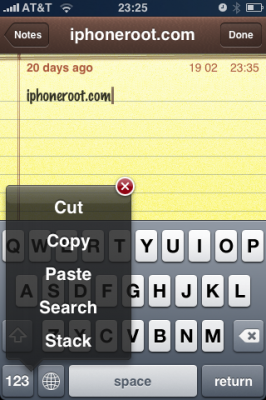
Clippy is an iPhone addition for copy/paste functionality. It was updated to version 0.98. There are significant improvements that make the application much more stable, and moreover it is important to note that starting from now, Clippit becomes a completely free.

Avaliable via Cydia and Icy for jailbreaked iPhones.

Changelog for 0.98: March 29, 2009:


Read the rest of this entry »