BossPrefs | Jailbreak iPhone, iPod Touch, iPad Skip to content

Jailbreak iPhone, iPod Touch, iPad

новости про джейлбрейк iPhone, iPod Touch и iPad

Archive

Tag: BossPrefs

Dev Team finally made it. They created software called yellowsn0w, that unlocked iPhone 3G. Now you can use any carrier you want. I successfully unlocked my US version.It works much more stable than sim proxy method.

Please, back up everything on your iPhone before you start, just in case. Everything you do is your responsibility. I had to go through all 4 steps to make my iPhone 3G work. I used only my new sim without sim proxy.

Here are the steps:

Read the rest of this entry »

We had a post about SBSettings – the future of BossPrefs (link). Couple days ago this application became  avaliable in Cydia.

SBSettings doenst have an icon so after you install to access it you must slide across the statusbar (aka the top bar that displays service, time, battery, etc.)

Current version is 0.92. But the application is updated almost every day.

This application is avaliable for jailbreaked iPhones via Cydia installer.

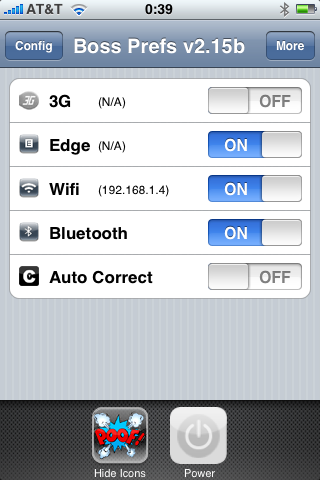
Many users of jailbreaked iPhones use application called BossPrefs. The developer of this app is creating a new one. The new application will be called SBSettings.

The toggles drop down when you swipe along the status bar. It is very fast and can be used while in any app without exiting the app. Suppose you are in Safari but realize your 3g is not yet enabled. Just swipe the statusbar and toggle 3g, than resume in Safari where you left off. The advantage is there is no need to exit Safari and load settings or bossprefs.

The look and feel of this new app will be something like this:

via thebigboss

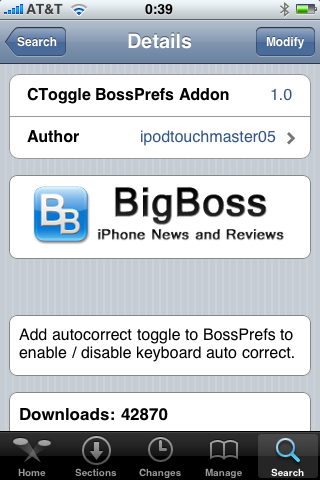
I was amazed that very few people know how to turn auto-correction off. Here is what you need:

  • Jailbreak your iPhone and install Cydia
  • Install BossPrefs
  • Install CToggle BossPrefs Addon
  • Run BossPrefs and turn auto-correction off

There is even a domain: http://please-let-us-disable-autocorrection-steve.com.. Nice.

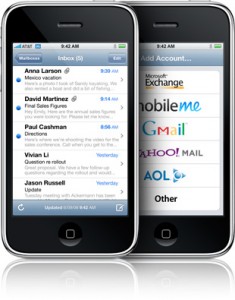
Is your mail crashing on 2.0 firmware?

This is generally caused after syncing your backup. This has nothing to do with jailbreaking or not. However, the fix for it is simple and is part of a jailbreak. The issue is that after syncing your backup, your mail folder is owned by root and your mail app running as user mobile does not have permissions to access it. You can fix it in SSH. But I also added a button in BossPrefs to solve it.

Step 1:Jailbreak your device

Step 2: Install BossPrefs from Cydia

Step 3: Tap “more”

Step 4: Tap “Fix User Dir Permissions”

Step 5: Sometimes, not always, you will need to load settings and reenter your mail passwords.

via sleepers.net