Screenshots | Jailbreak iPhone, iPod Touch, iPad Skip to content

Jailbreak iPhone, iPod Touch, iPad

новости про джейлбрейк iPhone, iPod Touch и iPad

Archive

Tag: screenshots

iphone-4s-jailbreak

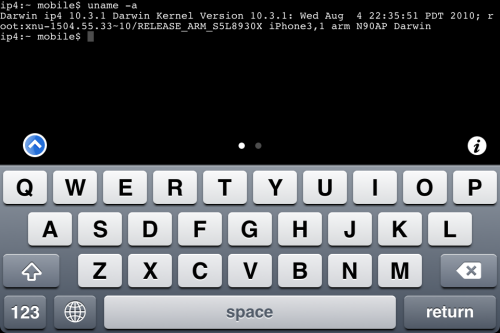
iPhone DevTeam member MuscleNerd recently tweeted that iPhone 4S jailbreak was finally made:

MuscleNerd
VERY preliminary 4S JB: http://twitpic.com/76vcp4 http://twitpic.com/76vct2 (Huge missing pieces prevent public release. LOTS of work left)

This is just a first step, and as MuscleNerd said there’s a lot of work left to do. So don’t expect to see new utility anytime soon. But this is still great news.

Take a look at the screenshots with terminal and Cydia running on iPhone 4S:

Read the rest of this entry »

MuscleNerd, hacker from DevTeam, has announced via Twitter that a major update to RedSn0w is coming soon.

There will be no need to select an IPSW. Rather than requiring ipsw selection, RedSn0w will now automatically fetch the important pieces directly from Apple (and caches them so that it never needs to re-fetch them again). New version also brings the ability to save and submit SHSH Blobs to Cydia.

Will be pushing out a major redsn0w feature upgrade before my trip to Korea: http://is.gd/PMAdT1 (and look, no IPSW selection button!)

The new version of RedSn0w is expected to be released on Monday.

Check out the screenshots below:

new-redsn0w new-redsn0w-1


Read the rest of this entry »

MobileTerminal-iPhone4-04

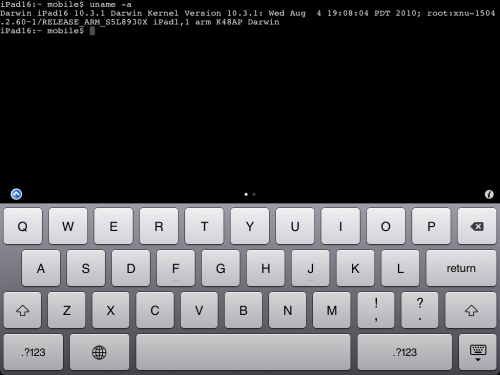
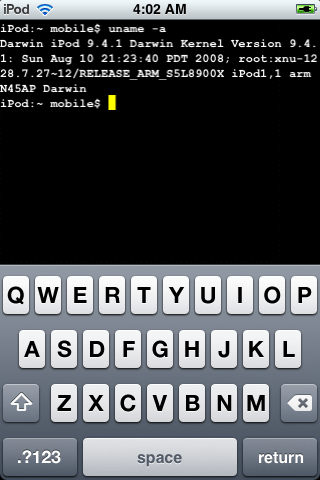
MobileTerminal is a terminal emulator application for the iPad and iPhone. The version of MobileTerminal that is available in Cydia doesn’t work with iPhone iOS 4.x. However there are beta versions that do work, but aren’t on Cydia because they are still in beta stages. This tutorial will show you step-by-step how to install MobileTerminal on iPhone with iOS 4.x (tutorial for iPad is here). If you have old version of MobileTerminal installed – uninstall it in Cydia (Search – MobileTerminal – Remove).

First of all you need to jailbreak your iPhone. If you have not done it already here is an easy tutorial: how to jailbreak iOS 4.0-4.1 on iPhone using Limera1n. After you successfully jailbreaked iPhone:

  1. Run Cydia by tapping on Cydia icon
  2. cydia_icon

  3. The Cydia will start:

Read the rest of this entry

MobileTerminal-iPad-05

MobileTerminal is a terminal emulator application for the iPad and iPhone. The version of MobileTerminal that is available in Cydia doesn’t work with iPad iOS 3.2.2 and iPhone iOS 4.x. However there are beta versions that do work, but aren’t on Cydia because they are still in beta stages. This tutorial will show you step-by-step how to install MobileTerminal on iPad (tutorial for iPhone is here). If you have old version of MobileTerminal installed – uninstall it in Cydia (Search – MobileTerminal – Remove).

First of all you need to jailbreak your iPad. Here is an easy tutorial: how to jailbreak iPad with iOS 3.2.2 using Limera1n. After you successfully jailbreaked iPad:

  1. Run Cydia by tapping on Cydia icon
  2. cydia_icon

  3. The Cydia will start:

Read the rest of this entry

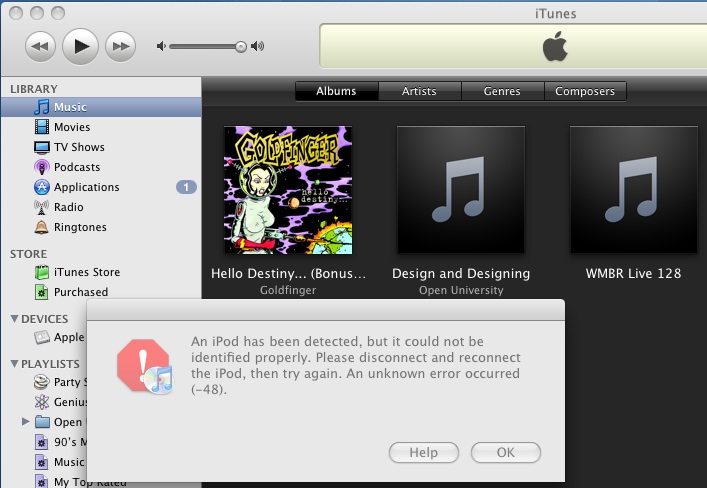
The only way Apple can fix the exploit that the iPhone Dev Team has been using to Jailbreak iPhone’s and iPod Touch’s is to fix their hardware, but it seems Apple has figured out a way to program iTunes 8 to detect and prevent the Pwnage exploit. The screenshot below from iTunes 8 using a Pwned ipsw (with an unPwned device attached) is one example.

The Dev Team reacted promptly:

“The nice thing about iTunes decisions is that we can provide you with patches to counter them. We have one such patch already for Mac iTunes 8 for iPod touch. We’ll be working out the full suite of patches for all the combinations over the next week.”

Dev Team also published two interesting screenshots:

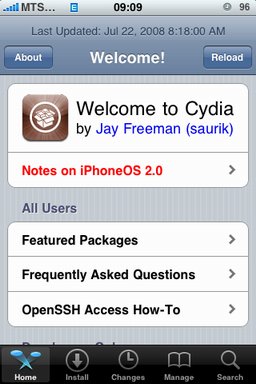
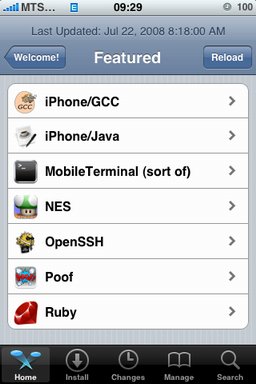
After successfull jailbreake of the IPhone/IPhone 3G with firmware 2.0 it is possible to install Cydia installer. And what is more exciting, there are many applications there, including Java.

Related articles:

screenshots are from iphoneapps.ru

Run

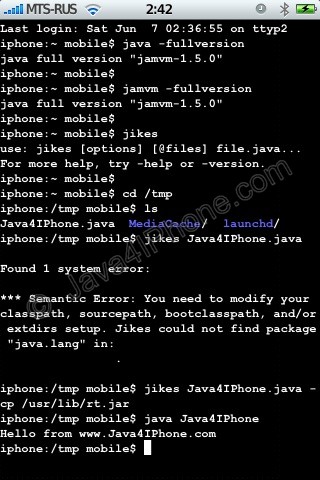
This is a tutorial, that shows step by step how to use installed Java on the IPhone. Just in case you do not have Java installed on your IPhone there is a tutorial how to do it.

What we need is a working jailbraked IPhone with Java Installed. I used latest firmware 1.1.4, unlocked, jailbreaked and customized by winpwn.

Step 1: Create simple Java application, compile and run.


Read the rest of this entry »

Installed packages

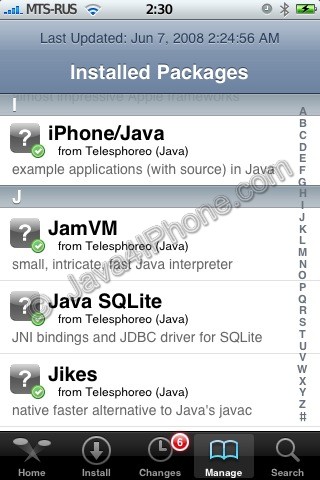
This is a tutorial, that shows step by step how to install Java on the IPhone.

What we need is a working unlocked and jailbraked IPhone with Installer. I used latest firmware 1.1.4, unlocked, jailbreaked and customized by winpwn.

First of all I’d like to say we all want to use legal IPhones and operators. So everything written below is for testing purposes only :-). Hopefully this technology will be avaliable on all IPhones sold worldwide. You also might need to recover your IPhone, so make sure you backed up all your data. I personally did everything without any problems and needs to recover. Everything you do is your responsibility, etc…

So let’s start, because it’s worth it! It’s just one evening and you will be able to create your personal Java application, compile and run it on the IPhone, and amaze all your friends :-).

There are two steps:


Read the rest of this entry »