The evad3rs have released new Evasi0n7 1.0.6. The updated jailbreak tool version allows to hack the devices running latest iOS 7.0.6. Looks like you don’t have to wait or search for alternative patches as I recommended yesterday. All you need to do is to upgrade to iOS 7.0.6 and then run the Evasi0n7 tool.
Archive
Tag: бесплатноA new tweak has recently appeared on Cydia that lets you use your iPhone 5 or iPod touch to capture slow motion videos, even though these devices are believed to not support a slow motion mode. The tweak is called Slo-mo Mod and it is available for free on BigBoss repo.
Semi-Restore is a new solution for iPhone, iPad, and iPod touch users who want to wipe their device clean without losing their jailbreak.
Created by CoolStar, the process will restore your device running iOS 5.0 through 6.1.2 to near stock condition. It’s performed using a simple one click app that is available to download for Mac, Windows, and Ubuntu.

InteVyDis has released an untethered jailbreak for A4 devices on iOS 5.1.1 as part of Vulndisco Mobile 1.7. The module is vd_ios_untether_5_1_1. It works by creating a custom bundle you have to install via RedSn0w. Evgeny Legerov posted in twitter:
vulndisco mobile 1.7 is out with untethered 5.1.1
This jailbreak is not free and costs big money. It works only on A4 devices – iPhone 3GS, , iPad 1, iPod Touch 3G and iPod Touch 4G. It is not yet tested by other hackers. So this might be fake. However famous hacker I01nc notes that the company is a legit source of exploits:
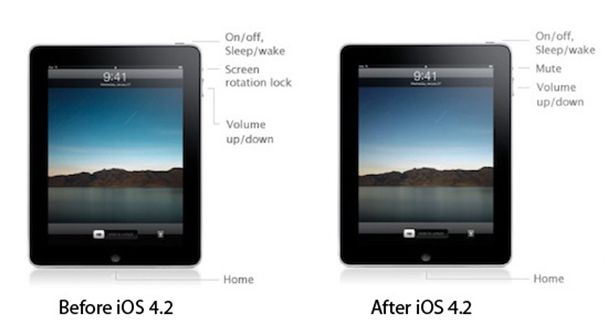
In iPad OS 4.2 ‘Orientation Lock’ was changed to ‘Mute Switch’. If you want to change it back there is an app for that.
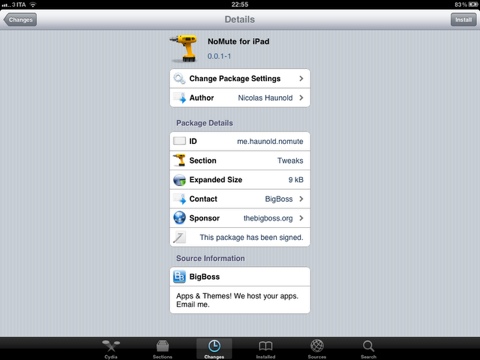
NoMute, a jailbreak only application, switches the controversial mute switch from iPad 4.2 into its former (and more useful) orientation lock. The plugin is free and you can get it from the BigBoss repository on Cydia.
By the way you can lock screen orientation without jailbreaking through multitasking panel – just push Home button twice, slide to the left and hit lock icon.
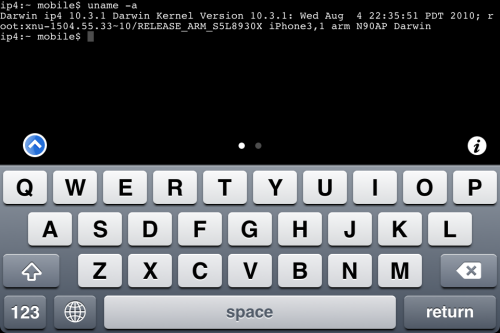
MobileTerminal is a terminal emulator application for the iPad and iPhone. The version of MobileTerminal that is available in Cydia doesn’t work with iPhone iOS 4.x. However there are beta versions that do work, but aren’t on Cydia because they are still in beta stages. This tutorial will show you step-by-step how to install MobileTerminal on iPhone with iOS 4.x (tutorial for iPad is ). If you have old version of MobileTerminal installed – uninstall it in Cydia (Search – MobileTerminal – Remove).
First of all you need to jailbreak your iPhone. If you have not done it already here is an easy tutorial: . After you successfully jailbreaked iPhone:
- Run Cydia by tapping on Cydia icon
- The Cydia will start:

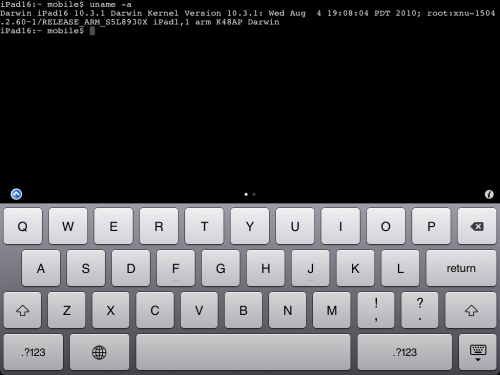
MobileTerminal is a terminal emulator application for the iPad and iPhone. The version of MobileTerminal that is available in Cydia doesn’t work with iPad iOS 3.2.2 and iPhone iOS 4.x. However there are beta versions that do work, but aren’t on Cydia because they are still in beta stages. This tutorial will show you step-by-step how to install MobileTerminal on iPad (tutorial for iPhone is ). If you have old version of MobileTerminal installed – uninstall it in Cydia (Search – MobileTerminal – Remove).
First of all you need to jailbreak your iPad. Here is an easy tutorial: . After you successfully jailbreaked iPad:
- Run Cydia by tapping on Cydia icon
- The Cydia will start:
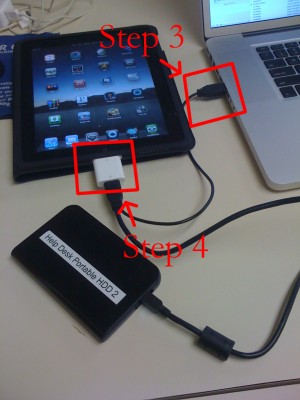
iPad USB Camera Connection Kit is much more useful as it seems. Max Sha, an experienced user, was able to access external hard drive with this kit. All you need is a jailbroken iPad, an external drive, a split-USB cable to give the drive some power and a terminal of some sort (f.e. MacBook) to mount the external storage. While it is a little unwieldy, it shows that Terabytes of external storage for iPad is possible.
Here is a complete step-by-step guide from Max Sha: