Unlock | Jailbreak iPhone, iPod Touch, iPad - Part 4 Skip to content

Jailbreak iPhone, iPod Touch, iPad

новости про джейлбрейк iPhone, iPod Touch и iPad

Archive

Tag: Unlock

sn0w2

Popular jailbreak utility Sn0wbreeze was updated to version 2.9.1. Several issues were fixed, including iPad Baseband for iPhone 3G and several PAM issues.

You can download Sn0wBreeze 2.9.1 here.

New version 2.9 adds support for untethered iOS 5.0.1 jailbreak as well as support for all firmwares supported by previous versions of sn0wbreeze. You can read more about version 2.9 here.

Step-by-step tutorials for Sn0wBreeze 2.9.1:


Read the rest of this entry »

sn0wbreeze-29

iH8sn0w has released new version of popular jailbreak utility Sn0wBreeze 2.9. Sn0wbreeze is used to create a custom firmware with jailbreak and preserve iPhone modem (baseband) version for unlock. New version 2.9 adds support for untethered iOS 5.0.1 jailbreak as well as support for all firmwares supported by previous versions of sn0wbreeze.

For now Sn0wBreeze 2.9 supports untethered jailbreak for iOS 3.1.3, 3.2.x, 4.0.x, 4.1, 4.2.1 – 4.2.8, 4.3 – 4.3.3 and 5.0.1. Supported devices are: iPhone 2G, iPhone 3G, iPhone 3GS, iPhone 4, iPad 1, iPod Touch 2G, iPod Touch 3G, iPod Touch 4G.


Read the rest of this entry »

pwnagetool-501

The iPhone Dev-Team has updated PwnageTool with support for the iOS 5.0.1 untethered jailbreak. PwnageTool lets you easily create a custom ipsw for upgrading to iOS 5.0.1.

Unlockers can use custim firmware to preserve baseband version and unlock with ultrasn0w or gevey. Depending on your device you can also configure the ipsw with boot logos and Cydia packages.

PwnageTool 5.0.1 supports iPhone 3GS, iPhone 4, iPad 1, Apple TV 2G, iPod Touch 3G, iPod Touch 4G.

You can download the new version of PwnageTool 5.0.1 from here.

UPDATE: Here are our step-by-step tutorials that will guide you through all the process of untethered jailbreaking iOS 5.0.1 with PwangeTool 5.0.1:

iphone-4iPhone 4

iphone3gs_siPhone 3GS

Here are our step-by-step tutorials that will guide you through all the process of jailbreaking iOS 5.0.1 with sn0wbreeze, redsn0w, pwnagetool and absenthe:

iphone4s iPhone 4S

UnTethered jailbreak iOS 5.0 / iOS 5.0.1:

iphone-4 iPhone 4

UnTethered jailbreak iOS 5.0.1:


Read the rest of this entry »

redsn0w-0-9-10-b1 untether-ios501

Untethered jailbreak is available for iOS 5.0.1 firmware on iPhone3GS, iPhone4, iPhone4-CDMA, iPad1, iPod touch 3G, iPod touch 4G.

1. If you’re already on iOS 5.0.1 with a tethered jailbreak, you have two even choices:

  1. Run redsn0w 0.9.10 over your current jailbreak (deselect “Install Cydia”)
  2. Install the Cydia package prepared by the chronic devteam. It is called Corona 5.0.1 Untether. (tutorial)

2. If you are not on 5.0.1 yet, update now! If you unlock via ultrasn0w or gevey, make sure you update to 5.0.1 via a custom IPSW! See our guides for sn0wbreeze here. Once you’re at 5.0.1, use the latest redsn0w 0.9.10 to both jailbreak and untether.

You can download RedSn0w 0.9.10b1 here.

Our step-by-step tutorials for untethered jailbreak using redsn0w 0.9.10:

The iPhone Dev-Team has released UltraSn0w 1.25 which brings iOS 5.0.1 support to the unlock for older compartible basebands.

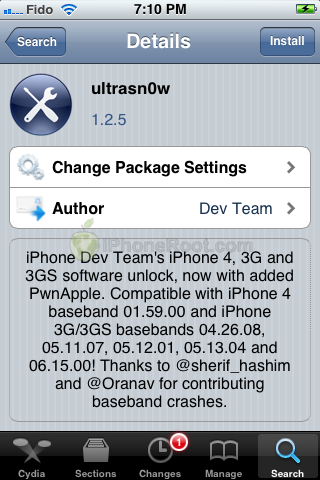
iPhone Dev Team’s iPhone 4, 3G, and 3GS software unlock, now with added PwnApple. Compatible with iPhone 4 baseband 01.59.00 and iPhone 3G/3GS basebands 04.26.08, 05.11.07, 05.12.01, 05.13.04 and 06.15.00! Thanks to @sherif_hashim and @Oranav for contributing baseband crashes

UltraSn0w 1.2.5 is now available in Cydia.

If you have one of the supported basebands and wish to update to iOS 5.0.1 you will need to do so with a custom ipsw that doesn’t update your baseband.

ultrasn0w-125

unlock-Ultrasnow-5.01

UPDATE: official ultrasn0w with iOS 5.0.1 released!

This tutorial is for those users of locked iPhone 3GS and iPhone 4, who updated to iOS 5.0.1 and realized that ultrasn0w unlock doesn’t work there.

Indeed DevTeam have not updated software unlock utility ultrasn0w to work with the latest iOS 5.0.1. There are two workarounds, that will make ultrasn0w work on 5.0.1.


Read the rest of this entry »

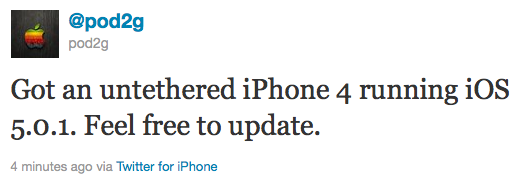
Pod2g has recently announced that he has successfully performed an untethered jailbreak on an iPhone 4 running iOS 5.0.1.

Got an untethered iPhone 4 running iOS 5.0.1. Feel free to update.

Of course, if you want to SIM unlock, don’t update using Apple’s original FW nor update OTA.

This means jailbreakers can update to iOS 5.0.1. Previously it was recommended to stay on iOS 5. Unlockers as usual should stay away from Apple’s firmwares and from iOS 5.0.1.

We strongly recommend that everyone use TinyUmbrella to save their iOS 5.0.1 SHSH Blobs.

Pod2g writes in his blog, that next devices he will try to untehter jailbreak are iPod 3G, iPod 4G and iPad 1.

iphone4-untethered-jailbreak

sn0wbreeze-28b11
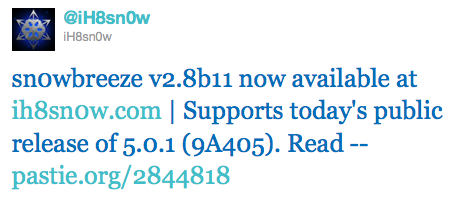
iH8Sn0w has released Sn0wBreeze 2.8b11 with support of recently released iOS 5.0.1 firmware.

As usual the jailbreak is semi-tethered for iPhone 4, iPad, iPhone 3GS with new bootrom, iPad Touch 3G, iPod Touch 4G and untethered for iPhone 3GS with old bootrom.

Sn0wBreeze 2.8b11 will create a custom firmware with jailbreak and preserve modem version for unlock. Unlockers will also be able to flash 06.15 iPad modem for unlock.

You can download Sn0wBreeze 2.8b11 here.

sn0wbreeze-28b11

Here are our step-by-step tutorials that will guide you through all the process of jailbreaking iOS 5.0.1 with sn0wbreeze 2.8b11:

Other tutorials are available here.

noupdate501

Apple has recently released iOS 5.0.1. It is still tethered jailbreakable. However if you want untethered jailbreak or unlock – you should stay away from 5.0.1

Earlier this week pod2g reported that a code signing bug found in iOS 5.0 will make it easier for hackers to develop a full jailbreak for iOS 5 firmware version. That bug might have been closed in iOS 5.0.1. UPDATE: According to pod2g the bug is still present, but harder to exploit because another exploit found by Charlie Miller is fixed in iOS 5.0.1.

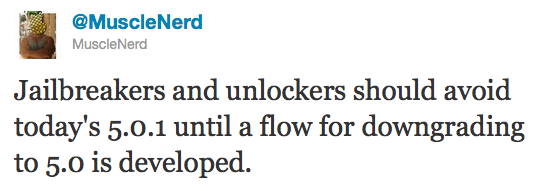
Also, MuscleNerd via twitter has warned iOS users that there is no downgrade from iOS 5.0.1 to iOS 5.0 yet and he recommends to wait until downgrade mechanism is available.

Jailbreakers and unlockers should avoid today’s 5.0.1 until a flow for downgrading to 5.0 is developed.

Downgrade flow needs to be modified for AP “nonce” http://is.gd/b3G0io … saved SHSH blobs are not enough to downgrade to 5.0