Ifunbox | Jailbreak iPhone, iPod Touch, iPad Skip to content

Jailbreak iPhone, iPod Touch, iPad

новости про джейлбрейк iPhone, iPod Touch и iPad

Archive

Tag: ifunbox

This is step-by-step instructions on how to perform untethered jailbreak of iOS 8.0 – iOS 8.1 firmwares using Pangu8 for Windows.

This tutorial works for:

  • iPhone 4S, iPhone 5, iPhone 5C, iPhone 5S, iPhone 6, iPhone 6 Plus
  • iPod Touch 5G
  • iPad 2, iPad 3, iPad 4, iPad Air, iPad Air 2, iPad Mini, iPad Mini 2, iPad Mini 3

Supported firmwares: iOS 8.0 – iOS 8.1.

Read the rest of this entry »

This is step-by-step instructions on how to perform untethered jailbreak of iOS 7.1 – iOS 7.1.2 firmwares using Pangu for Windows.

This tutorial works for:

Supported firmwares:

  • iOS 7.1
  • iOS 7.1.1
  • iOS 7.1.2


Read More »

This is step-by-step instructions on how to perform untethered jailbreak of iOS 7.0 – iOS 7.0.6 firmwares using Evasi0n 7 for Windows.

This tutorial works for:

Supported firmwares:

  • iOS 7.0, 7.0.1, 7.0.2, 7.0.3, 7.0.4, 7.0.5, 7.0.6, 7.1 beta 1, 7.1 beta 2

This tutorial is for Windows users. Mac OS X tutorial is available here (tutorial is being prepared).


Read More »

unlock-Ultrasnow-5.01

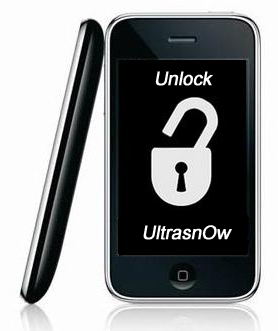
UPDATE: official ultrasn0w with iOS 5.0.1 released!

This tutorial is for those users of locked iPhone 3GS and iPhone 4, who updated to iOS 5.0.1 and realized that ultrasn0w unlock doesn’t work there.

Indeed DevTeam have not updated software unlock utility ultrasn0w to work with the latest iOS 5.0.1. There are two workarounds, that will make ultrasn0w work on 5.0.1.


Read the rest of this entry »

sn0wbreeze-251

iH8sn0w updated their iOS 4.3.1 untethered jailbreak utility – released Sn0wBreeze 2.5.1.

They have added

Sn0wBreeze is used to create custom firmwares with jailbreak and preserve iPhone baseband. It is available for Windows only.

You can download Sn0wBreeze 2.5.1 here.

Here’ official changelog.


Read the rest of this entry »

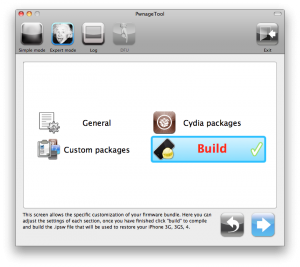
pwnagetool413-3gs-3

UPDate: save your iOS 4.2.1 SHSH blobs now!

UPDate 2: Attention! We’ve received info, that Apple stopped signing iOS 4.2 for devices for which iOS 4.3 is available. This means you will not be able to restore to 4.2.1 without saved SHSH keys.

Using this tutorial you will be able to jailbreak iOS 4.2.1 running on iPhone 3G, iPhone 3GS, iPhone 4, iPod Touch 3G, iPod Touch 4G and iPad. Pwnagetool will also preserve baseband version if you need carrier unlock. If you have updated the baseband to version 06.15, you can use this tutorial. This tutorial uses PwnageTool 4.2 for Mac OS X.

We are not developers of jailbreak utilities, so we cannot assure that everything will work just fine. However we tried this tutorial on several devices and succeeded.

We will use iPhone 4 in our jailbreak tutorial. The process is the same for all devices.

Step One
Make a folder called “Pwnage” on the desktop. Download a couple of things:

Read the rest >>>

These are instructions on how to jailbreak your iPhone using PwnageTool 4.1 for Mac OS X. If you need unlock and you have not updated to iOS 4 you will be able to preserve baseband and unlock iPhone using ultrasn0w.

This guide will work for iPhone 4, iPhone 3GS, iPhone 3G, iPod Touch 3G, iPod Touch 4G, iPad and AppleTV. Just use the right firmware and select the right device (step four).

Step One
Make a folder called “Pwnage” on the desktop. Now you need to download there PwnageTool 4.1 from here and iOS 4.1 firmware from here.

When downloading the IPSW file, it is best to download it with Firefox since Safari often auto extracts it!

pwnagetool-41-1

Step Two
Double click to mount PwnageTool then drag the PwnageTool icon into the Pwnage folder.

Read the rest of this entry

These are instructions on how to jailbreak your iPad with latest iOS 3.2.2 using Limera1n for Mac. You can find the Windows version of this tutorial here.

Step 1
Open your browaer and navigate to www.limera1n.com and download LimeRa1n for Mac by clicking on the Mac logo.


Read the rest of this entry »

These are instructions on how to jailbreak your iPhone 3GS (all bootroms) or iPhone 4 using Limera1n for Mac OS X. Limera1n supports iOS 4.0, iOS 4.0.1, iOS 4.0.2 and iOS 4.1. Use the same steps to jailbreak iPod Touch 4G and iPod Touch 3G and even iPad. You can find the Windows version of this tutorial here.

Remember: Do not update to iOS 4.1 if you need the unlock. Ultrasn0w does not support that baseband yet.

Step 1
Open your browaer and navigate to www.limera1n.com and download LimeRa1n for Mac by clicking on the Mac logo.


Read the rest of this entry »

These are instructions on how to jailbreak your iPad with latest iOS 3.2.2 using Limera1n for Windows. You can find the Mac OS version of this tutorial here.

Step 1
Open your browaer and navigate to www.limera1n.com and download LimeRa1n for Windows by clicking on the Windows.

When prompted save the download to your desktop


Read the rest of this entry »

  • Page 1 of 2
  • 1
  • 2
  • >