Apple | Jailbreak iPhone, iPod Touch, iPad - Part 26 Skip to content

Jailbreak iPhone, iPod Touch, iPad

новости про джейлбрейк iPhone, iPod Touch и iPad

Archive

Tag: Apple

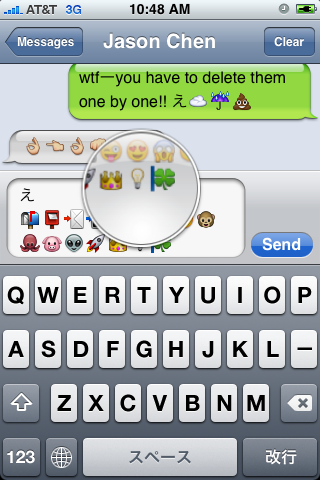
First of all these icons can be viewed on any iPhone with 2.2 firmware. But to be able to send these icons users need to perform additional actions. There are 4 ways to turn them on and 2 of them are free:

Solution N1 for $5.99:

In AppStore buy and install Touch Dial Emoji. Goto Settings -> Touch Dial -> Enable Smiley icon ON. Launch Touch Dial. Go to Settings -> General -> Keyboard -> International Keyboards -> Japanese and enable “Emoji.”

Solution N2 for $0.99:

In AppStore buy and install FrostyPlace. Play with the app for a minute to activate, click on a story, etc. Go to Settings -> General -> Keyboard -> International Keyboards -> Japanese and enable “Emoji.”

Solution N3 for Free:

Jailbreak your iPhone. Run Cydia and install Emoji application (iSpazio repository). Go to Settings -> General -> Keyboard -> International Keyboards -> Japanese and enable “Emoji.”

This application adds boolean ‘true’ key KeyboardEmojiEverywhere edits in /User/Library/Preferences/com.apple.Preferences.plist. You can do it manually if you want.

Solution N3 for Free:

Step 1. Download the vcard.vcf here.
Step 2. Import it to your address book program. If you are using Windows, you may want to do it on iPhone directly. Send the vcard.vcf file to yourself. Open in on iPhone’s Email.app, click the vcf file and import all the contacts.
Step 3. Go into “Settings” > “General” > “Keyboard” > “Japanese Keyboard”. Enable the QWERTY keyboard.
Step 4. In notes or any other program you want. Type “emojia”, “emojii” or “emojiu” to select those 🙂 icons.

I like Solution N3. It is free and simple. You do not need to play with contacts and etc. But you need to jailbreak an iPhone.
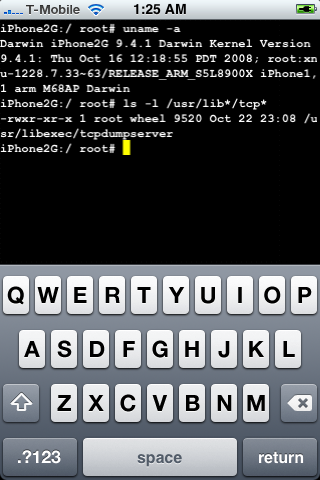
DevTeam posted a screenshot of jailbreaked and unlocked iPhone 2G with new firmware 2.2b2. This is cool that Apple still doesn’t have anything to prevent this.

Related post: Tutorial: How to perform Jailbreak, Activation and Unlock (Windows)

The developer, Kevin Rose, says this application will be avaliable officially via AppStore. No jailbreaking and hacking. The only concern.. will Apple approve it? I hope so. Watch the video:

PS: It will be free 🙂

Related posts:

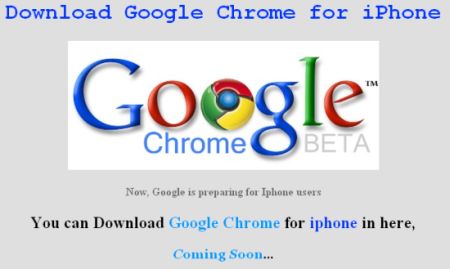
The above message is shown at freechromethemes.com. Our guess is that Apple will never allow Chrome to make it to AppStore. However it will probably be avaliable via Cydia for jailbreaked iPhones.

Apple released firmware version 2.2 beta 1 a bit more than a week ago. Couple more features were hiden there.

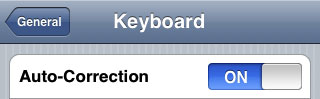
First of all Apple has addressed one common request within the iPhone’s Keyboard settings, allowing users to disable the iPhone’s auto-correction.

The other feature is for Japanese market – Japanese emoji icons. The lack of emoji support has been blamed as part of the reason for slow iPhone adoption in Japan.

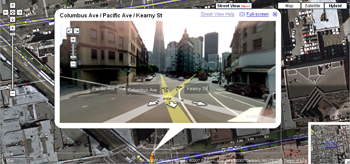
The third new feature is Street View. It allows users to view panoramic street level photographs in select cities within the Google Maps application.

Hopefully we will see more new features in this and next beta’s of 2.2 firmware.

via macrumors

Related articles:

Firmware 2.2 beta 1 appeared just a day ago. It seems that DevTeam never sleeps 🙂 They published a screenshot of jailbreaked iPhone 2G with this new firmware:

It runs Terminal.app (non-apple application) running on 2.2b1 firmware. Thay say that version 2.2 is still vulnerable to pwnage and quickpwn on everything but iPod Touch 2G.

No news about software unlock for iPhone 3G or jailbreak for iPod Touch 2G.

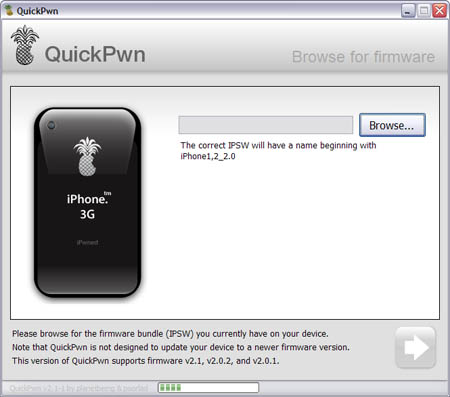
Congratulations, Windows users. The support for new firmware 2.1 is added. So here is what you can do:

  • Support for FW v2.0.1, v2.0.2, v2.1.0
  • Jailbreaking and Pwning iPhone 2G, iPhone 3G and iPod Touch
  • Adding Cydia and Installer
  • Replacing boot logos
  • Unlocking iPhone 2G

Changes from QuickPwn RC3

  • Support for firmware 2.1
  • Auto-detection of firmware version, insistence on correct firmware bundle to prevent user epic fail.
  • Use of iASign to activate to prevent bspatch epic fail.
  • Removed buggy and never really tested 2.0 support

Sorry, no jailbreak for new iPod Touch and no unlock for iPhone 3G.

Here are download links:

Firmwares v2.1: 2g firmware, 3g firmware

Related posts:

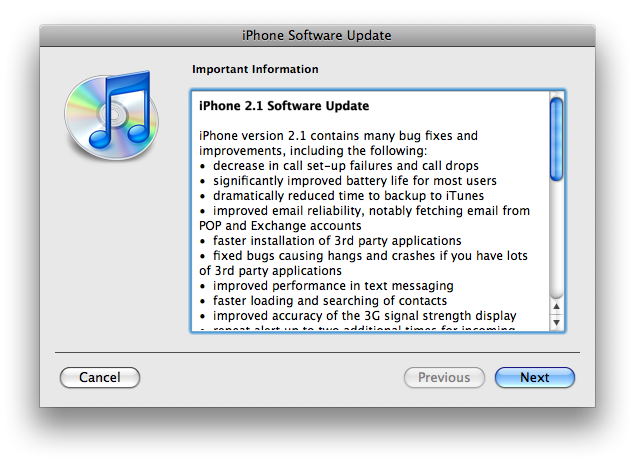
The iPhone 2.1 is out. It contains the following updates as listed by Apple:

– decrease in call set-up failures andcall drops
– significantly improve battery life for most users
– dramatically reduced time to backup to iTunes
– improve email reliability, notable fetching email from POP and Exchange accounts
– faster installation of 3rd party applications
– fixed bugs causing hangs and crashes if you have lots of 3rd party applications
– improved performance of text messaging
– faster loading and searching of contacts
– improved accuracy of the 3G signal strength display
– repeat alert up to two additional times for incoming text messages
– option to wipe data after ten failed passcode attempts
– Genius playlist creation

The 2.1 firmware is build 5F136 (weighing in at 237.8MB) and can be directly downloaded through iTunes. The new firmware also contains a number of security fixes including the well publicized passcode flaw.

Jailbreak for 2.1 is not avaliable yet.

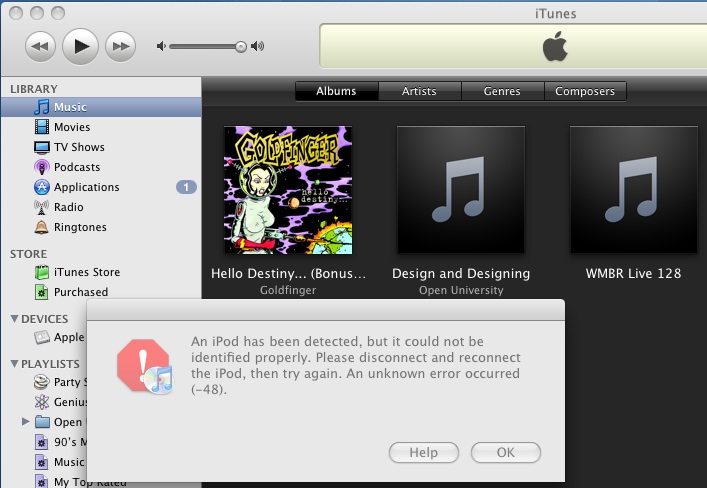
The only way Apple can fix the exploit that the iPhone Dev Team has been using to Jailbreak iPhone’s and iPod Touch’s is to fix their hardware, but it seems Apple has figured out a way to program iTunes 8 to detect and prevent the Pwnage exploit. The screenshot below from iTunes 8 using a Pwned ipsw (with an unPwned device attached) is one example.

The Dev Team reacted promptly:

“The nice thing about iTunes decisions is that we can provide you with patches to counter them. We have one such patch already for Mac iTunes 8 for iPod touch. We’ll be working out the full suite of patches for all the combinations over the next week.”

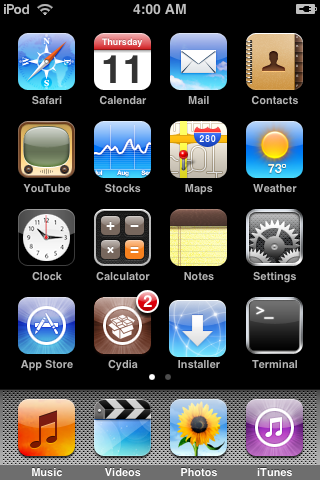
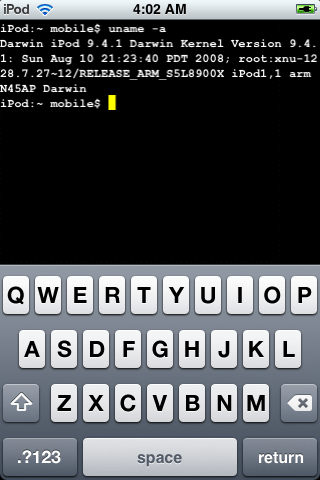
Dev Team also published two interesting screenshots:

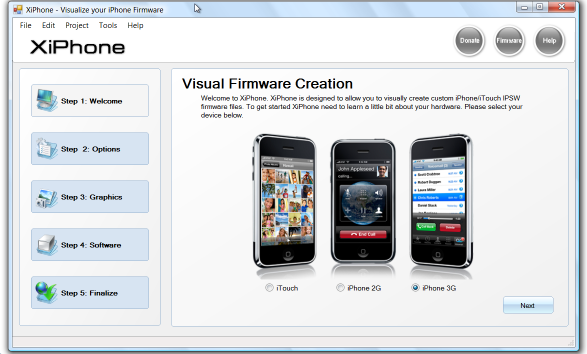
Recently a new project has been started, called XiPhone. It will be based on XPWN. So functionality similar to WinPwn and Pwnage will be present (jailbreak, unlock, etc). In addition to that developers plan to include:

  • Auto downloading of stock firmware files from apple’s site (no need to hunt for it then select it)
  • Wizard based modern GUI (created with .net 2.0), and Vista Style UI.
  • Export of firmware settings so users can pass around an XML file which contains a configuration that works for them.
  • Auto updates to the XiPhone software.
  • Community based wallpapers used for Bootscreen, Restore screen and others
  • Enabling / Disabling of options available based on the device you select.

Unfortunately, only Windows platform users will be able to use XiPhone.