Error | Jailbreak iPhone, iPod Touch, iPad - Part 2 Skip to content

Jailbreak iPhone, iPod Touch, iPad

новости про джейлбрейк iPhone, iPod Touch и iPad

Archive

Tag: error

iphone-hacker-

The founder of Jailbreakme.com Comex has said on Twitter that he is joining Apple as an intern. Site JailbreakMe.com greatly facilitates jailbreaking for users. He said about the hiring on Twitter:

“It’s been really, really fun, but it’s also been a while and I’ve been getting bored. So, the week after next I will be starting an internship with Apple”.

Read the rest of this entry »

sn0wbreeze-28b4

iH8Sn0w has released a new version of Sn0wBreeze 2.8 b4 with iOS 5.0 beta 3 jailbreak support. Sn0wBreeze is a so-called PwnageTool for Windows, an application that creates a custom ipsw with jailbreak preserving old baseband.

The jailbreak is tethered for iPhone 4, iPhone 3GS (new bootrom), iPad, iPod Touch 3G and iPod Touch 4G. Jailbreak is untethered for iPhone 3GS with old bootrom.

You can download Sn0wBreeze 2.8 b4 here.

sn0wbreeze v2.8 BETA 4 Release Notes:

Read the rest of this entry »

ios5-redsn0w

MuscleNerd recently Tweeted that iOS 5 beta 1 jailbreak is already available. DevTeam released Redsn0w 0.9.8 b1.

For now the jailbreak is tethered (you have to run redsn0w each time you reboot) and available for Mac OS X only. It will not activate your device, so you need have registered UDID. iPhone 3GS users with 06.15 baseband: redsn0w will get you past the iTunes restore error. This redsn0w will probably work on future versions of iOS 5.

Redsn0w 0.9.8 b1 works with iOS 5 b1 on iPhone 4 (GSM / CDMA), iPhone 3GS, iPod Touch 3G, iPod Touch 4G, iPad 1.

This is mostely for developers of Cydia apps. Most tweaks and Cydia applications do not work on iOS 5.

You can download Redsn0w 0.9.8 b1 here.

sn0wbreeze-251

iH8sn0w updated their iOS 4.3.1 untethered jailbreak utility – released Sn0wBreeze 2.5.1.

They have added

Sn0wBreeze is used to create custom firmwares with jailbreak and preserve iPhone baseband. It is available for Windows only.

You can download Sn0wBreeze 2.5.1 here.

Here’ official changelog.


Read the rest of this entry »

gp_web_win

These are step-by-step instructions on how to jailbreak iOS 4.2.1 on iPhone 3GS, iPhone 4, iPad, iPod Touch 2G, iPod Touch 3G, iPod Touch 4G using Greenpois0n for Windows. Tutorial for Mac OS X users is available here. All the steps are the same for all devices, we will cover iPhone.

Greenpois0n has been updated to support the iOS 4.1 and iOS 4.2.1 firmware. Use Limera1n if you want to jailbreak iOS 4.0, iOS 4.0.1, iOS 4.0.2.

Remember: Greenpois0n recommends a clean restore before continuing.

Unlockers: do not update to iOS 4.1 or iOS 4.2.1 if you need the unlock. Ultrasn0w does not support that baseband yet. The only exception is the iPhone 4. Experienced users can also try update to iOS 4.2.1 without upgrading your baseband by using TinyUmbrella. Start TSS Server->Start iTunes->Plug in your iPhone->Restore 4.2.1->Error 1013->Put phone into DFU Mode->Launch Greenpois0n.

We are not authors of this app. We do not promise that everything will go well, use this tutorial at your own risk.

Read the rest >>>>

gp_web_win

These are step-by-step instructions on how to jailbreak iOS 4.2.1 on iPhone 3GS, iPhone 4, iPad, iPod Touch 2G, iPod Touch 3G, iPod Touch 4G using Greenpois0n for Windows. Tutorial for Mac OS X users is available here. All the steps are the same for all devices, we will cover iPhone.

Greenpois0n has been updated to support the iOS 4.1 and iOS 4.2.1 firmware. Use Limera1n if you want to jailbreak iOS 4.0, iOS 4.0.1, iOS 4.0.2.

Remember: Greenpois0n recommends a clean restore before continuing.

Unlockers: do not update to iOS 4.1 or iOS 4.2.1 if you need the unlock. Ultrasn0w does not support that baseband yet. The only exception is the iPhone 4. Experienced users can also try update to iOS 4.2.1 without upgrading your baseband by using TinyUmbrella. Start TSS Server->Start iTunes->Plug in your iPhone->Restore 4.2.1->Error 1013->Put phone into DFU Mode->Launch Greenpois0n.

We are not authors of this app. We do not promise that everything will go well, use this tutorial at your own risk.

Step One
Open your web browser and download the latest Windows version of GreenPois0n from here.


Read the rest of this entry »

gp_web

These are step-by-step instructions on how to jailbreak iOS 4.2.1 on iPhone 3GS, iPhone 4, iPad, iPod Touch 2G, iPod Touch 3G, iPod Touch 4G using Greenpois0n for Mac OS X. Tutorial for Windows users is available here. All the steps are the same for all devices.

Greenpois0n has been updated to support the iOS 4.1 and iOS 4.2.1 firmware. Use Limera1n if you want to jailbreak iOS 4.0, iOS 4.0.1, iOS 4.0.2.

Remember: Greenpois0n recommends a clean restore before continuing.

Unlockers: do not update to iOS 4.1 or iOS 4.2.1 if you need the unlock. Ultrasn0w does not support that baseband yet. The only exception is the iPhone 4. You can unlock iPhone 4 with iOS 4.1 using ultrasn0w. Experienced users can also try update to iOS 4.2.1 without upgrading your baseband by using TinyUmbrella. Start TSS Server->Start iTunes->Plug in your iPhone->Restore 4.2.1->Error 1013->Put phone into DFU Mode->Launch Greenpois0n.

We are not authors of this app. We do not promise that everything will go well, use this tutorial at your own risk.

Read the rest >>>>

gp_web

These are step-by-step instructions on how to jailbreak iOS 4.2.1 on iPhone 3GS, iPhone 4, iPad, iPod Touch 2G, iPod Touch 3G, iPod Touch 4G using Greenpois0n for Mac OS X. Tutorial for Windows users is available here. All the steps are the same for all devices, we will cover iPhone.

Greenpois0n has been updated to support the iOS 4.1 and iOS 4.2.1 firmware. Use Limera1n if you want to jailbreak iOS 4.0, iOS 4.0.1, iOS 4.0.2.

Remember: Greenpois0n recommends a clean restore before continuing.

Unlockers: do not update to iOS 4.1 or iOS 4.2.1 if you need the unlock. Ultrasn0w does not support that baseband yet. The only exception is the iPhone 4. Experienced users can also try update to iOS 4.2.1 without upgrading your baseband by using TinyUmbrella. Start TSS Server->Start iTunes->Plug in your iPhone->Restore 4.2.1->Error 1013->Put phone into DFU Mode->Launch Greenpois0n.

We are not authors of this app. We do not promise that everything will go well, use this tutorial at your own risk.

Step One
Open your web browser and download the latest Mac version of GreenPois0n from here.


Read the rest of this entry »

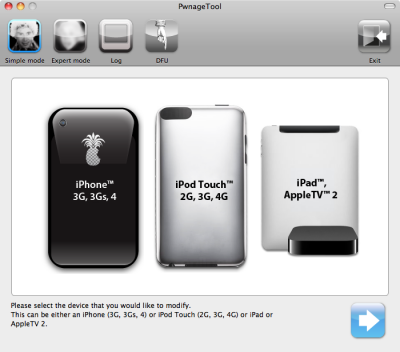
Just a day after PwnageTool 4.1.1 release, DevTeam created one more update for popular jailbreak utility – PwnageTool 4.1.2 for Mac OS X. This release should solve some problems that users had. However there are still users reporting iTunes errors when restoring custom firmware. Anyway PwnageTool 4.1.2 is worth trying.

You can download PwnageTool 4.1.2 here.

Here is a step-by-step Tutorial: how to jailbreak and unlock your iPhone using PwnageTool.

Today DevTeam released new version of jailbreak utility PwnageTool 4.1.1 for Mac OS X. This release solves some of the problems with the previous version 4.1. Many users had errors with restore process, some had Cydia crashes. If you had any problems with PwnageTool 4.1 – we recommend you try to use the new version PwnageTool 4.1.1.

You can download PwnageTool 4.1.1 here.

Here is a step-by-step Tutorial: how to jailbreak and unlock your iPhone using PwnageTool 4.1.1.