Notes | Jailbreak iPhone, iPod Touch, iPad - Part 2 Skip to content

Jailbreak iPhone, iPod Touch, iPad

новости про джейлбрейк iPhone, iPod Touch и iPad

Archive

Tag: Notes

sn0wbreeze-28b6

iH8Sn0w released Sn0wBreeze 2.8b6, which adds support for the latest iOS 5 beta 6 firmware.

Sn0wBreeze is a quite useful jailbreak utility. It creates custom firmware and allows users to preserve baseband for unlock. This new version also adds hacktivation and removes UDID developer check. This means that you can try iOS 5 without developer account from Apple.

You can download Sn0wBreeze 2.8b6 for Windows here.


Read the rest of this entry »

ios-5-beta-6-jailbreak

The iPhone Dev-Team released RedSn0w 0.9.8b6 that supports tethered jailbreak for the most recent iOS 5 beta 6:

We’ve released redsn0w 0.9.8b6 to jailbreak iOS5 beta6 (point it directly at the beta6 IPSW).

Two important notes about this version:
(1) Please let your device boot normally to IOS5b6 and do a clean shutdown (slide to power off) before jailbreaking.

(2) Boot logos have intentionally been disabled for now, so you’ll see a black screen on tethered boots (you can re-enable logos or verbose boot with command-line options if you really want them back).

Due increased sensitivity to abrupt filesystem shutdowns in IOS5b6, it’s very important that you do a clean shutdown before running redsn0w.

RedSn0w 0.9.8b6 supports tethered jailbreak for iPhone 4, iPhone 3GS, iPod Touch 3G, iPod Touch 4G and iPad 1.

You can download RedSn0w 0.9.8b6 for Windows and Mac OS here.


Read the rest of this entry »

sn0wbreeze-28b4

iH8Sn0w has released a new version of Sn0wBreeze 2.8 b4 with iOS 5.0 beta 3 jailbreak support. Sn0wBreeze is a so-called PwnageTool for Windows, an application that creates a custom ipsw with jailbreak preserving old baseband.

The jailbreak is tethered for iPhone 4, iPhone 3GS (new bootrom), iPad, iPod Touch 3G and iPod Touch 4G. Jailbreak is untethered for iPhone 3GS with old bootrom.

You can download Sn0wBreeze 2.8 b4 here.

sn0wbreeze v2.8 BETA 4 Release Notes:

Read the rest of this entry »

ios432

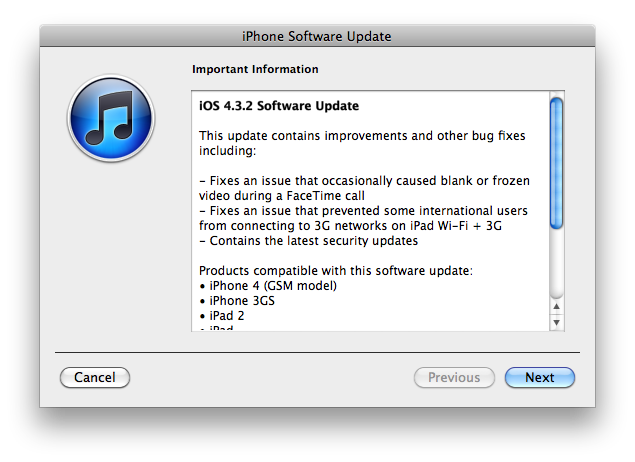
Apple has released iOS 4.3.2 for the iPhone, iPad, and iPod touch.

This update contains improvements and other bug fixes including:

  • Fixes an issue that occasionally caused blank or frozen video during a FaceTime call
  • Fixes an issue that prvented some international users from connecting to 3G networks on iPad W-Fi + 3G
  • Contains the latest security updates

Products compatible with this software update:

  • iPhone 4 (GSM model)
  • iPhone 3GS
  • iPad 2
  • iPad
  • iPod touch (4th generation)
  • iPod touch (3rd generation)

For information on the security content of this update, please visit http://support.apple.com/kb/HT1222.

Apple has also updated the firmware for the Verizon iPhone to 4.2.7 although this wasn’t listed in the release notes.

Current jailbreak tools work with iOS 4.3.2 in tethered mode only. Please save your SHSH keys for iOS 4.3.1 asap.

Here are direct download links for the latest firmwares:


Read the rest of this entry »

IMG_0039

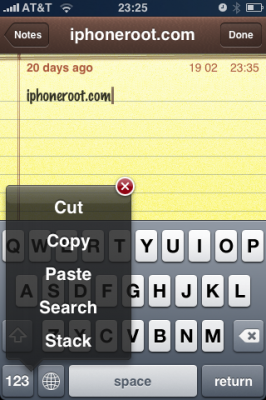
Action Menu, utility that extends traditional Copy / Paste functionality, is updated to version 1.0.1.

Here is an official changelog:

  • No longer allow copying secure text fields
  • Add option to disable extended menu support
  • Support for launching Birdfeed via the Tweet action
  • Remember language in Translate service
  • Allow carriage returns in Lookup (for supported services)
  • Option to sort Favorites alphabetically
  • Translations now work (Italian, German, Japanese, French)
  • Additional Support for more apps
  • Fix for Facebook crash
  • Fix for copying song or album name in iPod app
  • Fix biteSMS-button related crashes
  • Fix crash when Lookup action is used inside SpringBoard
  • Fix Copy All breaking copy in the Photos app
  • Fix crash in iTunes password dialog
  • Fix for freeze in Fast Notes
  • Fix annoying popup on Wifi network/ringtone cells in Preferences
  • Revert 1Password to value-only copying
  • Prevent Safari freeze when invoking inside a window.prompt (temporary fix)

Action Menu can be installed or updated via Cydia on a jailbreaked iPhone (iPod Touch).

ants1

Once again we have the ability to have ants running on our iPhone. This little toy was available on firmware 1.1.x. Now the developer has update the code to support firmware 2.x. If you don’t remember ants take a look at the video below. This toy is easy to use. As you might remember you open the app and activate the ants. Then open your notes and watch the ants fill the screen. You can smash them or shake your iPhone to remove them. Ants is available in Cydia for jailbreaked iPhones.

Clippy is an iPhone addition from Cydia for copy/paste functionality. It was updated to version 0.97-2. The main bug that was fixes is a crash of different applications such as Notes, Safari, Mail and others where the animation was drawn. New version also added a language pack, improved the animation of the menu, full support for selecting editable text in web views, themes support and a lot more.

Avaliable via Cydia for jailbreaked iPhones.

Full changelog for 0.97 updates:


Read the rest of this entry »

iphonepaper

Wallpaper Labeler (AppStore link) and gCalWall Lite (AppStore link) let you add appointments and notes to the home screen. With Wallpaper Labeler, you can enter any text you want to your wallpaper, so you can leave yourself (or whoever finds your phone) notes. The other app, gCalWall, pulls down upcoming appointments from your default Google Calendar and splays them all over your home screen. You have to update it manually, which is kind of a drag, but the dev says that iPhone API won’t allow for automatic updating. Both apps are free 🙂

In the past you could only use Intelliscreen paid app on a jailbreaked iPhone.

via gizmodo, lifehacker

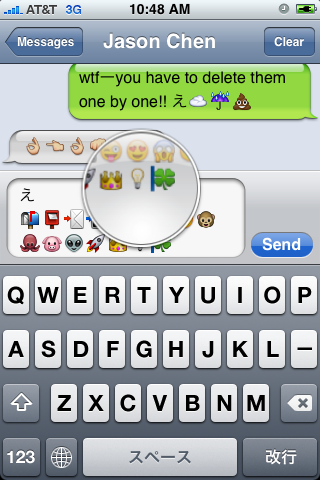
First of all these icons can be viewed on any iPhone with 2.2 firmware. But to be able to send these icons users need to perform additional actions. There are 4 ways to turn them on and 2 of them are free:

Solution N1 for $5.99:

In AppStore buy and install Touch Dial Emoji. Goto Settings -> Touch Dial -> Enable Smiley icon ON. Launch Touch Dial. Go to Settings -> General -> Keyboard -> International Keyboards -> Japanese and enable “Emoji.”

Solution N2 for $0.99:

In AppStore buy and install FrostyPlace. Play with the app for a minute to activate, click on a story, etc. Go to Settings -> General -> Keyboard -> International Keyboards -> Japanese and enable “Emoji.”

Solution N3 for Free:

Jailbreak your iPhone. Run Cydia and install Emoji application (iSpazio repository). Go to Settings -> General -> Keyboard -> International Keyboards -> Japanese and enable “Emoji.”

This application adds boolean ‘true’ key KeyboardEmojiEverywhere edits in /User/Library/Preferences/com.apple.Preferences.plist. You can do it manually if you want.

Solution N3 for Free:

Step 1. Download the vcard.vcf here.
Step 2. Import it to your address book program. If you are using Windows, you may want to do it on iPhone directly. Send the vcard.vcf file to yourself. Open in on iPhone’s Email.app, click the vcf file and import all the contacts.
Step 3. Go into “Settings” > “General” > “Keyboard” > “Japanese Keyboard”. Enable the QWERTY keyboard.
Step 4. In notes or any other program you want. Type “emojia”, “emojii” or “emojiu” to select those 🙂 icons.

I like Solution N3. It is free and simple. You do not need to play with contacts and etc. But you need to jailbreak an iPhone.

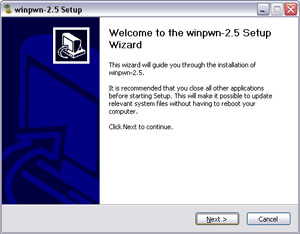
This is the most famous Windows-based utility to jailbreak and unlock Apple’s iPhone and iTouch.

Release notes:

  • The new nice interface
  • Very very very easy to use
  • QuickPwn Support for firmwares 2.0/2.0.1/2.0.2
  • Root partition resize support
  • Installer support
  • Basic / Expert modes
  • Wizard style interface
  • Automatic updater
  • Support for WinXP and Vista 32/64bit.

Notes:

  • Why is it beta? It’s just the saying.. Use at your own risk
  • You MUST do a full uninstall of winpwn before installing the new version
  • Make sure you have the latest version of iTunes (7.7 and above)

Bug fixes

  • Crash when building ipsw
  • Quickpwn crash bug fix

Download WinPwn 2.5.0.2: Rapidshare.com