Time | Jailbreak iPhone, iPod Touch, iPad - Part 12 Skip to content

Jailbreak iPhone, iPod Touch, iPad

новости про джейлбрейк iPhone, iPod Touch и iPad

Archive

Tag: Time

Many iPhone 3G users would like to use internet on a desktop or notebook through their phone. There were several solutions: iPhoneModem, NetShare, 3Proxy.. they all used SSH and SOCKS proxy. One of the working ones was described here get internet on a desktop or notebook through IPhone 3G.

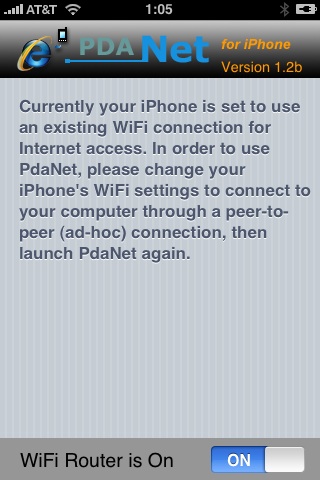
Couple days ago PdaNet (fullname is PdaNet WiFi Router) was ported to iPhone. Now our life is much much easier.

Read the rest of this entry »

It is recommended that you all hold off jailbreaking 2.1. There are many issues that dev team is working through. A jailbreak isn’t quite enough.

Many apps are not yet stable. Categories will not work because we cannot launch one app from another at this time. Cydia is not yet stable. I recommend you wait a day or two still.

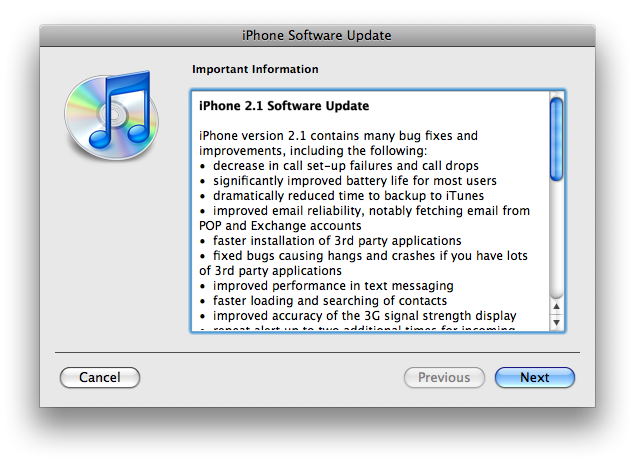
The iPhone 2.1 is out. It contains the following updates as listed by Apple:

– decrease in call set-up failures andcall drops
– significantly improve battery life for most users
– dramatically reduced time to backup to iTunes
– improve email reliability, notable fetching email from POP and Exchange accounts
– faster installation of 3rd party applications
– fixed bugs causing hangs and crashes if you have lots of 3rd party applications
– improved performance of text messaging
– faster loading and searching of contacts
– improved accuracy of the 3G signal strength display
– repeat alert up to two additional times for incoming text messages
– option to wipe data after ten failed passcode attempts
– Genius playlist creation

The 2.1 firmware is build 5F136 (weighing in at 237.8MB) and can be directly downloaded through iTunes. The new firmware also contains a number of security fixes including the well publicized passcode flaw.

Jailbreak for 2.1 is not avaliable yet.

The main purpose is bug fixing. Many applications work faster. Here is the list of changes:

  • Drag an app icon across multiple pages in one motion, rather than having to drag it, drop it, pick it up again and drag it over to next page, and repeat.
  • Contacts are now more responsive.
  • Backup is much faster.
  • Apple may have changed the calibration of the iPhone’s reception “bars” while connected to a 3G network to reflect a stronger signal than before.
  • Keypad loads quicker.
  • Screen rotation in Safari appears to be smoother.
  • Some apps may ask to be updated after the firmware upgrade.
  • SMS typing faster.
  • Google Apps works faster.
  • Netshare still works (for those who use it).
  • Works with iPod.
  • Multimedia content is kept after update.
  • No Support from Pwnage and WinPwn. If you update you’ll loose unlock and jailbreak.

Is your mail crashing on 2.0 firmware?

This is generally caused after syncing your backup. This has nothing to do with jailbreaking or not. However, the fix for it is simple and is part of a jailbreak. The issue is that after syncing your backup, your mail folder is owned by root and your mail app running as user mobile does not have permissions to access it. You can fix it in SSH. But I also added a button in BossPrefs to solve it.

Step 1:Jailbreak your device

Step 2: Install BossPrefs from Cydia

Step 3: Tap “more”

Step 4: Tap “Fix User Dir Permissions”

Step 5: Sometimes, not always, you will need to load settings and reenter your mail passwords.

via sleepers.net

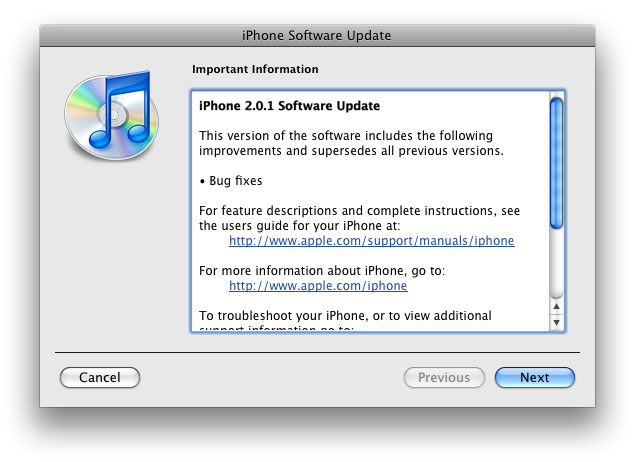
Yesterday there was a release of PWNage 2.0. Now version 2.0.1 is avaliable.

Here is the list of bugfixes:

  • It auto-finds the bl39 and bl46 files better, if they’re on your computer
  • It creates the ~/Library/iTunes/Device Support/ folder if not present, which should help with some 1600 errors people have been having.
  • Many people have reported the PwnageTool not starting up at all (the icon never stops bouncing). This issue should be resolved now.
  • The Sparkle AppCast URL is fixed in this version, so automatic updates should work for future releases.

Because of the AppCast URL fix, we recommend that everyone who downloaded PwnageTool 2.0 get this version, if they want to stay up to date automatically.

If PwnageTool 2.0 pwned your phone correctly the first time, you do not need to pwn again with 2.0.1.

The file can be found on BigBoss_’s repository, or at Hackint0sh.

If you choose to download it from other mirrors, you may want to verify that the SHA1 of the file is 10b6c7dc22286e7b70c3d5a92cda7d117426fda9.

Our comments:

5. No voice dialing

There is do such feature. But.. There is an application called VoiceDial. For old jailbreaked IPhones it is possible to install via Installer. For the new IPhone 3G VoiceDial is avaliable through AppStore. By the way it is not free, cost is about $30.

4. No cut and paste

Indeed, not in IPhone or IPhone 3G for now. But, read this.

3. Can’t use as a modem

That is a problem. No such feature. And there will be no such feature in the future.

UODATE: Get internet on a desktop or notebook through IPhone 3G

2. No multimedia messaging

There is an application called SwirlyMMS – works well. Costs $8, works well on old IPhones.

1. Locked up

Not only this. It is not possible to buy IPhone 3G without a contract. We’ll wait for an unlock and sells without a contract.