Pages | Jailbreak iPhone, iPod Touch, iPad Skip to content

Jailbreak iPhone, iPod Touch, iPad

новости про джейлбрейк iPhone, iPod Touch и iPad

Archive

Tag: Pages

android market

This week Google has released a new version of its client app for Android Market, which will work on any smartphone running Android OS 1.6 or higher.

The company aims to facilitate the process of discovering new software and its purchase. That’s why new Android Market will have a Cover Flow-like style of app listings and include new categories like Widgets and Live Wallpapers, as currently the catalog is filled pretty much with these kinds of software. Besides that, app pages will now have more info and links to related content.

Read the rest of this entry »

FixFacebookforiPhone3.2ProblemFacebook for iPhone 3.2 was released last night and now it supports the newly created function “Places”, background downloading of photos and videos in iOS 4, together with other visual enhancements, such as “pull-to-refresh” for the iPhone. However, for many users, this new version was mostly broken, with the following error “Unable to load the page” on most of its pages. Yes, and if you try to uninstall and reinstall the application, it simply refuses to “Log in”.

As it turned out, this problem occurs on jailbroken iPhones for those users who have installed the application BiteSMS from Cydia. The new Facebook application for iPhone 3.2 is not compatible with the current version of BiteSMS. So if you have installed this application, removing it from Cydia, you’ll solve this problem, at least it really helped some of the users.

We hope that the new version of BiteSMS will be released pretty soon and will be compatible with this new version of Facebook for iPhone.

Clippy is an iPhone addition from Cydia for copy/paste functionality. It was updated to version 0.96-1. Many issues are resolved and a lot of bugs fixed. Among these are: the ability to copy text from Safari, the ability to copy text from messages or biteSMS and Fix for the Mail application, many different crashes, etc.

Instructions:

  • Press-and-hold on list items to invoke Clippy on static text
  • Press-and-hold on the keyboard’s “123” button to invoke Clippy on editable text
  • Tap-pause-and-drag to highlight portions of editable text (except in web pages)

Install from Cydia on a jailbreaked iPhone or iPod Touch.

Here are several photos that show how Clippy works:

img_0154 img_0155

img_0156 img_0157


Read the rest of this entry »

ImaSafari allows iPhone users to turn off image downloading in Safari browser. This is very useful for GRPS, EGDE and 3G connectins. First of all webpages will be downloaded faster. Second – you will save money if you pay for inernet traffic.

This utility is avaliable for free via Cydia (for jailbreaked iPhones only).

To turn images on or off just install this software and go to Settings – Safari.

via spazio

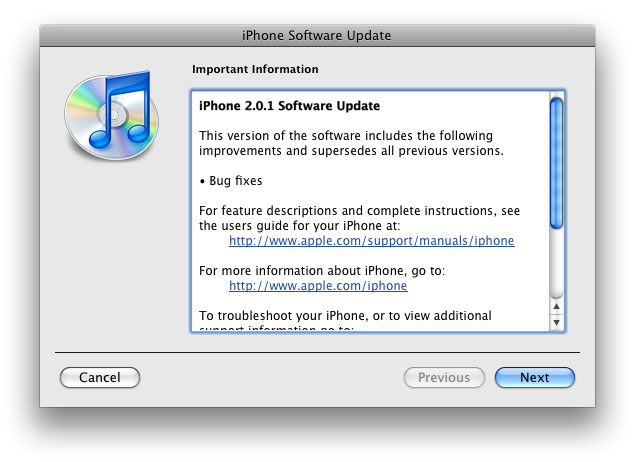
The main purpose is bug fixing. Many applications work faster. Here is the list of changes:

  • Drag an app icon across multiple pages in one motion, rather than having to drag it, drop it, pick it up again and drag it over to next page, and repeat.
  • Contacts are now more responsive.
  • Backup is much faster.
  • Apple may have changed the calibration of the iPhone’s reception “bars” while connected to a 3G network to reflect a stronger signal than before.
  • Keypad loads quicker.
  • Screen rotation in Safari appears to be smoother.
  • Some apps may ask to be updated after the firmware upgrade.
  • SMS typing faster.
  • Google Apps works faster.
  • Netshare still works (for those who use it).
  • Works with iPod.
  • Multimedia content is kept after update.
  • No Support from Pwnage and WinPwn. If you update you’ll loose unlock and jailbreak.

Thanks to Dev Team and the porting work of Jay Freeman as well as the authors of 3Proxy, it is now possible to “tether” your iPhone 3G and use its Internet connection on your laptop.

WarningTethering your iPhone is against the iPhone data plan terms. AT&T could slap you with huge fees if you overuse this. I recommend only using it during emergencies.

Here is a basic plan (by the way, this should work for old IPhone also):

  • Jailbreak your iPhone 3G
  • Install 3Proxy and Terminal
  • Create an ad-hoc Wi-fi network using your laptop
  • Join the network with your iPhone
  • Find the iPhone’s IP address
  • Open Terminal and run the proxy program
  • Open Safari on your iPhone and open a web page
  • Configure your browser to use the proxy

Later we’ll discuss it with more details.

Step 1: Jailbreak your iPhone


Read the rest of this entry »