IOS 4.0 | Jailbreak iPhone, iPod Touch, iPad - Part 2 Skip to content

Jailbreak iPhone, iPod Touch, iPad

новости про джейлбрейк iPhone, iPod Touch и iPad

Archive

Tag: iOS 4.0

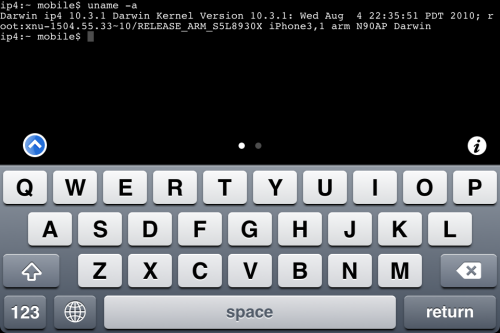
MobileTerminal-iPhone4-04

MobileTerminal is a terminal emulator application for the iPad and iPhone. The version of MobileTerminal that is available in Cydia doesn’t work with iPhone iOS 4.x. However there are beta versions that do work, but aren’t on Cydia because they are still in beta stages. This tutorial will show you step-by-step how to install MobileTerminal on iPhone with iOS 4.x (tutorial for iPad is here). If you have old version of MobileTerminal installed – uninstall it in Cydia (Search – MobileTerminal – Remove).

First of all you need to jailbreak your iPhone. If you have not done it already here is an easy tutorial: how to jailbreak iOS 4.0-4.1 on iPhone using Limera1n. After you successfully jailbreaked iPhone:

  1. Run Cydia by tapping on Cydia icon
  2. cydia_icon

  3. The Cydia will start:

Read the rest of this entry

MobileTerminal-iPad-05

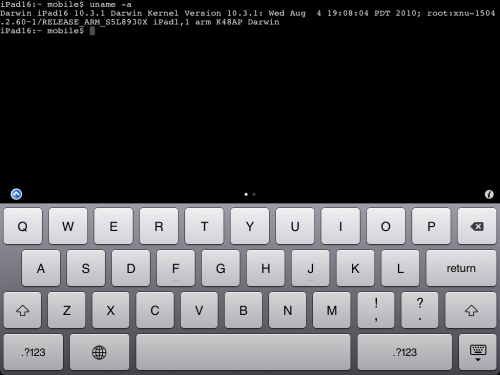
MobileTerminal is a terminal emulator application for the iPad and iPhone. The version of MobileTerminal that is available in Cydia doesn’t work with iPad iOS 3.2.2 and iPhone iOS 4.x. However there are beta versions that do work, but aren’t on Cydia because they are still in beta stages. This tutorial will show you step-by-step how to install MobileTerminal on iPad (tutorial for iPhone is here). If you have old version of MobileTerminal installed – uninstall it in Cydia (Search – MobileTerminal – Remove).

First of all you need to jailbreak your iPad. Here is an easy tutorial: how to jailbreak iPad with iOS 3.2.2 using Limera1n. After you successfully jailbreaked iPad:

  1. Run Cydia by tapping on Cydia icon
  2. cydia_icon

  3. The Cydia will start:

Read the rest of this entry

These are instructions on how to jailbreak your iPhone using PwnageTool 4.1 for Mac OS X. If you need unlock and you have not updated to iOS 4 you will be able to preserve baseband and unlock iPhone using ultrasn0w.

This guide will work for iPhone 4, iPhone 3GS, iPhone 3G, iPod Touch 3G, iPod Touch 4G, iPad and AppleTV. Just use the right firmware and select the right device (step four).

Step One
Make a folder called “Pwnage” on the desktop. Now you need to download there PwnageTool 4.1 from here and iOS 4.1 firmware from here.

When downloading the IPSW file, it is best to download it with Firefox since Safari often auto extracts it!

pwnagetool-41-1

Step Two
Double click to mount PwnageTool then drag the PwnageTool icon into the Pwnage folder.

Read the rest of this entry

In addition to our LimeRa1n jailbreak tutorials, here is a nice video showing all the process:

LimeRa1n supports iPhone 3GS, iPhone 4, iPod Touch 3G and iPod Touch 4G with iOS 4.0 -- iOS 4.1, and iPad with iOS 3.2.2.

Here you can find our LimeRa1n tutorials:

These are instructions on how to jailbreak your iPhone 3GS (all bootroms) or iPhone 4 using Limera1n for Mac OS X. Limera1n supports iOS 4.0, iOS 4.0.1, iOS 4.0.2 and iOS 4.1. Use the same steps to jailbreak iPod Touch 4G and iPod Touch 3G and even iPad. You can find the Windows version of this tutorial here.

Remember: Do not update to iOS 4.1 if you need the unlock. Ultrasn0w does not support that baseband yet.

Step 1
Open your browaer and navigate to www.limera1n.com and download LimeRa1n for Mac by clicking on the Mac logo.


Read the rest of this entry »

Geohot has just released his Limera1n jailbreak for Mac OS X. Limera1n supports the following Apple devices:

Limera1n was the first jailbreak utility to support iOS 4.1. It also works with iOS 4.0, iOS 4.0.1 and iOS 4.0.2.

Remember if you need an unlock do not upgrade to iOS 4.1, just wait for the next PwnageTool release.

You can find our LimeRa1n tutorials tutorials:

You can download Limera1n from here

Today the Chronic Dev-Team released their jailbreak utility called Greenpois0n. There are currently two versions – for Windows and for Linux users. The team is working on a Mac version, so it will be released soon. Greenpois0n supports only firmware iOS 4.1, so use Limera1n if you want to jailbreak iOS 4.0, iOS 4.0.1 or iOS 4.0.2.

Remember: Do not update to iOS 4.1 if you need the unlock. Ultrasn0w does not support that baseband yet.

Hackers used the bootrom exploit found by Geohot and used in limera1n.


Read the rest of this entry »

Hacker MuscleNerd has tweeted that the DevTeam plans to release PwnageTool for iOS 4.1 in several days.

For AppleTV 2G users, the goal is for PwnageTool to cover you by Funday/Sunday (but still very limited app capability)

This release should also bring jailbreak for iPod touch and iPad Mac users.

PwnageTool is a Mac OS X jailbreak tool. One of it’s advantages is the ability to preserve old baseband, which means you can have firmware iOS 4.1 with baseband from iOS 4.0 (if you haven’t updated to 4.1 already). And this brings unlcok, because iOS 4.0 is unlockable.


Read the rest of this entry »

These are instructions on how to jailbreak your iPhone 3GS (all bootroms) and iPhone 4 using Limera1n for Windows. Limera1n supports iOS 4.0, iOS 4.0.1, iOS 4.0.2 and iOS 4.1.

Remember: Do not update to iOS 4.1 if you need the unlock. Ultrasn0w does not support that baseband yet.

Step 1
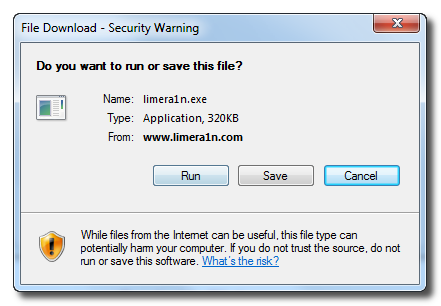
Download LimeRa1n here. If you have problems downloading go directly to www.limera1n.com and use link at the bottom of the screen.

When prompted save the download to your desktop


Read the rest of this entry »

Engadget published a howto video of LimeRa1niOS 4.0-4.1 jailbreak utility for iPhone, iPod Touch and iPad: