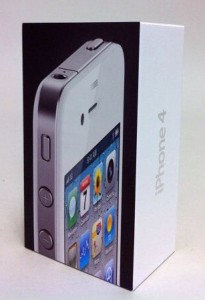
 It seems the device is the latest version of the white , which is officially scheduled for release in the end of this year. “Some people believe that this may be one of those devices that have been destroyed by Apple in the last minute after the discovery of defects of white color that have been found.” Check out
Archive
Tag: iPhone 4 It became known that Lady Gaga, the famous singer, has visited Apple’s 1-Infinite Loop Campus in Cupertino, California, where she was photographed behind the main building with the Apple’s staff. But what was the purpose of her visit? Do you have the same opinion as we, don’t you?
Now it is said that she was probably invited to make a new series of commercials for about which we have already reported in May. There is also a possibility that she was invited for a small private concert, which Apple organizes from time to time? Nevertheless, soon we’ll know about the event in more details.
 Do you remember the robot called T-1000 Skynet made of liquid metal in the film Terminator 2? It seems that Steve Jobs decided to create devices of next generation using Liquidmetal Technologies, a California company from which Apple has recently acquired the exclusive rights for creation of liquid metal alloy products.
One of the best and most distinctive factors in all Apple products is how this company produces its own devices, the quality of production, as well as the materials used, which, undoubtedly, have first-class quality.
Now that Apple has the exclusive rights to create products of the liquid metal, we can assume that it has no plans to create a robot for the next Terminator movie, but probably will use it for such devices as iMac, iPad and iPhone of the next generation in order to be one step ahead of its competitors.
 Today Adobe has announced a new Photoshop application for the devices based on iOS while giving a new image to its previous limited functional application Photoshop.com Mobile for the Apple iPhone. Now it has got a new name Adobe Photoshop Express. Here you’ll find a great number of new features for the iPad sporting the larger screen space, support for the device and improved user interface (UI).
Does it have pros and cons?
Yes! There is no support for the Retina Display of the new . It is quite disappointing for many users.
Today Apple released patches for its iOS that address a security hole in Mobile Safari, which allowed users to jailbreak their iDevices. The PDF exploit they used also allowed hackers to gain remote control over the device with an iOS.
iOS 4.0.2 is available for:
- .
Apple did NOT release the patch for the first generation iPhones.
iOS 3.2.2 is intended to use on the .
You can update your device via the links above or simply by connecting your device to iTunes and clicking Update. But note, if you want to continue using jailbreak you should not update your handset/tablet and don’t forget to backup your SHSH blobs.
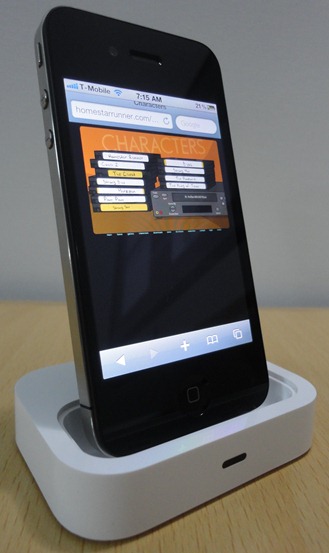
The Flash port project is called Frash. Recently it became available for iPad, now iPhone users can install it on their devices. Of course you need to jailbreak, since Apple doesn’t support Flash in iDevices.
Credits go to hackers for the Frash port and for compilation.
Here is the video proof from redmondpie:
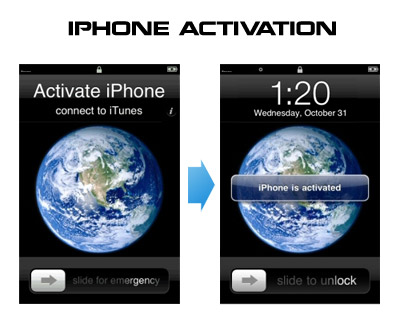
Having problems activating your iPhone? Don’t have original SIM-card? Cannot get passed emergency unlock screen? We have a solution:
If you have iPhone 3G, just use redsn0w to jailbreak and hactivate. If you have iPhone 3GS or follow these instructions:
If you are already Jailbroken:
So you have an iPhone with iOS 4.0, but don’t have the original SIM and stuck on the Emergency Call Screen:
- Download ifunbox software ()
- Run ifunbox software and sync with phone
- Go to /private/var/root/Library/, delete original lockdown folder and put this folder after you extract it from the zip file
- Restart phone
If you are not jailbroken
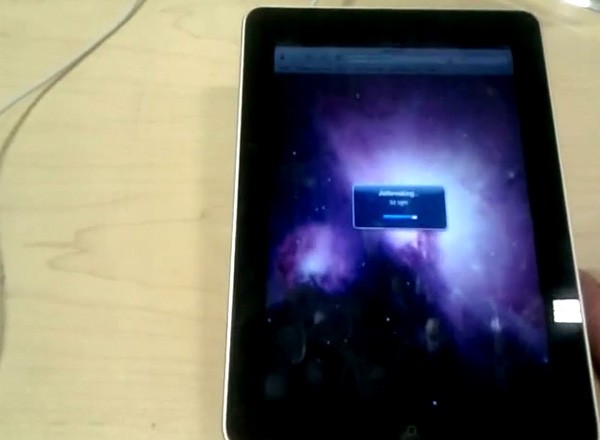
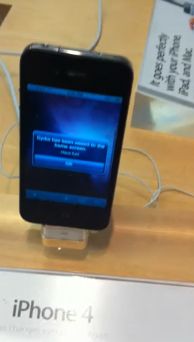
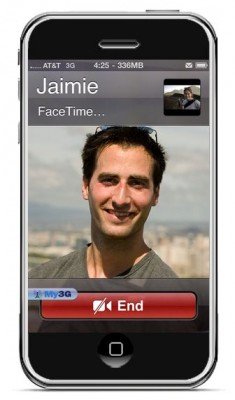
FaceTime feature gives users the possibility to make voice calls. Apple restricted this feature to Wi-Fi only. Today it became possible to use it over 3G!
Setup Instructions:
- Jailbreak your via .
- Download and upgrade to the latest Cydia package.
- Open Cydia, Go to Manage then Sources.
- Click Sources, Edit then add: http://apt.modmyi.com
- Search for “My3G” — download, and install it. It costs $2.79. My3G makes Apps believe that they are on WiFi instead of 3G.
- Go through the Rock setup process with a username and password. Open My3G and leave all settings on the default.
- FaceTime should now work over 3G! — Make sure to “Forget” the WiFi network you are on (via iOS settings) if you want to test it.
We haven’t seen any difference between the 3G FaceTime call and a WiFi FaceTime call. The quality is very good.
Here’s a video demo: