Archive
Tag: Official
The iPhone Dev-Team has released updates to RedSn0w and PwnageTool that bring support for the iOS 5.1.1 untethered jailbreak.
RedSn0w 0.9.12b1 supports untethered iOS 5.1.1 jailbreak for all devices:
- iPhone 3GS
- iPhone 4S
- iPad 1
- iPad 2
- new iPad 3
- iPod Touch 3G
- iPod Touch 4G
PwnageTool 5.1.1 allows to create custom firmware and preserve modem version for unlock with ultrasn0w or Gevey. PwnageTool 5.1.1 supports all A4 devices:
- iPhone 3GS
- iPhone 4
- iPad 1
- iPod Touch 3G
- iPod Touch 4G
- Apple TV 2G
You can download RedSn0w 0.9.12b1 and PwnageTool 5.1.1 .
iOS 5.1.1 untethered jailbreak tutorial using Redsn0w is available .
Official DevTeam comments:
Take a look at the video from RedmondPie of the Chronic Dev-Team announcing Absinthe 2.0 at HITB:
For those who didn’t follow the conference, or get caught up in the excitement that surrounded it, the ‘one more thing’ bomb-shell was related to the fact that the Dream Team used their presence at the security event to officially introduce the world to the v2.0 release of their one-click Absinthe jailbreak solution. After months of hard work and exploit finding, mixed with weeks of will-they-won’t-they speculation, it turns out that they indeed did introduce us to Absinthe 2.0.
Our instructions how to jailbreak your device using Absinthe are available .
Here is the video:
More video:
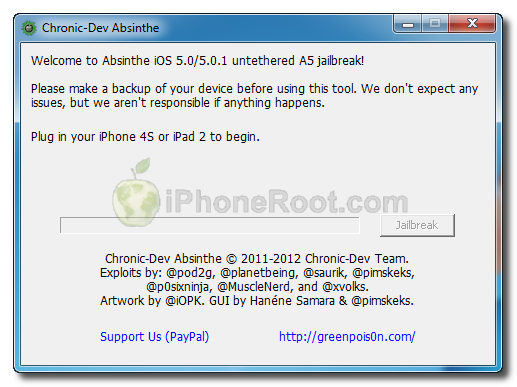
The Chronic Dev-Team has released the Windows version of its Absinthe utility to perform an untethered jailbreak of the iPhone 4S and iPad 2.
You can download Absinthe for Windows and Mac OS X from .
Here are our step-by-step tutorials:
- iPad 2 with iOS 5.0.1 (Mac OS X)
- HowTo untether jailbreak iPhone 4S with iOS 5.0/5.0.1 (Mac OS X)
iH8sn0w has released new version of popular jailbreak utility Sn0wBreeze 2.9. Sn0wbreeze is used to create a custom firmware with jailbreak and preserve iPhone modem (baseband) version for unlock. New version 2.9 adds support for untethered iOS 5.0.1 jailbreak as well as support for all firmwares supported by previous versions of sn0wbreeze.
For now Sn0wBreeze 2.9 supports untethered jailbreak for iOS 3.1.3, 3.2.x, 4.0.x, 4.1, 4.2.1 – 4.2.8, 4.3 – 4.3.3 and 5.0.1. Supported devices are: iPhone 2G, iPhone 3G, iPhone 3GS, , iPad 1, iPod Touch 2G, iPod Touch 3G, iPod Touch 4G.
UPDATE: official ultrasn0w with iOS 5.0.1 !
This tutorial is for those users of locked iPhone 3GS and , who updated to iOS 5.0.1 and realized that ultrasn0w unlock doesn’t work there.
Indeed DevTeam have not updated software unlock utility ultrasn0w to work with the latest iOS 5.0.1. There are two workarounds, that will make ultrasn0w work on 5.0.1.
The iPhone Dev-Team has released RedSn0w 0.9.9b5 – an official tethered jailbreak for iOS 5. Users don’t have to point to downloaded iOS 5 ipws any more. Just run and jailbreak.
Currently only the Mac version has been made available. Windows version is coming soon. However Windows users can still jailbreak iOS 5 with Redsn0w 0.9.9.b4, – just go to “Extras” -> “Select IPWS” and select your iOS 5 ipsw file (can download ).
Good news for users who need carrier unlock (ultrasn0w or Gevey Sim). With RedSn0w 0.9.9b5 you can update to iOS 5 and preserve the baseband (modem) version for unlock:
The new “Custom IPSW” button on the Extras screen will create a custom IPSW without the baseband update for 4.3.3 or 5.0gm (iPhone3GS and iPhone4 only, for now). Remember not to accidentally restore to the stock IPSW after you create the custom one! The custom one begins with NO_BB_ (for “no baseband”).
You must enter “Pwned DFU” mode before trying to use the NO_BB_ IPSW with iTunes (and your hosts file cannot be pointing to Cydia’s servers due to the new blob nonce mechanism they’re using in iOS5).
We will update our step-by-step tutorials soon.
You can download RedSn0w 0.9.9b5 (Mac) and RedSn0w 0.9.9b4 (Windows) .
PS: RedSn0w 0.9.9 is a bit different from 0.9.8 version. You can learn more about other new redsn0w 0.9.9 features .
UPDATE: redsn0w 0.9.9b6 released, download
UPDATE:
Here are links to our RedSn0w 0.9.9 iOS 5 jailbreak tutorials:
- Windows: , , , ,
- Mac OS: , , , ,

UPDATE: Apple latest firmware is iOS 5.1.1. Apple has stopped signing all other firmwares, including iOS 5.0.1, iOS 4.3.3 and iOS 4.3.5. This means you can NOT restore to 5.0.1/4.3.3/4.3.5 any more (both original and custom), unless you have saved your SHSH keys for it.
If you have decided to perform an untethered jailbreak and unlock, you need to get the following information:
- What type of device do you have (iPhone 3G/3GS/4, iPod Touch 3G/4G, iPad 1/2, Apple TV)?
- Do you need unlock (if your iPhone locked to one carrier and you want to use it with another)?
The answer is NO, if the device is not iPhone, if it was purchased as factory unlocked and can be used with any cellular carrier (f.e. in Canada, France, etc).
If the answer is YES, you need to find out your modem version (Setting-General-About-Modem). - What firmware version do you have? Take a look at Setting-General-About-Version. For example it could be iOS 4.3.3.
- What operating system do you use on your desktop (Windows, Mac OS)?
How to perform jailbreak, when you do NOT need an unlock
For iPhone 3G the latest is iOS 4.2.1. You can perform jailbreak with any utility. For iOS 4.2.1 you can also use them or GreenPois0n (Windows, Mac OS).
iPad 2 jailbreak is available only for iOS 4.3.3 via JailbreakMe and and iOS 5.0.1 via Absenthe.
iPhone 4S jailbreak is available for iOS 5.0 / iOS 5.0.1 via Absenthe.
iOS 4.3.3
Apple stopped signing iOS 4.3.3, so you cannot update to iOS 4.3.3 without SHSH keys saved (in advance some time ago). If you have , iPhone 3GS, iPad 1, iPod Touch 3G or iPod Touch 4G that run iOS 4.3.3 – use JailbreakMe or RedSn0w to untether jailbreak your device.
If you have saved SHSH keys for iOS 4.3.3 you can use PwnageTool (Mac OS) or Sn0wBreeze (Windows).
iOS 4.3.4/4.3.5
For iOS 4.3.4/4.3.5 only tethered jailbreak is possible with redsn0w. Tethered means that each time you restart your device you will have to connect it to a computer and run redsn0w. The untethered iOS 4.3.5 jailbreak is possible only for iPhone 3GS with old bootrom. You can detect your bootrom version using .
iOS 5
To jailbreak and unlock iOS 5 use latest version of redsn0w 0.9.9 or sn0wbreeze 2.8. You can jailbreak tethered or .
The untethered iOS 5 jailbreak is possible only for iPhone 3GS with old bootrom. You can detect your bootrom version using .
iOS 5.0.1
For iPhone 4/3GS, iPad 1, iPod Touch 3G/4G an untethered jailbreak is available for iOS 5.0.1. For untethered jailbreak use the latest redsn0w 0.9.10 or Corona – package from Cydia to untether currently installed tethered jailbreak.
Tutorial how to untether installed tethered jailbreak is available .
For iPhone 4S and iPad 2 use Absenthe.
For tethered iOS 5.0.1 jailbreak you an use redsn0w 0.9.9 and sn0wbreeze 2.8.
iOS 5.1 / iOS 5.1.1
For now only tethered jailbreak is available for iPhone 4/3GS, iPad 1 and iPod Touch 3G/4G for iOS 5.1 and iOS 5.1.1.
You can download all firmwares .
Tutorials
Here are our step-by-step tutorials that will guide you through the jailbreak process:
 iPhone 4S
UnTethered jailbreak iOS 5.0 / iOS 5.0.1:
 iPhone 4
Tethered jailbreak iOS 5.1.1:
Tethered jailbreak iOS 5.1:
UnTethered jailbreak iOS 5.0.1:
Semi-Tethered jailbreak iOS 5:
Tethered jailbreak iOS 4.3.5:
UnTethered jailbreak iOS 4.3.3:
- (works without a computer)
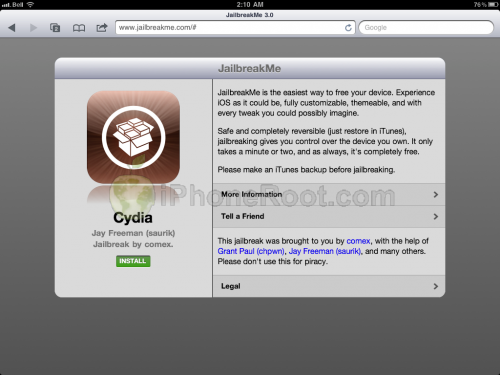
Apple today released iOS 4.3.4 to block the recent jailbreak by comex. Do not update if you want to remain jailbroken.
Apple will soon stop signing iOS 4.3.3 so please save your SHSH blobs as soon as possible. We have step-by-step tutorials for you:
If you want to jailbreak but haven’t yet, you can find our instructions on how to jailbreak .