Archive
Tag: Safari
Apple a bit more than a week ago. Couple more features were hiden there.
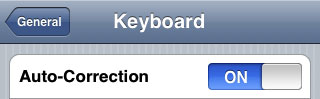
First of all Apple has addressed one common request within the iPhone’s Keyboard settings, allowing users to disable the iPhone’s auto-correction.
The other feature is for Japanese market – Japanese emoji icons. The lack of emoji support has been blamed as part of the reason for slow iPhone adoption in Japan.
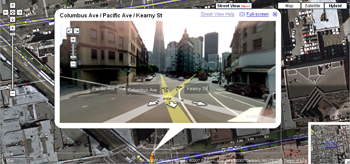
The third new feature is Street View. It allows users to view panoramic street level photographs in select cities within the Google Maps application.
Hopefully we will see more new features in this and next beta’s of 2.2 firmware.
via macrumors
Related articles:
- Jailbreak on firmware 2.2 beta 1
appeared just a day ago. It seems that DevTeam never sleeps 🙂 They published a screenshot of jailbreaked iPhone 2G with this new firmware:
It runs Terminal.app (non-apple application) running on 2.2b1 firmware. Thay say that version 2.2 is still vulnerable to pwnage and quickpwn on everything but iPod Touch 2G.
No news about software unlock for iPhone 3G or jailbreak for iPod Touch 2G.
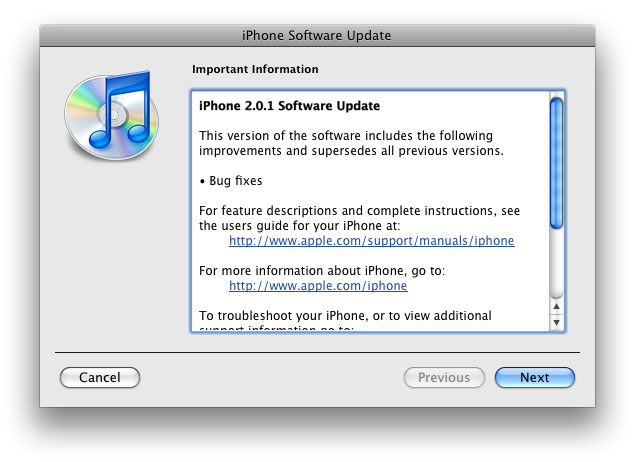
The main purpose is bug fixing. Many applications work faster. Here is the list of changes:
- Drag an app icon across multiple pages in one motion, rather than having to drag it, drop it, pick it up again and drag it over to next page, and repeat.
- Contacts are now more responsive.
- Backup is much faster.
- Apple may have changed the calibration of the iPhone’s reception “bars” while connected to a 3G network to reflect a stronger signal than before.
- Keypad loads quicker.
- Screen rotation in Safari appears to be smoother.
- Some apps may ask to be updated after the firmware upgrade.
- SMS typing faster.
- Google Apps works faster.
- Netshare still works (for those who use it).
- Works with iPod.
- Multimedia content is kept after update.
- No Support from Pwnage and WinPwn. If you update you’ll loose unlock and jailbreak.

Thanks to and the porting work of as well as the authors of , it is now possible to “tether” your iPhone 3G and use its Internet connection on your laptop.
Warning – Tethering your iPhone is against the iPhone data plan terms. AT&T could slap you with huge fees if you overuse this. I recommend only using it during emergencies.
Here is a basic plan (by the way, this should work for old IPhone also):
- Jailbreak your iPhone 3G
- Install 3Proxy and Terminal
- Create an ad-hoc Wi-fi network using your laptop
- Join the network with your iPhone
- Find the iPhone’s IP address
- Open Terminal and run the proxy program
- Open Safari on your iPhone and open a web page
- Configure your browser to use the proxy
Later we’ll discuss it with more details.
Step 1: Jailbreak your iPhone