Download | Jailbreak iPhone, iPod Touch, iPad - Part 17 Skip to content

Jailbreak iPhone, iPod Touch, iPad

новости про джейлбрейк iPhone, iPod Touch и iPad

Archive

Tag: download

redsn0w-0-9-6-b1

RedSn0w 0.9.6 b1 for Mac OS X was released a while ago. Today DevTeam created a version for Windows users. RedSn0w 0.9.6 b1 can jailbreak iOS 4.1 and iOS 4.1 running on iPhone 3G or iPod touch 2G.

You can download it here.

Redsn0w is easy to use:

  1. Download firmware here.
  2. Launch redsn0w 0.9.6 b1
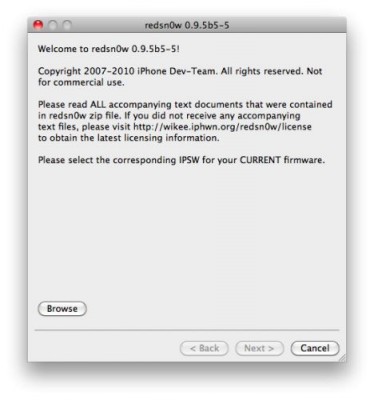
  3. Select your stock 4.1 or 4.0 ipsw (you’ve already used this to update your device to 4.1 or 4.0)
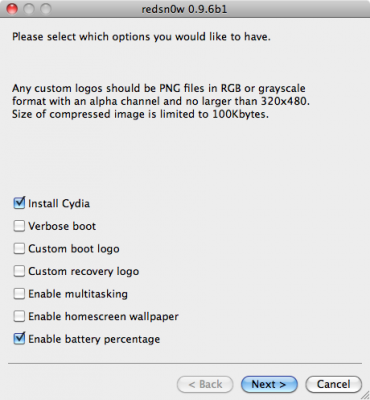
  4. Select “Install Cydia” and any of the other options shown above, then click “Next”. Use DFU mode to install the jailbreak.

This is still beta, so there might be some problems:

Any Windows users seeing “Waiting for reboot” for too long (more than 20 seconds or so), please try “shaking” the JB process by unplugging then replugging your USB cable (while letting redsn0w continue to run). Also, try using a USB port “closer” to your computer (as opposed to on your monitor or behind another hub).

As usual DevTeam reminds us:

IF YOU USE THE ULTRASN0W UNLOCK, PLEASE WAIT FOR PWNAGETOOL TO SUPPORT 4.1. DO NOT USE REDSN0W

That’s because to use redsn0w at 4.1, you need to already have updated to official 4.1 from Apple. If you do that, you lose the ultrasn0w unlock (possibly forever).
redsn0w-0-9-6-b1

DevTeam recently released new version of redsn0w to jailbreak iOS 4.1. New RedSn0w 0.9.6 b1 supports iOS 4.0 and iOS 4.1 running on iPhone 3G or iPod touch 2G.

There is only Mac OS X x86 version, that you can download here.

Redsn0w is easy to use:

  1. Download firmware here.
  2. Launch redsn0w 0.9.6 b1
  3. Select your stock 4.1 or 4.0 ipsw (you’ve already used this to update your device to 4.1 or  4.0)
  4. Select “Install Cydia” and any of the other options shown above, then click “Next”.  Use DFU mode to install the jailbreak.

As usual DevTeam reminds us:

IF YOU USE THE ULTRASN0W UNLOCK, PLEASE WAIT FOR PWNAGETOOL TO SUPPORT 4.1.  DO NOT USE REDSN0W

That’s because to use redsn0w at 4.1, you need to already have updated to official 4.1 from Apple.  If you do that, you lose the ultrasn0w unlock (possibly forever).

You cannot use JailBreakMe method to jailbreak and unlock iOS 4.0.2 on iPhone 3G. However you can still jailbreak and unlock iPhone 3G using redsn0w. Here are the instructions:

  • Download the latest RedSn0w 0.9.5-b5 in our utilities page here.
  • Download firmware images for iOS 4.0 here.
  • Run RedSn0w and point it at the 4.0 IPSW. (Yes – point it at the 4.0 IPSW even though you’re at 4.0.2). This will also hacktivate your iPhone3G at 4.0.1 if you haven’t already been activated by iTunes.
  • If you need a carrier unlock – install ultrasn0w in Cydia (add repository http://repo666.ultrasn0w.com). For T-Mobile in the USA remember to turn off 3G mode in Settings→General→Network.

Apple has released iOS 4.1 for the iPhone 3G, iPhone 3GS, iPhone 4, iPod Touch 2G, iPod Touch 3G and iPod touch 4G.

iOS 4.1 enables the Game Center social gaming network, support for High Dynamic Range (HDR) photos, and HD video uploading to YouTube. The update also fixes several bugs, including proximity sensor issues, performance issues and Bluetooth problems.

Full official changelog and download links are after the break:


Read the rest of this entry »

Have you ever wanted to display something on your iPad to external big screen? Here’s a quick video tutorial how to do that:


Read the rest of this entry »

FixFacebookforiPhone3.2ProblemFacebook for iPhone 3.2 was released last night and now it supports the newly created function “Places”, background downloading of photos and videos in iOS 4, together with other visual enhancements, such as “pull-to-refresh” for the iPhone. However, for many users, this new version was mostly broken, with the following error “Unable to load the page” on most of its pages. Yes, and if you try to uninstall and reinstall the application, it simply refuses to “Log in”.

As it turned out, this problem occurs on jailbroken iPhones for those users who have installed the application BiteSMS from Cydia. The new Facebook application for iPhone 3.2 is not compatible with the current version of BiteSMS. So if you have installed this application, removing it from Cydia, you’ll solve this problem, at least it really helped some of the users.

We hope that the new version of BiteSMS will be released pretty soon and will be compatible with this new version of Facebook for iPhone.

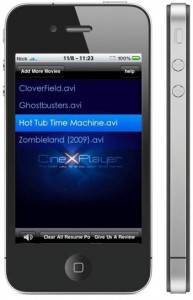
VerizoniPhone4Can not wait for the official release? Do you want to get CineXPlayer for iPad on your iPhone and iPod touch right now? For those of you who do not know, CineXPlayer is an iPad application that allows you to download Xvid AVI files using iTunes, so you can easily reproduce the format that Apple won’t. Because the developer has not invented version of the application for the iPhone, the hacker decided to do everything by himself.

It is a complete step by step tutorial on how to install it on your iPhone or iPod touch available here. You just need to jailbreak these devices, because the process involves SSH (SSH program for secure file sharing on the network) to access the iPhone, but it’s worth it if you want to get it right now!

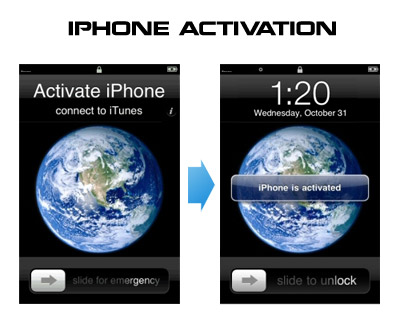
Having problems activating your iPhone? Don’t have original SIM-card? Cannot get passed emergency unlock screen? We have a solution:

If you have iPhone 3G, just use redsn0w to jailbreak and hactivate. If you have iPhone 3GS or iPhone 4 follow these instructions:

If you are already Jailbroken:

So you have an iPhone with iOS 4.0, but don’t have the original SIM and stuck on the Emergency Call Screen:

  1. Download ifunbox software (download link)
  2. Run ifunbox software and sync with phone
  3. Go to /private/var/root/Library/, delete original lockdown folder and put this lockdown folder after you extract it from the zip file
  4. Restart phone

If you are not jailbroken


Read the rest of this entry »

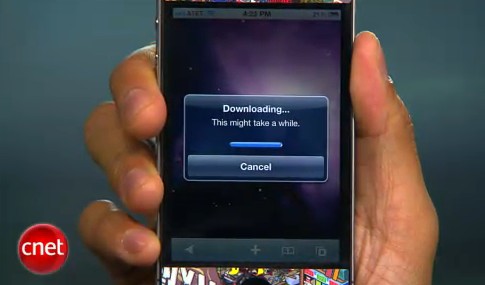
CNet specialists will show how to jailbreak using jailbreakme.com and how to turn on FaceTime over 3G (out tutorial is available here):


Read the rest of this entry »

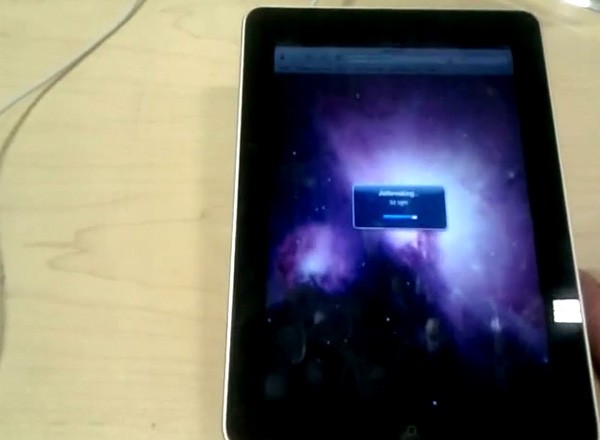
That was funny when people started jailbreaking iPhone’s inside Apple Stores. The fun ended because stores started banning jailbreakme.com from their WiFi networks. Well, it looks like it didn’t help.

One Apple fan published a video where he jailbreaks iPad by using his Nexus One’s mobile hotspot capabilities. Take a look at the video after the break:


Read the rest of this entry »