Apple just released new iOS 4.3 firmware. Jailbreakers and unlockers should wait for new tools. Everybody else will benefit. iOS 4.3 has Safari speed improvements, AirPlay features, hotspot, Home sharing, a new option for customizing the iPad’s side switch to serve as a mute toggle or screen orientation lock and much more:
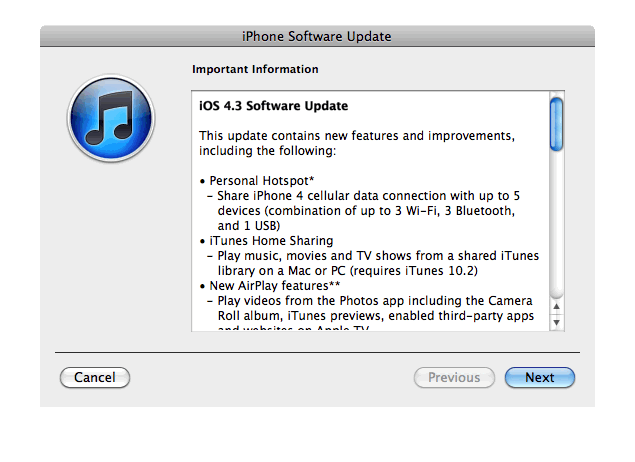
This update contains new features and improvements, including the following:
* Personal Hotspot
– Share cellular data with up to 5 devices (combination of up to 3 Wi-Fi, 3 Bluetooth, and 1 USB)* iTunes Home Sharing
– Play music, movies, and TV shows from a shared iTunes library on a Mac or PC (requires iTunes 10.2)* New AirPlay features
– Play videos from the Photos app including the Camera Roll album, iTunes previews, enabled third-party apps and websites on Apple TV
– Play slideshows from Photos on Apple TV using transitions available on Apple TV* Faster Safari performance with Apple Nitro JavaScript engine
* HD video out using the Apple Digital AV Adapter
– View 720p HD videos from Videos app, iPod app, Photos, YouTube, Safari, Keynote, and enabled third-party apps on an HDMI display* Ping features
– Push notifications for comments and follow requests
– Post and Like songs directly from the Now Playing screen
– Parental controls* New Settings
– Messages setting for number of times to repeat an alert
– iPad side switch setting to lock screen rotation or mute audio notifications and sound effects* Single tap conference call dialing with a pause to send a passcode
* Bug fixes
Products compatible with the software update:
- iPhone 4 (GSM model)
- iPhone 3GS
- iPad
- iPod touch (4th generation)
- iPod touch (3rd generation)
- Apple TV 2G
iPhone 3G, iPod Touch 2G and iPhone 4 Verizon do not have iOS 4.3 update.
Here are the direct links to download iOS 4.3:
| device | version | release date |
|---|---|---|
| AppleTV(2G) (AppleTV2,1) | 03/09/2011 13:07:02 | |
| iPad (iPad1,1) | 03/09/2011 13:07:02 | |
| iPad2,1 (iPad2,1) | 03/09/2011 13:07:02 | |
| iPad2,2 (iPad2,2) | 03/09/2011 13:07:02 | |
| iPad2,3 (iPad2,3) | 03/09/2011 13:07:02 | |
| iPhone3GS (iPhone2,1) | 03/09/2011 13:07:02 | |
| iPhone4 (iPhone3,1) | 03/09/2011 13:07:02 | |
| iPodTouch(3G) (iPod3,1) | 03/09/2011 13:07:02 | |
| iPodTouch(4G) (iPod4,1) | 03/09/2011 13:07:02 |