Mac | Jailbreak iPhone, iPod Touch, iPad - Part 10 Skip to content

Jailbreak iPhone, iPod Touch, iPad

новости про джейлбрейк iPhone, iPod Touch и iPad

Archive

Tag: Mac

greenpois0n-rc5

The Chronic Dev-Team has finally released the new version of Greenpois0n, which features a full untethered jailbreak for iOS 4.2.1. No SHSH blobs needed. The exploit used has already been patched in iOS 4.3, so it not work on future iOS 4.3.

You can jailbreak iPhone 4, iPhone 3GS, iPod Touch 2G, iPod Touch 3G, iPod Touch 4G, iPad and Apple TV 2G. Unlike redsn0w 0.9.6 this is untethered, so there is no need to connect iOS device to a computer after restart.

There is only Mac OS X version available. Chronic Dev-Team will release Windows and probably Linux version soon.

Unlockers: do not update to stock iOS 4.2.1. You should keep your baseband version. Wait for new version of PwnageTool.

You can download GreenPois0n RC5 from here.

UPDATE: Step-by-step tutorial

cydia3 cydia2 cydia1png

Jay Freeman (better known as Saurik) has reported that he added a new feature to Cydia, the jailbreak application store. “Cydia Theme Center” provides easer search of for Retina and non-Retina themes. Right now, you will find a selection of free and paid themes popular in Cydia, as well as themes selected by the employees of MacCiti and ModMyi. Soon Cydia user also will be able to vote their favorites into Theme Center. Freeman has predicted that the feature would be really popular. After release of Theme Center he posted to Twitter: The second feature to use my Whole Package Index, the “Cydia Theme Center”, went up an hour ago, and 15,000 people have already tried it! ;P

betatest

The iPhone Dev team has just released the second beta of their untethered RedSn0w jailbreak (the first beta has been released few hours ago and has more bugs).

New jailbreak is called “Jailbreak Monte”, as it uses new “backup method”. The iPhone Dev Team warns that their beta-version is not a general release and you should back up all your media before using it. There are also other limitations and bugs:


Read the rest of this entry »

pwnagetool413-3gs-3

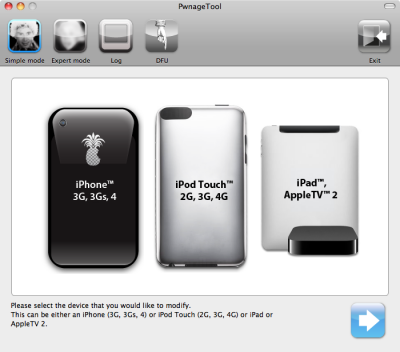
These are instructions on how to jailbreak and unlock your iPhone 3GS on iOS 4.1 using PwnageTool 4.1.3 for Mac OS X. This tutorial will explain how to upgrade your baseband if needed for an unlock.

For iPhone 3G use this tutorial.

There is no unthethered jailbreak for new iPhone 3GS bootroms and iOS 4.2.1 yet, so you should stay at iOS 4.1.

Important: iPhone3GS users with old bootroms who want to go to 4.2.1 and unlock should not use this PwnageTool! Update to stock 4.2.1 first, then use new redsn0w to update your baseband.

Step One
Make a folder called “Pwnage” on the desktop. Download a couple of things:

Read the rest >>>

These are instructions on how to jailbreak and unlock your iPhone 3G on iOS 4.2.1 using PwnageTool 4.1.3 for Mac OS X. This tutorial will explain how to upgrade your baseband if needed for an unlock.

Step One
Make a folder called “Pwnage” on the desktop. Download a couple of things:

You will also need the 4.2.1 iPhone firmware.

If you are on the 05.14 or 05.15 baseband you will also need the iPad 3.2.2 firmware. You can find out your baseband version in Settings -> General -> About -> Modem Firmware.

When downloading the IPSW file, it is best to download it with Firefox since Safari often auto extracts it!
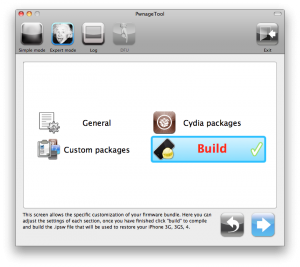
pwnagetool-413-1

Step Two
Double click to mount PwnageTool then drag the PwnageTool icon into the Pwnage folder.

Read More>>>

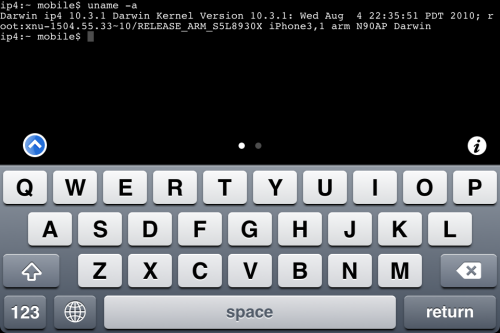
MobileTerminal-iPhone4-04

MobileTerminal is a terminal emulator application for the iPad and iPhone. The version of MobileTerminal that is available in Cydia doesn’t work with iPhone iOS 4.x. However there are beta versions that do work, but aren’t on Cydia because they are still in beta stages. This tutorial will show you step-by-step how to install MobileTerminal on iPhone with iOS 4.x (tutorial for iPad is here). If you have old version of MobileTerminal installed – uninstall it in Cydia (Search – MobileTerminal – Remove).

First of all you need to jailbreak your iPhone. If you have not done it already here is an easy tutorial: how to jailbreak iOS 4.0-4.1 on iPhone using Limera1n. After you successfully jailbreaked iPhone:

  1. Run Cydia by tapping on Cydia icon
  2. cydia_icon

  3. The Cydia will start:

Read the rest of this entry

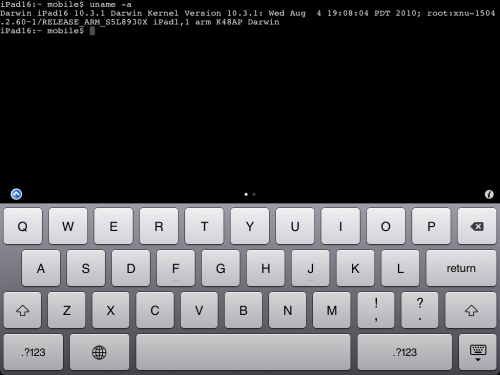
MobileTerminal-iPad-05

MobileTerminal is a terminal emulator application for the iPad and iPhone. The version of MobileTerminal that is available in Cydia doesn’t work with iPad iOS 3.2.2 and iPhone iOS 4.x. However there are beta versions that do work, but aren’t on Cydia because they are still in beta stages. This tutorial will show you step-by-step how to install MobileTerminal on iPad (tutorial for iPhone is here). If you have old version of MobileTerminal installed – uninstall it in Cydia (Search – MobileTerminal – Remove).

First of all you need to jailbreak your iPad. Here is an easy tutorial: how to jailbreak iPad with iOS 3.2.2 using Limera1n. After you successfully jailbreaked iPad:

  1. Run Cydia by tapping on Cydia icon
  2. cydia_icon

  3. The Cydia will start:

Read the rest of this entry

redsn0w-096b2

The iPhone Dev-Team recently has released a new version of RedSn0w for Mac and Windows.  RedSn0w uses the Limera1n exploit to support more devices and adds the ability to restore custom firmware ipsws. The crew promises that now RedSn0w will work with the iPhone 3G, 3GS, 4, iPad, iPod 2G, 3G, and 4G (Not iPod 2G-MC yet).

You can download RedSn0w 0.9.6b2 from here.

Just a day after PwnageTool 4.1.1 release, DevTeam created one more update for popular jailbreak utility – PwnageTool 4.1.2 for Mac OS X. This release should solve some problems that users had. However there are still users reporting iTunes errors when restoring custom firmware. Anyway PwnageTool 4.1.2 is worth trying.

You can download PwnageTool 4.1.2 here.

Here is a step-by-step Tutorial: how to jailbreak and unlock your iPhone using PwnageTool.

Today DevTeam released new version of jailbreak utility PwnageTool 4.1.1 for Mac OS X. This release solves some of the problems with the previous version 4.1. Many users had errors with restore process, some had Cydia crashes. If you had any problems with PwnageTool 4.1 – we recommend you try to use the new version PwnageTool 4.1.1.

You can download PwnageTool 4.1.1 here.

Here is a step-by-step Tutorial: how to jailbreak and unlock your iPhone using PwnageTool 4.1.1.