
Clippy adds copy-paste functionality to iPhone and iPod Touch. It is avaliable in Cydia (iSpazio.net repository) for jailbreaked iPhones. The only limitation is you cannot select text in Safari and copy it to clipboard.
Clippy adds copy-paste functionality to iPhone and iPod Touch. It is avaliable in Cydia (iSpazio.net repository) for jailbreaked iPhones. The only limitation is you cannot select text in Safari and copy it to clipboard.
It is called . This Safari plugin is avaliable in Cydia for jailbreaked iPhones. Just add Cydia repository d.imobilecinema.com. Still in beta, but works! Watch the video:
Quite soon MMS will be avaliable for iPhone users via AppStore. The application is called MMSender. The published this video:
For now only users of jailbreaked iPhones can send MMS from application called SwirlyMMS.
The developer, Kevin Rose, says this application will be avaliable officially via AppStore. No jailbreaking and hacking. The only concern.. will Apple approve it? I hope so. Watch the video:
PS: It will be free 🙂
Related posts:
This application is developed by Jay Freeman, the creator of the Cydia. Veency is a free app that allows iPhone owners to remotely control their iPhone from PC or Mac desktop via a VNC client.
Here are some of the features:
Of course you cannot do two finger gestures with this app. All other actions can be done with the click of your mouse. The only area in which Veency fails tragically at is when opening any video recording application on the iPhone.
This application is avaliable for jailbreaked iPhones via Cydia installer.
Be sure to restart your iPhone after installing Veency and connect to the server using a Wi-Fi connection. We recommend using or to connect your Windows desktop. If you’re using a Mac, we recommend .
Here is a video demonstration:
via readwriteweb
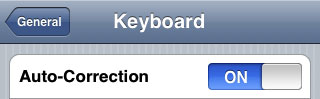
Apple a bit more than a week ago. Couple more features were hiden there.
First of all Apple has addressed one common request within the iPhone’s Keyboard settings, allowing users to disable the iPhone’s auto-correction.
The other feature is for Japanese market – Japanese emoji icons. The lack of emoji support has been blamed as part of the reason for slow iPhone adoption in Japan.
The third new feature is Street View. It allows users to view panoramic street level photographs in select cities within the Google Maps application.

Hopefully we will see more new features in this and next beta’s of 2.2 firmware.
via macrumors
Related articles:
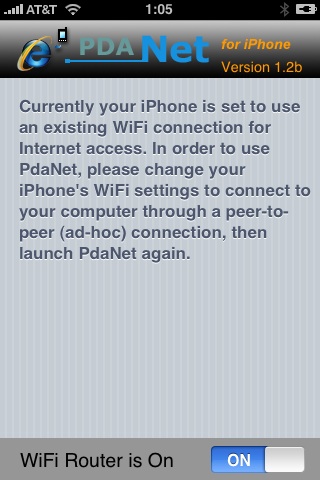
Many iPhone 3G users would like to use internet on a desktop or notebook through their phone. There were several solutions: iPhoneModem, NetShare, 3Proxy.. they all used SSH and SOCKS proxy. One of the working ones was described here .
Couple days ago PdaNet (fullname is PdaNet WiFi Router) was ported to iPhone. Now our life is much much easier.
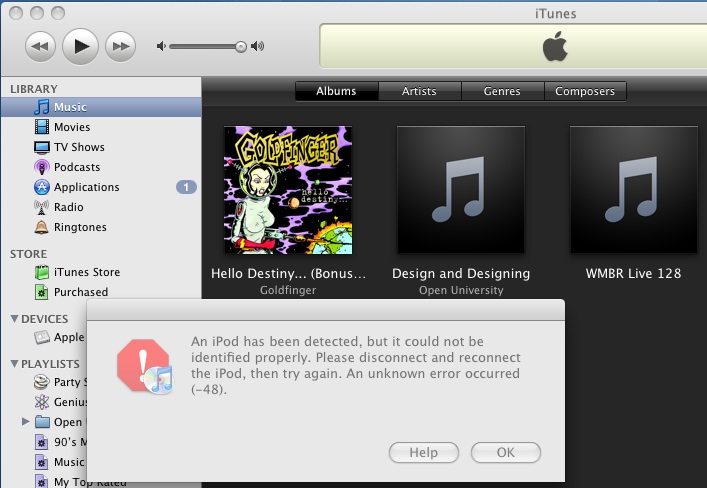
The only way Apple can fix the exploit that the iPhone Dev Team has been using to Jailbreak iPhone’s and iPod Touch’s is to fix their hardware, but it seems Apple has figured out a way to program iTunes 8 to detect and prevent the Pwnage exploit. The screenshot below from iTunes 8 using a Pwned ipsw (with an unPwned device attached) is one example.
The Dev Team reacted promptly:
“The nice thing about iTunes decisions is that we can provide you with patches to counter them. We have one such patch already for Mac iTunes 8 for iPod touch. We’ll be working out the full suite of patches for all the combinations over the next week.”
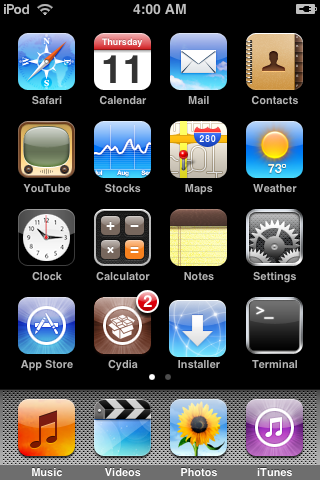
Dev Team also published two interesting screenshots:
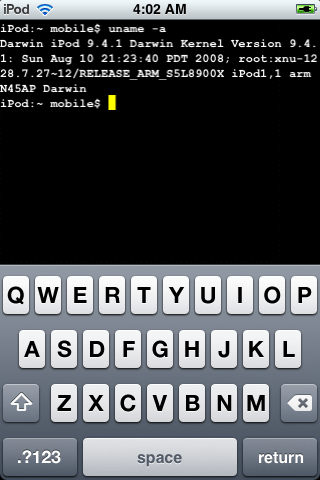

There are so many tools, some for Mac OS, others for Windows, different versions… Complicated. So let’s summerize a little bit.
If you have iPhone 3G, you’ll be able to install 3-rd party non AppStore applications (through separate applications called Cydia and Installer) and run these applications. If you have old iPhone, in addition to that you’ll be able to unlock the device (use with any carrier).
There are two methods: quickpwn and custom firmware method. First one is for quikly pwning and jailbreaking the device without restore. You should use it if you have unlocked device or an AT&T contract.
If you are Windows user:
If you’re using Mac OS:
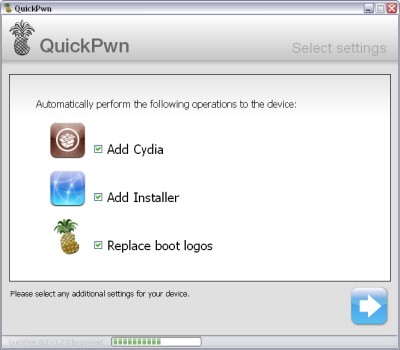
QuickPwn for Windows is updated. Support for all 2.x firmwares is added. So now you can QuickPwn and jailbreak the device if it is running 2.0, 2.0.1 or 2.0.2.
DevTeam reminds that it is still beta software, so usual rules apply, no complaints if anything goes wrong and use the tool at at your own risk!
Using QuickPwn does not update the firmware itself, this tool is designed to ‘Pwn’ (the ability to install future custom non-Apple firmwares) , ‘Jailbreak’ and install Installer and/or Cydia on a given device. If your device is running 2.0.1 and you QuickPwn it, it’ll still be running 2.0.1, although it will now be Pwned and Jailbroken. It will also activate (not unlock) devices that are being used outside of their intended territories and cannot be activated using iTunes.
If you want to update to 2.0.2 then use the normal iTunes update to get to 2.0.2 and then use QuickPwn to Pwn, Jailbreak and Activate, remember that the 2.0.2 update includes a baseband update for the 3G iPhone, so depending what your long term intentions are for the phone, update wisely, of course in the upcoming PwnageTool application you’ll be able to create a custom ipsw without the baseband update enabled.
PS: Mac OS version is on it’s way.