SwirlyMMS, application to send and receive mms, is updated to v1.2.9. Several bugs are fixed. See the changelog below.
Avaliable in Cydia for jailbreaked iPhones.
SwirlyMMS, application to send and receive mms, is updated to v1.2.9. Several bugs are fixed. See the changelog below.
Avaliable in Cydia for jailbreaked iPhones.
Limitations:
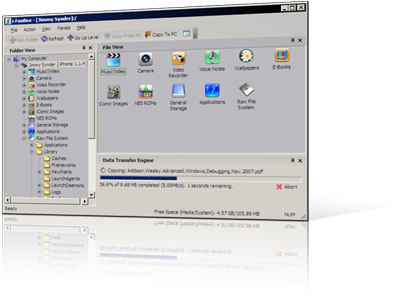
Uploading music and movie to iPhone is now disabled on devices with firmware 2.x.
Quite soon MMS will be avaliable for iPhone users via AppStore. The application is called MMSender. The published this video:
For now only users of jailbreaked iPhones can send MMS from application called SwirlyMMS.
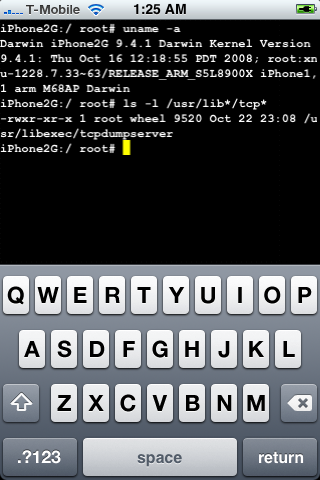
DevTeam posted a screenshot of jailbreaked and unlocked iPhone 2G with new firmware 2.2b2. This is cool that Apple still doesn’t have anything to prevent this.
Related post: Tutorial: How to perform Jailbreak, Activation and Unlock (Windows)
We had a post about SBSettings – the future of BossPrefs (). Couple days ago this application became avaliable in Cydia.
SBSettings doenst have an icon so after you install to access it you must slide across the statusbar (aka the top bar that displays service, time, battery, etc.)
Current version is 0.92. But the application is updated almost every day.
This application is avaliable for jailbreaked iPhones via Cydia installer.
The developer, Kevin Rose, says this application will be avaliable officially via AppStore. No jailbreaking and hacking. The only concern.. will Apple approve it? I hope so. Watch the video:
PS: It will be free 🙂
Related posts:
This application is developed by Jay Freeman, the creator of the Cydia. Veency is a free app that allows iPhone owners to remotely control their iPhone from PC or Mac desktop via a VNC client.
Here are some of the features:
Of course you cannot do two finger gestures with this app. All other actions can be done with the click of your mouse. The only area in which Veency fails tragically at is when opening any video recording application on the iPhone.
This application is avaliable for jailbreaked iPhones via Cydia installer.
Be sure to restart your iPhone after installing Veency and connect to the server using a Wi-Fi connection. We recommend using or to connect your Windows desktop. If you’re using a Mac, we recommend .
Here is a video demonstration:
via readwriteweb
Many users of jailbreaked iPhones use application called BossPrefs. The developer of this app is creating a new one. The new application will be called SBSettings.
The toggles drop down when you swipe along the status bar. It is very fast and can be used while in any app without exiting the app. Suppose you are in Safari but realize your 3g is not yet enabled. Just swipe the statusbar and toggle 3g, than resume in Safari where you left off. The advantage is there is no need to exit Safari and load settings or bossprefs.
The look and feel of this new app will be something like this:
via thebigboss

updated to version 1.33. This tool allows you to . Here is a changelog:
This application is avaliable via Cydia Installer for jailbreaked iPhones.