IOS4 | Jailbreak iPhone, iPod Touch, iPad - Part 3 Skip to content

Jailbreak iPhone, iPod Touch, iPad

новости про джейлбрейк iPhone, iPod Touch и iPad

Archive

Tag: iOS4

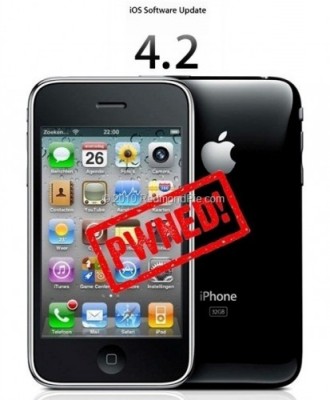
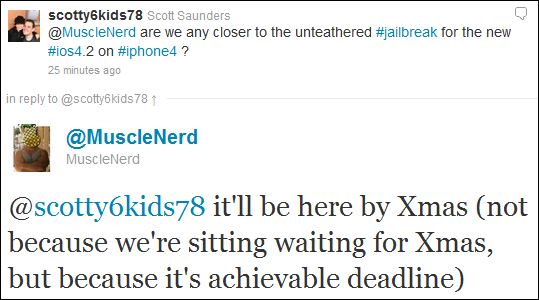
MuscleNerd from iPhone DevTeam tweeted that an untethered jailbreak solution for iOS 4.2.1 will be released soon, probably next week.

scotty6kids78: @MuscleNerd are we any closer to the unteathered #jailbreak for the new #ios4.2 on #iphone4 ?

MuscleNerd: @scotty6kids78 it’ll be here by Xmas (not because we’re sitting waiting for Xmas, but because it’s achievable deadline)

This untethered solution will be applicable to all current iOS 4.2.1 devices, including iPhone 4, iPhone 3GS, iPad, Apple TV 2G and iPod touch 4G. We will keep you updated.
iOS 4.2 Jailbreak

Next iPhone/iPod/iPad firmare iOS 4.2 is due out soon. What can we expect in terms of jailbreaking 4.2?

Limera1n exploit for 4.2 in most cases is a tethered jailbreak. That means if you have to reboot your device, it will show a “connect to itunes” logo until you run the jailbreak software again.

  • iPhone 3G – will run 4.2 untethered. Redsn0w will be updated.
  • iPhone 3GS – old bootrom will run 4.2 untethered if done via Pwnagetool while updating from 4.1. Otherwise it will be tethered.
  • iPhone 4 – tethered
  • iPod 2G – untethered.
  • iPod Touch 3G, iPod Touch 4G – tethered
  • iPad – tethered.

Tethered jailbreak isn’t that bad for iPads and iPods. But if something happens and your iphone reboots while you’re away from your computer, you cant use the device until you get home and run some tool on your computer again.

We suggest not updating until new expoit will be implemented in new utility.

The community is working on a solution to this to either make the jailbreak untethered or at least semi-tethered. Semi-tethered means the device will at least reboot, but unjailbroken while on the road until you return to your computer.

MobileTerminal-iPhone4-04

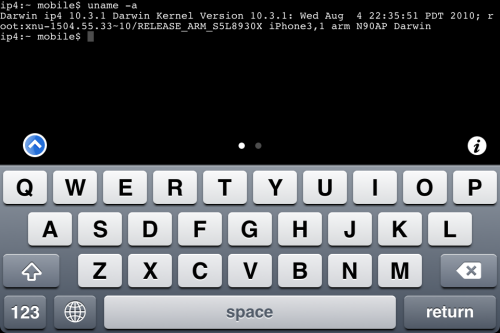
MobileTerminal is a terminal emulator application for the iPad and iPhone. The version of MobileTerminal that is available in Cydia doesn’t work with iPhone iOS 4.x. However there are beta versions that do work, but aren’t on Cydia because they are still in beta stages. This tutorial will show you step-by-step how to install MobileTerminal on iPhone with iOS 4.x (tutorial for iPad is here). If you have old version of MobileTerminal installed – uninstall it in Cydia (Search – MobileTerminal – Remove).

First of all you need to jailbreak your iPhone. If you have not done it already here is an easy tutorial: how to jailbreak iOS 4.0-4.1 on iPhone using Limera1n. After you successfully jailbreaked iPhone:

  1. Run Cydia by tapping on Cydia icon
  2. cydia_icon

  3. The Cydia will start:

Read the rest of this entry

MobileTerminal-iPad-05

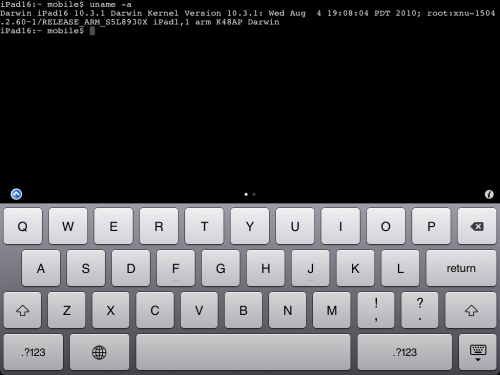
MobileTerminal is a terminal emulator application for the iPad and iPhone. The version of MobileTerminal that is available in Cydia doesn’t work with iPad iOS 3.2.2 and iPhone iOS 4.x. However there are beta versions that do work, but aren’t on Cydia because they are still in beta stages. This tutorial will show you step-by-step how to install MobileTerminal on iPad (tutorial for iPhone is here). If you have old version of MobileTerminal installed – uninstall it in Cydia (Search – MobileTerminal – Remove).

First of all you need to jailbreak your iPad. Here is an easy tutorial: how to jailbreak iPad with iOS 3.2.2 using Limera1n. After you successfully jailbreaked iPad:

  1. Run Cydia by tapping on Cydia icon
  2. cydia_icon

  3. The Cydia will start:

Read the rest of this entry

jailbreak-ios41-ipod4g

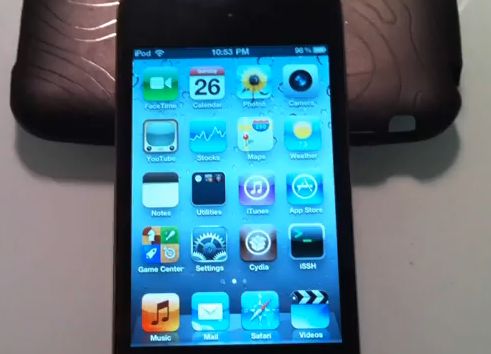
The new exploit is called SHAtter. It was developed by hacker pod2g a few months after hacker p0sixninja from the Chronic Dev Team discovered the crash. The same exploit can be used to jailbreak iPhone 4 and iPad with new firmwares. So iOS 4.1 and maybe even iOS 4.2 is not a problem any more. Soon we will see the utilities from DevTeam to perform the jailbreak.

The DevTeam published a video if a jailbroken iPod Touch 4G. Take a look:


Read the rest of this entry »

iOS4.14.2Jailbreak

Only a few days passed since Dev Team has confirmed that Comex will try to jailbreak iOS 4.1, using other exploit. However, according to the response received on Twitter, it became known that Comex may not take part in the new iOS 4.x jailbreak.

Comex replied to the message on Twitter in such a way: “ariif, the next jailbreak might not be from me :)”.

Of course, it does not mean that Comex leaves the scene and would not take part in jailbreaking as Geohot, most likely it is only this version he isn’t planning to jailbreak. Nevertheless the smile in his reply certainly means something good…

Apple has released iOS 4.1 for the iPhone 3G, iPhone 3GS, iPhone 4, iPod Touch 2G, iPod Touch 3G and iPod touch 4G.

iOS 4.1 enables the Game Center social gaming network, support for High Dynamic Range (HDR) photos, and HD video uploading to YouTube. The update also fixes several bugs, including proximity sensor issues, performance issues and Bluetooth problems.

Full official changelog and download links are after the break:


Read the rest of this entry »

iOS4Steve Jobs, Apple’s CEO, confirmed that the new software update iOS 4.x will appear in the near future to correct performance problems on the iPhone 3G, which works on iOS 4.x. He confirmed it while answering to the email he got from a user who was disappointed with the iPhone 3G performance running on iOS 4, describing it as “dog slow”.

Although he did not mention a specific version or date of its release we can guess that he was specking about iOS 4.1, which is going to be released next month, when iTV (Apple TV) and the next generation iPod touch will spotlight.

iOS4.0.2JailbreakHave you already updated your device to the version iOS4 and want to unlock your 3GS? Firstly there was Redsn0w, now PwnageTool is available, which can easily help you. Here is a simple and easy course for jailbreaking of your device. Warning: this is not an official release and therefore may be some bugs that can destroy your device or delete some important information. So be careful while using it!
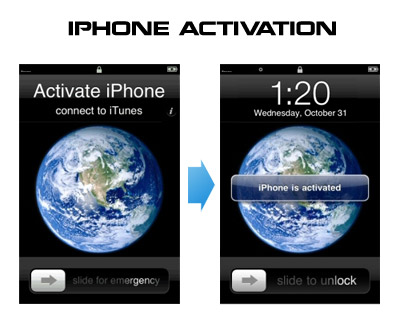
Having problems activating your iPhone? Don’t have original SIM-card? Cannot get passed emergency unlock screen? We have a solution:

If you have iPhone 3G, just use redsn0w to jailbreak and hactivate. If you have iPhone 3GS or iPhone 4 follow these instructions:

If you are already Jailbroken:

So you have an iPhone with iOS 4.0, but don’t have the original SIM and stuck on the Emergency Call Screen:

  1. Download ifunbox software (download link)
  2. Run ifunbox software and sync with phone
  3. Go to /private/var/root/Library/, delete original lockdown folder and put this lockdown folder after you extract it from the zip file
  4. Restart phone

If you are not jailbroken


Read the rest of this entry »