Baseband | Jailbreak iPhone, iPod Touch, iPad - Part 9 Skip to content

Jailbreak iPhone, iPod Touch, iPad

новости про джейлбрейк iPhone, iPod Touch и iPad

Archive

Tag: baseband

redsn0w 375x400 Firmware 3.0 jailbreak: RedSn0w for iPhone and iPod Touch

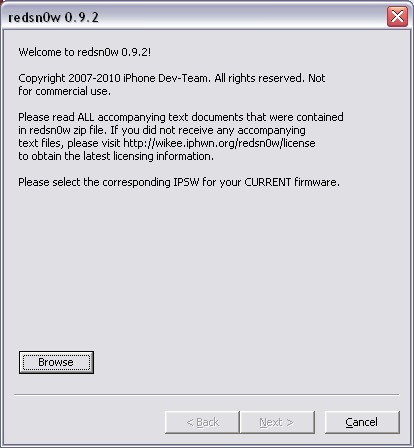
RedSn0w is an easy to use, multi-platform, multi-device jailbreaking and unlocking (iPhone 2G only) tool from DevTeam. It supports firmware 3.0 and iPhone 2G (original iPhone), the iPhone 3G (but not the 3GS) and also the iPod touch (first and second generation):

  • iPhone 2G – jailbreak and unlock
  • iPhone 3G – only jailbreak, use only with official unlocked iPhones (UPDATE: unlock is avaliable)
  • iPod Touch – jailbreak
  • iPod Touch 2G – jailbreak
  • iPod Touch 3GS – not supported (UPDATE: is supported by version 0.8)

Currently it is available for Windows and Mac OS X. The tool works just like QuickPwn. If you want to build custom firmware files with more flexibility it is suggested that you use PwnageTool on Mac OS X.

  1. GOLDEN RULE: If you are using a 3G iPhone with yellowsn0w and rely on yellowsn0w to obtain cellular service, then you should NOT use redsn0w right now. Ultrasn0w (the 3G carrier unlock) is not included with this release and therefore your baseband will be locked and unable to use an operator other than the official one it was bought for. UltraSn0w will be released via APT (cydia and icy) soon. If you have an original iPhone (1st generation) then 3.0 carrier unlock works with this redsn0w release.
  2. Yellowsn0w in its current form will NOT work with the baseband version that is present in the 3.0 update, you will need Ultrasn0w, which will be released sometime soon (update: released), Ultrasn0w will work with all iPhone 3G models (but not 3GS), even ones that were previously unlockable, Ultrasn0w will be released via APT (this means you will be able to get it via Cydia or Icy).
  3. Please read all parts of this post before downloading and using these tools.
  4. Read items 1, 2 and 3 again and again.
  5. At the bottom of this post are the bittorrent files for the latest version of redsn0w.
  6. This app is suitable for the recent 3.0 release
  7. redsn0w will NOT work for the iPhone 3GS.
  8. redsn0w WILL work for Original iPhone (1st Generation), Original iPod touch, iPod touch 2G and the iPhone 3G (not the iPhone 3GS).

To use redsn0w simply upgrade the device in iTunes to firmware version 3.0 and run redsn0w to activate and jailbreak the device (and if you are using an original iPhone 2G, it will unlock it too!)

You can donwload RedSn0w 0.7 here.

pwnage 20

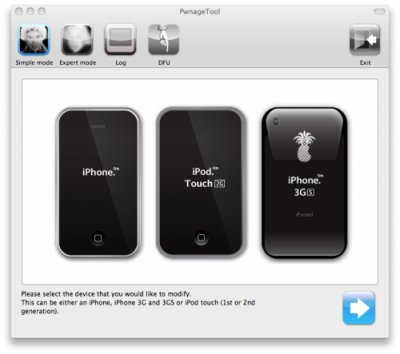
DevTeam released PwnageTool for firmware 3.0. Here is the list of supported deviced:

  • iPhone 2G – jailbreak and unlock
  • iPhone 3G – only jailbreak, use only with official unlocked iPhones
  • iPod Touch – jailbreak
  • iPod Touch 2G – not supported, use redsn0w
  • iPod Touch 3GS – not supported

If you are using a 3G iPhone with yellowsn0w and rely on yellowsn0w to obtain cellular service, then you should NOT use PwnageTool right now. Ultrasn0w is not included with this release and therefore your baseband will be locked and unable to use an operator other than the official one it was bought for. Ultrasn0w will be release via APT (cydia and icy) soon (update: Ultrasn0w released). If you have an original iPhone (1st generation) then 3.0 unlock works with this PwnageTool release.

Yellowsn0w in its current form will NOT work with the baseband version that is present in the 3.0 update, you will need Ultrasn0w, which will be released sometime soon, Ultrasn0w will work with all iPhone 3G models (but not 3GS), even ones that were previously unlockable, Ultrasn0w will be released via APT (this means you can get it via Cydia or Icy).

PwnageTool will NOT work for the iPhone 3GS. PwnageTool WILL work for Original iPhone (1st Generation), Original iPod touch (1st Generation) and the iPhone 3G.

You can donwload PwnageTool 3.0 here.

jailbreak30 iPhone OS 3.0 is jailbreakable

News from DevTeam:

iPhone 3.0 OS is jailbreakable on all devices. It’s just those using 3G yellowsn0w that have to show some restraint and wait for PwnageTool to create a custom IPSW that avoids the baseband update. If you are using yellowsn0w, do not update or restore to iPhone 3.0 firmware.  You will lose yellowsn0w and find yourself unable to revert the baseband to get it back.

alt Firmware 2.2.1 is officially hacked

Yes, DevTeam released new version of their software. First of all, please, do NOT use unofficial software from unknows sites (f.e. quickpwm.com). We recommend to download from torrent or official mirors.

We regulary publish latets software and firmware links. Use them or the same ones from DevTeam site.

So:

  • iPhone 2G and iPod Touch: update to 2.2.1 with iTunes and run QuickPwn to jailbreak, activate and unlock you device.
  • iPod Touch 2G: sorry, you need to wait a bit more
  • iPhone 3G + NO UNLOCK: If you do not need unlock, you are using your iPhone with one carrier or you hae factory unlcoked iPhone, just restore or upgrade to 2.2.1 using iTunes and use QuickPwn to jailbreak and add Cydia and Installer.
  • iPhone 3G + UNLOCK: you need to preserve current baseband software. Preserving the baseband will ensure that you can still use “yellowsn0w” the iPhone 3G unlock application. To upgrade your phone to 2.2.1 and preserve the state of the baseband you need to create a custom .ipsw with PwnageTool. This custom .ipsw will not contain the baseband update but of course will still allow all the cool new stuff from 2.2.1. PwnageTool is only available for Mac OS X.

DevTeam updated yellowsn0w to version 0.9.7 to work with modified (!!!) firmware 2.2.1, in which you preserve old baseband from firmware 2.2.

img 0074 200x300 iPhone 3G unlock tutorial

Dev Team finally made it. They created software called yellowsn0w, that unlocked iPhone 3G. Now you can use any carrier you want. I successfully unlocked my US version.It works much more stable than sim proxy method.

Please, back up everything on your iPhone before you start, just in case. Everything you do is your responsibility. I had to go through all 4 steps to make my iPhone 3G work. I used only my new sim without sim proxy.

Here are the steps:

Step 1: Restore your iPhone to version 2.2 (Not needed if you are already at 2.2 with baseband 02.28.00):

  1. Download 2.2 firmware
  2. Run iTunes
  3. In iTunes click on Restore button holdong the Shift key on your keyboard.
  4. Choose downloaded firmware 2.2 image and wait.

Step 2: Jailbreak your iPhone using this tutorial.

Step 3: Install yellowsn0w:

  1. Load up Cydia and add the yellowsn0w repository: in Cydia click Manage – Sources – Edit – Add. Than type http://apt9.yellowsn0w.com. You can also use Installer instead of Cydia, the repo is http://i.yellowsn0w.com
  2. Install software called yellowsn0w
  3. Reboot the phone and you should have signal.

Step 4: If you still do not have signal

  1. Try turning on and off airplane mode.
  2. Install BossPrefs
  3. Install BossPrefs Yellowsn0w Toggle
  4. Reboot
  5. Run BossPrefs and make sure yellowsn0w toggle is on. If it is on and you do not have signal you can try to switch it off, wait and switch it back on.

img 0076 200x300 iPhone 3G unlock tutorial

iphone pirate 2 243x300 DevTeam about firmware 2.2

DevTeam says that 2.2 update SHOULD NOT be applied using iTunes if you want the chance of a soft-unlock in the near future. Use new version of PwnageTool (not avaliable yet, but will be soon).

Some fact:

  • The 2.2 firmware for 3G contains a baseband update for the 3G iPhone
  • The 2.2 firmware for 2G (1st gen iPhones) doesn’t contain a baseband update and the baseband is still at 04.05.04
  • Pwnage technique (and therefore the Jailbreak) isn’t affected, but PwnageTool and QuickPwn do not support this release as yet, so DO NOT install 2.2 using iTunes as you will lose your jailbreak
  • If you apply this update and you previously relied on PwnageTool or QuickPwn to activate your phone, it may become temporarily deactivated and unusable (until we release the new version of PwnageTool or QuickPwn).
  • PwnageTool and QuickPwn updates will be released as soon as possible that will allow a safe update path to 2.2 the release of these updates is inevitable but not imminent, we are creating the modifications right now and we need to put the new software through the usual testing process.
  • If you apply this update and you have third-party (non AppStore) applications from Cydia and Installer that you rely on they will stop working.
  • 2G (1st gen) iPhone users who cannot wait for the new PwnageTool or QuickPwn can safely “Update” to 2.2 using iTunes, this will preserve the existing activation. However “restoring” to 2.2 using iTunes will return the iPhone to the unactivated state. If you are in any doubt just wait. NB: This works for 2G ONLY.
  • The use of SIM-Proxies (small circuit boards/chips that sit underneath the SIM card) to provide GSM/UMTS service on your locked iPhone 3G: early reports suggest that the 2.2 update disables the functionality of these devices.

utilities Utilities downloads

Here are download links for the latest versions of software for iPhone, iPod Touch and iPad jailbreaking, activating and unlocking:

RedSn0w | Sn0wBreeze | PwnageTool | Absinthe |GreenPois0n | iReb | iBooty | iFaith | UltraSn0w | LimeRa1n | Spirit | BlackRa1n | BlackSn0w | PurpleRa1n

For iOS 4.0, iOS 4.0.1 and iOS 4.3-4.3.3 you can use http://jailbreakme.com


RedSn0w

redsn0w 0.9.11b4 (tethered iOS 5.1.1, iOS 5.1 jailbreak for iPhone 3GS, iPhone 4, iPad 1, iPod Touch 3G, iPod Touch 4G; untethered iOS 5.0.1 jailbreak for all devices, including iPhone 4S, iPad 2; save unlock tickets)

redsn0w 0.9.10b8 (tethered iOS 5.1 jailbreak for iPhone 3GS, iPhone 4, iPad 1, iPod Touch 3G, iPod Touch 4G; untethered iOS 5.0.1 jailbreak for all devices, including iPhone 4S, iPad 2; save unlock tickets)

redsn0w 0.9.10b7 (tethered iOS 5.1 jailbreak for iPhone 3GS, iPhone 4, iPad 1, iPod Touch 3G, iPod Touch 4G; untethered iOS 5.0.1 jailbreak for all devices, including iPhone 4S, iPad 2)

redsn0w 0.9.10b6 (tethered iOS 5.1 jailbreak for iPhone 3GS, iPhone 4, iPad 1, iPod Touch 3G, iPod Touch 4G)

redsn0w 0.9.10b5c (untethered iOS 5.0.1 jailbreak for iPhone 3GS, iPhone 4, iPad 1, iPod Touch 3G, iPod Touch 4G)

redsn0w 0.9.9b9d (tethered iOS 5.0.1, iOS 5 and iOS 4.3.5 jailbreak for iPhone 3GS, iPhone 4, iPad, iPod Touch 3G, iPod Touch 4G; untethered for iPhone 3GS with old bootrom; supports untethered iOS 4.3.3 jailbreak)

redsn0w 0.9.9b8 (tethered iOS 5.0.1, iOS 5 and iOS 4.3.5 jailbreak for iPhone 3GS, iPhone 4, iPad, iPod Touch 3G, iPod Touch 4G; untethered for iPhone 3GS with old bootrom; supports untethered iOS 4.3.3 jailbreak)

redsn0w 0.9.9b7 (tethered iOS 5, iOS 4.3.5 jailbreak for iPhone 3GS, iPhone 4, iPad, iPod Touch 3G, iPod Touch 4G; untethered for iPhone 3GS with old bootrom; supports untethered iOS 4.3.3 jailbreak)

redsn0w 0.9.6 rc16 (supports untethered iOS 4.3.3 jailbreak for iPhone 3GS, iPhone 4, iPad, iPod Touch 3G, iPod Touch 4G)

redsn0w 0.9.8b7b (supports untethered iOS 4.3.3, tethered iOS 4.3.5, iOS 5 jailbreak for iPhone 3GS, iPhone 4, iPad, iPod Touch 3G, iPod Touch 4G; untethered for iPhone 3GS with old bootrom)


PwnageTool

PwnageTool 5.0.1 (supports untethered iOS 5.0.1 jailbreak for iPhone 3GS, iPhone 4, Apple TV 2G, iPad, iPod Touch 3G, iPod Touch 4G)

PwnageTool 4.3.3.1 (supports untethered iOS 4.3.3 jailbreak for iPhone 3GS, iPhone 4, Apple TV 2G, iPad, iPod Touch 3G, iPod Touch 4G)


Sn0wBreeze

Sn0wBreeze 2.9.3 (pwnagetool for windows, supports tethered jailbreak of iOS 5.1 for iPhone 4, iPhone 3GS, iPod Touch 3G, iPod Touch 4G, iPad; untethered for iPhone 3GS with old bootrom; untethered for iOS 5.0.1, iOS 4, iOS 3 supports Apple TV 2G)

Sn0wBreeze 2.9.1 (pwnagetool for windows, supports untethered jailbreak iOS 5.0.1, iOS 4, iOS 3 for iPhone 4, iPhone 3GS, iPod Touch 3G, iPod Touch 4G, iPad)

Sn0wBreeze 2.8b11 (pwnagetool for windows, supports iOS 5, iOS 5.0.1, tethered jailbreak for iPhone 4, iPhone 3GS, iPod Touch 3G, iPod Touch 4G, iPad, Apple TV 2G; untethered for iPhone 3GS with old bootrom)

Sn0wBreeze 2.7.3 (pwnagetool for windows, supports iOS 4.3.3, untethered jailbreak for iPhone 4, iPhone 3GS, iPod Touch 3G, iPod Touch 4G, iPad, Apple TV 2G)

Sn0wBreeze 2.2.1 (pwnagetool for windows, supports iOS 4.2.1, jailbreak for iPhone 4, iPhone 3GS, iPhone 3G, iPod Touch 2G, iPod Touch 3G, iPod Touch 4G, iPad)


iReb

iReb (Windows tool that will put your device into a pwned state so that you can upload custom firmware to it)


iBooty

iBooty (Utility to Boot Tethered iPhone 4, iPhone 3GS, iPad, iPod Touch 3G, iPod Touch 4G after Sn0wBreeze jailbreak)


iFaith

iFaith 1.4.2 (Windows tool that will save SHSH keys for your current installed iOS)


Absinthe

Absinthe (supports untethered iOS 5.0.1 jailbreak for iPad 2 and iOS 5/5.0.1 jailbreak for iPhone 4S)

GreenPois0n

GreenPois0n RC5 (supports firmware 4.1 and 4.2.1 jailbreak for iPhone 4, iPhone 3GS, iPod Touch 2G, iPod Touch 3G, iPod Touch 4G, iPad)


UltraSn0w

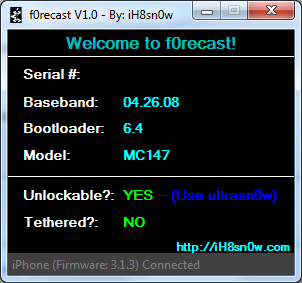
Current version is ultrasn0w 1.2.3, download in Cydia (unlock for iPhone 4, iPhone 3GS, iPhone 3G, firmwares 3.0-4.3.3; it supports basebands 01.59.00, 04.26.08, 05.11.07, 05.12.01, 05.13.04, 06.15.00)


LimeRa1n

LimeRa1n (supports firmware 4.0-4.1, jailbreak for iPhone 4, iPhone 3GS, iPod Touch 3G, iPod Touch 4G, iPad)


Spirit

Spirit for Windows and MAC OS (jailbreak for all devices – iPad, iPhone, iPod Touch, firmware 3.1.2, 3.1.3, or 3.2)


BlackRa1n

blackra1n for Windows and MAC OS (jailbreak for all devices, firmware 3.1.2)


BlackSn0w

BlackSn0w for Windows and MAC OS (unlock for iPhone 3G and iPhone 3GS, firmware 3.1, 3.1.2)


PurpleRa1n

Purplera1n for MAC (Beta jailbreak for iPhone 3GS, firmware 3.0)

Purplera1n for Windows (Beta jailbreak for iPhone 3GS, firmware 3.0)


Older software versions:

You can download older software versions here.absinthe-mac-0.1.2-2.zip

quickpwn12 QuickPwn updated to 1.2.0

QuickPwn for Windows is updated. Support for all 2.x firmwares is added. So now you can QuickPwn and jailbreak the device if it is running 2.0, 2.0.1 or 2.0.2.

DevTeam reminds that it is still beta software, so usual rules apply, no complaints if anything goes wrong and use the tool at at your own risk!

Download here!

Using QuickPwn does not update the firmware itself, this tool is designed to ‘Pwn’ (the ability to install future custom non-Apple firmwares) , ‘Jailbreak’ and install Installer and/or Cydia on a given device. If your device is running 2.0.1 and you QuickPwn it, it’ll still be running 2.0.1, although it will now be Pwned and Jailbroken. It will also activate (not unlock) devices that are being used outside of their intended territories and cannot be activated using iTunes.

If you want to update to 2.0.2 then use the normal iTunes update to get to 2.0.2 and then use QuickPwn to Pwn, Jailbreak and Activate, remember that the 2.0.2 update includes a baseband update for the 3G iPhone, so depending what your long term intentions are for the phone, update wisely, of course in the upcoming PwnageTool application you’ll be able to create a custom ipsw without the baseband update enabled.

PS: Mac OS version is on it’s way.