Fun | Jailbreak iPhone, iPod Touch, iPad - Part 3 Skip to content

Jailbreak iPhone, iPod Touch, iPad

новости про джейлбрейк iPhone, iPod Touch и iPad

Archive

Tag: fun

sn0wbreeze-251

iH8sn0w updated their iOS 4.3.1 untethered jailbreak utility – released Sn0wBreeze 2.5.1.

They have added

Sn0wBreeze is used to create custom firmwares with jailbreak and preserve iPhone baseband. It is available for Windows only.

You can download Sn0wBreeze 2.5.1 here.

Here’ official changelog.


Read the rest of this entry »

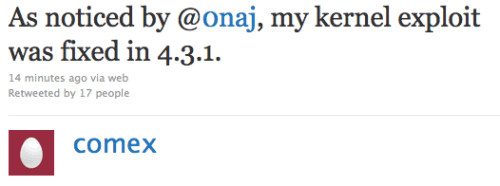
Comex, famous iPhone hacker, tweeted today that the kernel exploit for jailbreak he had found long ago was closed by Apple in recent iOS 4.3.1. This exploit could be used to jailbreak iPad 2.

As noticed by @0naj, my kernel exploit was fixed in 4.3.1.

I try not to be paranoid, but it is really hard to explain this as anything but a leak.

The funny thing is that my “new” kernel exploit is actually the kernel exploit used by JailbreakMe 2.0. It was never properly fixed.

It stayed there from 4.0.2 through 4.3, but was magically found in time for 4.3.1. well, go go @MuscleNerd and @i0n1c I guess

This is not good news. However we have recently seen working untethered jailbreak video. There are other vulnerabilities in iOS 4.3.1.

pwnagetool413-3gs-3

UPDate: save your iOS 4.2.1 SHSH blobs now!

UPDate 2: Attention! We’ve received info, that Apple stopped signing iOS 4.2 for devices for which iOS 4.3 is available. This means you will not be able to restore to 4.2.1 without saved SHSH keys.

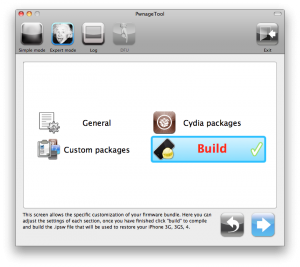
Using this tutorial you will be able to jailbreak iOS 4.2.1 running on iPhone 3G, iPhone 3GS, iPhone 4, iPod Touch 3G, iPod Touch 4G and iPad. Pwnagetool will also preserve baseband version if you need carrier unlock. If you have updated the baseband to version 06.15, you can use this tutorial. This tutorial uses PwnageTool 4.2 for Mac OS X.

We are not developers of jailbreak utilities, so we cannot assure that everything will work just fine. However we tried this tutorial on several devices and succeeded.

We will use iPhone 4 in our jailbreak tutorial. The process is the same for all devices.

Step One
Make a folder called “Pwnage” on the desktop. Download a couple of things:

Read the rest >>>

betatest

The iPhone Dev team has just released the second beta of their untethered RedSn0w jailbreak (the first beta has been released few hours ago and has more bugs).

New jailbreak is called “Jailbreak Monte”, as it uses new “backup method”. The iPhone Dev Team warns that their beta-version is not a general release and you should back up all your media before using it. There are also other limitations and bugs:


Read the rest of this entry »

doesnt-airplay1

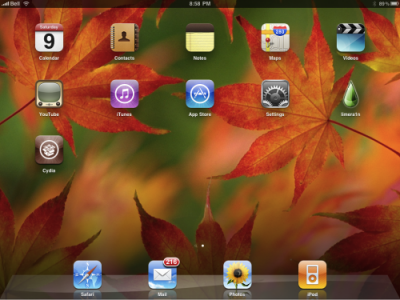
Multiple developers and users testing out the iOS 4.2 betas claim that the AirPlay functionality was definitely removed from Apple’s iPhone 3G. AirPlay is gone from the golden master version of iOS 4.2. In fact, the AirPlay did work on the iPhone 3G at the previous betas. There are no any reasonable causes why the AirPlay was cut from the GM version.  Perhaps, Apple is trying to get users to upgrade to their latest iPhone model or, on the other hand, it is just an issue in the GM seed. May be the AirPlay functionality will return in iOS 4.2 public release. Anyway, there will undoubtedly be a jailbreak that can re-enable it.


Read the rest of this entry »

These are instructions on how to jailbreak your iPhone using PwnageTool 4.1 for Mac OS X. If you need unlock and you have not updated to iOS 4 you will be able to preserve baseband and unlock iPhone using ultrasn0w.

This guide will work for iPhone 4, iPhone 3GS, iPhone 3G, iPod Touch 3G, iPod Touch 4G, iPad and AppleTV. Just use the right firmware and select the right device (step four).

Step One
Make a folder called “Pwnage” on the desktop. Now you need to download there PwnageTool 4.1 from here and iOS 4.1 firmware from here.

When downloading the IPSW file, it is best to download it with Firefox since Safari often auto extracts it!

pwnagetool-41-1

Step Two
Double click to mount PwnageTool then drag the PwnageTool icon into the Pwnage folder.

Read the rest of this entry

These are instructions on how to jailbreak your iPad with latest iOS 3.2.2 using Limera1n for Mac. You can find the Windows version of this tutorial here.

Step 1
Open your browaer and navigate to www.limera1n.com and download LimeRa1n for Mac by clicking on the Mac logo.


Read the rest of this entry »

These are instructions on how to jailbreak your iPhone 3GS (all bootroms) or iPhone 4 using Limera1n for Mac OS X. Limera1n supports iOS 4.0, iOS 4.0.1, iOS 4.0.2 and iOS 4.1. Use the same steps to jailbreak iPod Touch 4G and iPod Touch 3G and even iPad. You can find the Windows version of this tutorial here.

Remember: Do not update to iOS 4.1 if you need the unlock. Ultrasn0w does not support that baseband yet.

Step 1
Open your browaer and navigate to www.limera1n.com and download LimeRa1n for Mac by clicking on the Mac logo.


Read the rest of this entry »

Hacker MuscleNerd has tweeted that the DevTeam plans to release PwnageTool for iOS 4.1 in several days.

For AppleTV 2G users, the goal is for PwnageTool to cover you by Funday/Sunday (but still very limited app capability)

This release should also bring jailbreak for iPod touch and iPad Mac users.

PwnageTool is a Mac OS X jailbreak tool. One of it’s advantages is the ability to preserve old baseband, which means you can have firmware iOS 4.1 with baseband from iOS 4.0 (if you haven’t updated to 4.1 already). And this brings unlcok, because iOS 4.0 is unlockable.


Read the rest of this entry »

These are instructions on how to jailbreak your iPad with latest iOS 3.2.2 using Limera1n for Windows. You can find the Mac OS version of this tutorial here.

Step 1
Open your browaer and navigate to www.limera1n.com and download LimeRa1n for Windows by clicking on the Windows.

When prompted save the download to your desktop


Read the rest of this entry »