IOS | Jailbreak iPhone, iPod Touch, iPad - Part 34 Skip to content

Jailbreak iPhone, iPod Touch, iPad

новости про джейлбрейк iPhone, iPod Touch и iPad

Archive

Tag: iOS

4.0.2 3.2.2

Today Apple released patches for its iOS that address a security hole in Mobile Safari, which allowed users to jailbreak their iDevices. The PDF exploit they used also allowed hackers to gain remote control over the device with an iOS.

iOS 4.0.2 is available for:

Apple did NOT release the patch for the first generation iPhones.

iOS 3.2.2 is intended to use on the iPad and iPad 3G.

You can update your device via the links above or simply by connecting your device to iTunes and clicking Update. But note, if you want to continue using jailbreak you should not update your handset/tablet and don’t forget to backup your SHSH blobs.
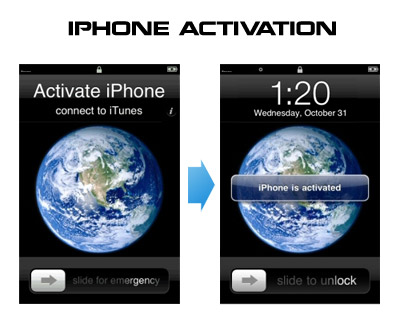
Having problems activating your iPhone? Don’t have original SIM-card? Cannot get passed emergency unlock screen? We have a solution:

If you have iPhone 3G, just use redsn0w to jailbreak and hactivate. If you have iPhone 3GS or iPhone 4 follow these instructions:

If you are already Jailbroken:

So you have an iPhone with iOS 4.0, but don’t have the original SIM and stuck on the Emergency Call Screen:

  1. Download ifunbox software (download link)
  2. Run ifunbox software and sync with phone
  3. Go to /private/var/root/Library/, delete original lockdown folder and put this lockdown folder after you extract it from the zip file
  4. Restart phone

If you are not jailbroken


Read the rest of this entry »

There is a big a security hole in iPhone iOS. The device is insecure in a big and obvious way. You should be extremely careful of what sites you visit.

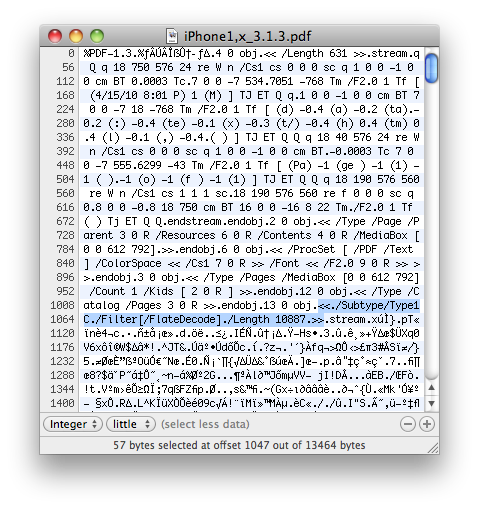
The FlateDecode vulnerability can be used when a PDF File is embedded within a Web page. Basically Safari tries to parse the PDF. And when it does it executes some code. Hackers can use this exploit to read and write iPhone data, get your contacts, sms, even delete something. So they can get all kinds to access your personal information stored on your iOS device.

Apple will fix it some day. Until then you need to take care of your iPhone security. There is a fix for that. It is available via Cydia for jailbroken devices. So you need to jailbreak in order to secure (funny isn’t it?).


Read the rest of this entry »

Vupen

Recently Vupen, which is a French security firm, posted an advisory that contained information about two critical security vulnerabilities in Apple’s iOS. After a while hacker comex used these flaws to create a jailbreak, which is now widely known and available on JailbreakMe.com.

But according to Reuters, yesterday Apple decided to react and its spokeswoman Natalie Harrison revealed that the company is currently investigating Vupen’s advisory. So it looks like these exploits are going to be fixed soon!

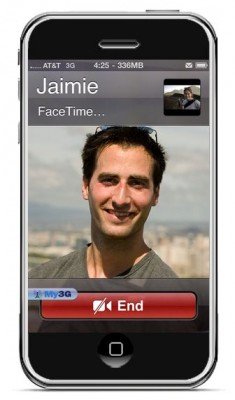
FaceTime feature gives users the possibility to make  voice calls. Apple restricted this feature to Wi-Fi only. Today it became possible to use it over 3G!

Setup Instructions:

  1. Jailbreak your iPhone 4 via www.jailbreakme.com.
  2. Download and upgrade to the latest Cydia package.
  3. Open Cydia, Go to Manage then Sources.
  4. Click Sources, Edit then add: http://apt.modmyi.com
  5. Search for “My3G” — download, and install it. It costs $2.79. My3G makes Apps believe that they are on WiFi instead of 3G.
  6. Go through the Rock setup process with a username and password. Open My3G and leave all settings on the default.
  7. FaceTime should now work over 3G! — Make sure to “Forget” the WiFi network you are on (via iOS settings) if you want to test it.

We haven’t seen any difference between the 3G FaceTime call and a WiFi FaceTime call. The quality is very good.

Here’s a video demo:


Read the rest of this entry »

Here is the video of recently released universal safari jailbreak called JailBreakMe working on an iPhone 3G:

BrowserJailbreak

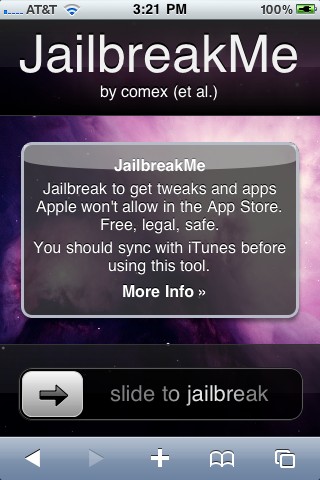
Starting today every owner of iPad, iPhone or iPod can easily jailbreak his device via browser on http://jailbreakme.com/

The site was created in a week after decision of the Library of Congress (that operates the Copyright Office), which states that jailbreaking isn’t illegal, though Apple claims it actually represents a threat to the stability and security of the company’s devices. Apple also says that jailbreaking voids the warranty, but such an action can be easily undone by resetting a device to the default factory settings.

Site JailbreakMe.com easily became a trending topic in Twitter after its announcement on RedmondPie.com. The jailbreak itself was created by hacker comex, and the website was done by chpwn and westbaer.

MuscleNerd tweeted today that the recent redsn0w utility is able to jailbreak the iOS 4.1 beta2 on iPhone 3G and iPod Touch 2G. This is useful for developers only, however good news for everyone.

Here’s some info from the DevTeam wiki page:


Read the rest of this entry »

MuscleNerd, hacker from DevTeam, commented via twitter on recent rumors that universal jailbreak (all iPhones and all firmwares, including iPhone 4 and iOS 4.0.1) will be released today. The basic answer is no, there will be no jailbreak today.

Not to make it a daily thing, but since somehow people thought it would be today: the new JB+unlock won’t be out today

(there are issues with important apps like Facetime that need to be figured out…no sense releasing a half-broken JB)

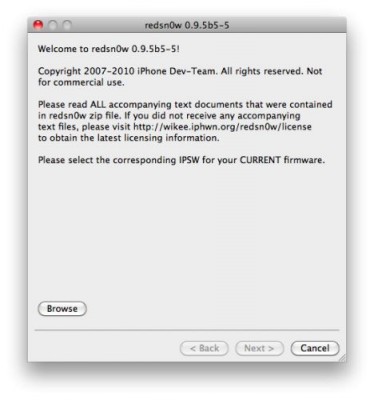
There is no official jailbreak utility for iOS 4.0.1. However you can still jailbreak and unlock iPhone 3G. Just do the following:

  • Download the latest RedSn0w 0.9.5-b5 in our utilities page here.
  • Download firmware images for iOS 4.0 here.
  • Run RedSn0w and point it at the 4.0 IPSW. (Yes – point it at the 4.0 IPSW even though you’re at 4.0.1). This will also hacktivate your iPhone3G at 4.0.1 if you haven’t already been activated by iTunes.
  • Install ultrasn0w in Cydia (add repository http://repo666.ultrasn0w.com) if you need a carrier unlock (and in the USA, remember to turn off 3G mode in Settings→General→Network).