Archive
Tag: jailbreak

updated to version 1.33. This tool allows you to . Here is a changelog:
This application is avaliable via Cydia Installer for jailbreaked iPhones.
Apple a bit more than a week ago. Couple more features were hiden there.
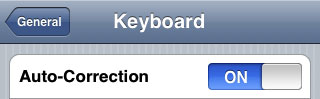
First of all Apple has addressed one common request within the iPhone’s Keyboard settings, allowing users to disable the iPhone’s auto-correction.
The other feature is for Japanese market – Japanese emoji icons. The lack of emoji support has been blamed as part of the reason for slow iPhone adoption in Japan.
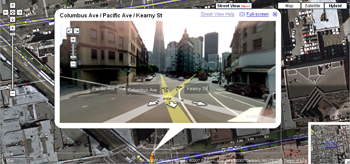
The third new feature is Street View. It allows users to view panoramic street level photographs in select cities within the Google Maps application.
Hopefully we will see more new features in this and next beta’s of 2.2 firmware.
via macrumors
Related articles:
- Jailbreak on firmware 2.2 beta 1

Today the 400th package was added to Cydia 2.0 repository today. This number includes all kind of applications, modding themes, sound packages, winterboard themes, etc. Most of this stuff is free. All you need to use this is to jailbreak your iPhone.
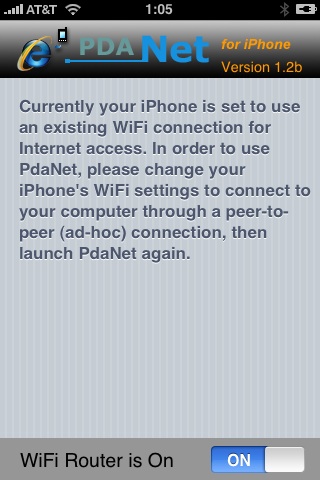
Many iPhone 3G users would like to use internet on a desktop or notebook through their phone. There were several solutions: iPhoneModem, NetShare, 3Proxy.. they all used SSH and SOCKS proxy. One of the working ones was described here .
Couple days ago PdaNet (fullname is PdaNet WiFi Router) was ported to iPhone. Now our life is much much easier.
appeared just a day ago. It seems that DevTeam never sleeps 🙂 They published a screenshot of jailbreaked iPhone 2G with this new firmware:
It runs Terminal.app (non-apple application) running on 2.2b1 firmware. Thay say that version 2.2 is still vulnerable to pwnage and quickpwn on everything but iPod Touch 2G.
No news about software unlock for iPhone 3G or jailbreak for iPod Touch 2G.
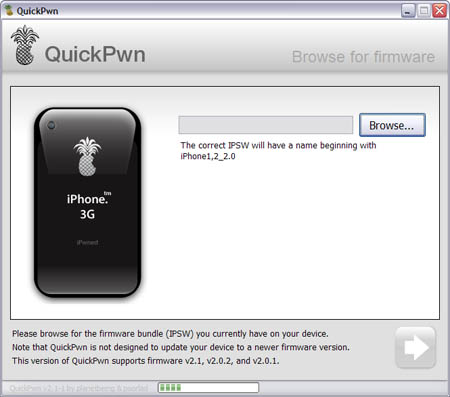
Congratulations, Windows users. The support for new firmware 2.1 is added. So here is what you can do:
- Support for FW v2.0.1, v2.0.2, v2.1.0
- Jailbreaking and Pwning iPhone 2G, iPhone 3G and iPod Touch
- Adding Cydia and Installer
- Replacing boot logos
- Unlocking iPhone 2G
Changes from QuickPwn RC3
- Support for firmware 2.1
- Auto-detection of firmware version, insistence on correct firmware bundle to prevent user epic fail.
- Use of iASign to activate to prevent bspatch epic fail.
- Removed buggy and never really tested 2.0 support
Sorry, no jailbreak for new iPod Touch and no unlock for iPhone 3G.
Here are download links:
Firmwares v2.1: ,
Related posts:
- QuickPwn and PwnageTool for 2.1 firmware
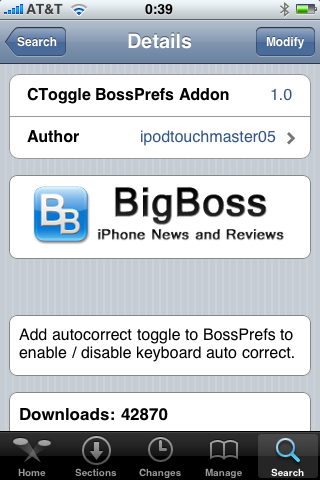
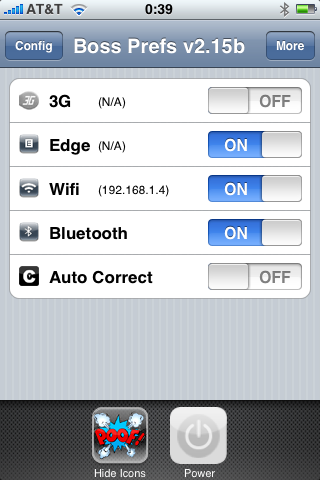
I was amazed that very few people know how to turn auto-correction off. Here is what you need:
- Jailbreak your iPhone and install Cydia
- Install BossPrefs
- Install CToggle BossPrefs Addon
- Run BossPrefs and turn auto-correction off
There is even a domain: http://please-let-us-disable-autocorrection-steve.com.. Nice.