IPhone 3G | Jailbreak iPhone, iPod Touch, iPad - Part 21 Skip to content

Jailbreak iPhone, iPod Touch, iPad

новости про джейлбрейк iPhone, iPod Touch и iPad

Archive

Tag: iPhone 3G

DevTeam says that 2.2 update SHOULD NOT be applied using iTunes if you want the chance of a soft-unlock in the near future. Use new version of PwnageTool (not avaliable yet, but will be soon).

Some fact:

  • The 2.2 firmware for 3G contains a baseband update for the 3G iPhone
  • The 2.2 firmware for 2G (1st gen iPhones) doesn’t contain a baseband update and the baseband is still at 04.05.04
  • Pwnage technique (and therefore the Jailbreak) isn’t affected, but PwnageTool and QuickPwn do not support this release as yet, so DO NOT install 2.2 using iTunes as you will lose your jailbreak

Read the rest of this entry »

This is a step-by-step tutorial. If you have iPhone 3G this guide will help you jailbreak and activate the device. For iPhone 2G it will also perform the unlock.

I recommend using 2.2 firmware, because iPhone 3G unlock is avaliable now. But you can use it with old v2.1, v2.0.1 and v2.0.2.


Read the rest of this entry »

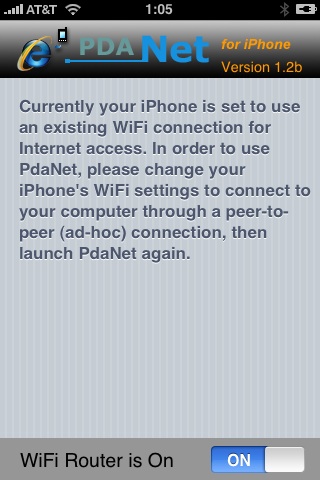
PdaNet updated to version 1.33. This tool allows you to connect any desktop or notebook to internet through iPhone 3G. Here is a changelog:

This application is avaliable via Cydia Installer for jailbreaked iPhones.

Many iPhone 3G users would like to use internet on a desktop or notebook through their phone. There were several solutions: iPhoneModem, NetShare, 3Proxy.. they all used SSH and SOCKS proxy. One of the working ones was described here get internet on a desktop or notebook through IPhone 3G.

Couple days ago PdaNet (fullname is PdaNet WiFi Router) was ported to iPhone. Now our life is much much easier.


Read the rest of this entry »

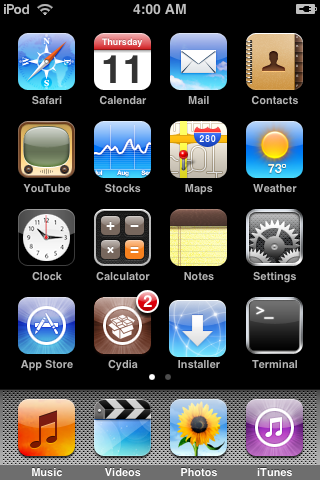
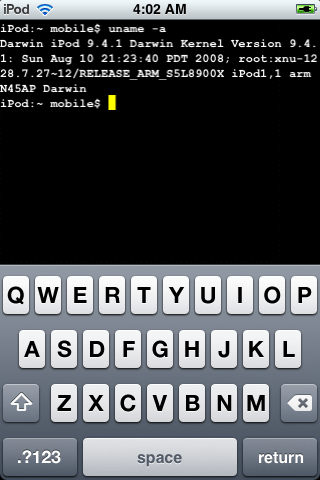
Firmware 2.2 beta 1 appeared just a day ago. It seems that DevTeam never sleeps 🙂 They published a screenshot of jailbreaked iPhone 2G with this new firmware:

It runs Terminal.app (non-apple application) running on 2.2b1 firmware. Thay say that version 2.2 is still vulnerable to pwnage and quickpwn on everything but iPod Touch 2G.

No news about software unlock for iPhone 3G or jailbreak for iPod Touch 2G.

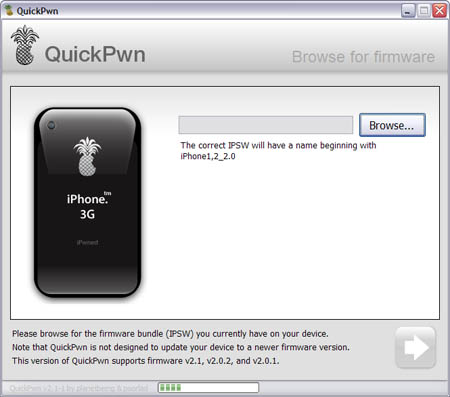
Congratulations, Windows users. The support for new firmware 2.1 is added. So here is what you can do:

  • Support for FW v2.0.1, v2.0.2, v2.1.0
  • Jailbreaking and Pwning iPhone 2G, iPhone 3G and iPod Touch
  • Adding Cydia and Installer
  • Replacing boot logos
  • Unlocking iPhone 2G

Changes from QuickPwn RC3

  • Support for firmware 2.1
  • Auto-detection of firmware version, insistence on correct firmware bundle to prevent user epic fail.
  • Use of iASign to activate to prevent bspatch epic fail.
  • Removed buggy and never really tested 2.0 support

Sorry, no jailbreak for new iPod Touch and no unlock for iPhone 3G.

Here are download links:

Firmwares v2.1: 2g firmware, 3g firmware

Related posts:

DevTeam published first screenshot about their procress of hacking (jailbreaking, pwning) new iPod Touch. New device has new hardware, that might be used in future iPhones. The DevTeam work just started, so the fun part is coming.

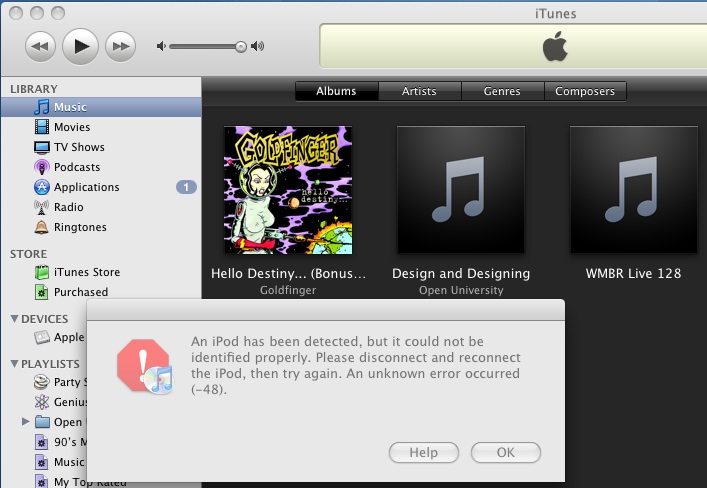
The only way Apple can fix the exploit that the iPhone Dev Team has been using to Jailbreak iPhone’s and iPod Touch’s is to fix their hardware, but it seems Apple has figured out a way to program iTunes 8 to detect and prevent the Pwnage exploit. The screenshot below from iTunes 8 using a Pwned ipsw (with an unPwned device attached) is one example.

The Dev Team reacted promptly:

“The nice thing about iTunes decisions is that we can provide you with patches to counter them. We have one such patch already for Mac iTunes 8 for iPod touch. We’ll be working out the full suite of patches for all the combinations over the next week.”

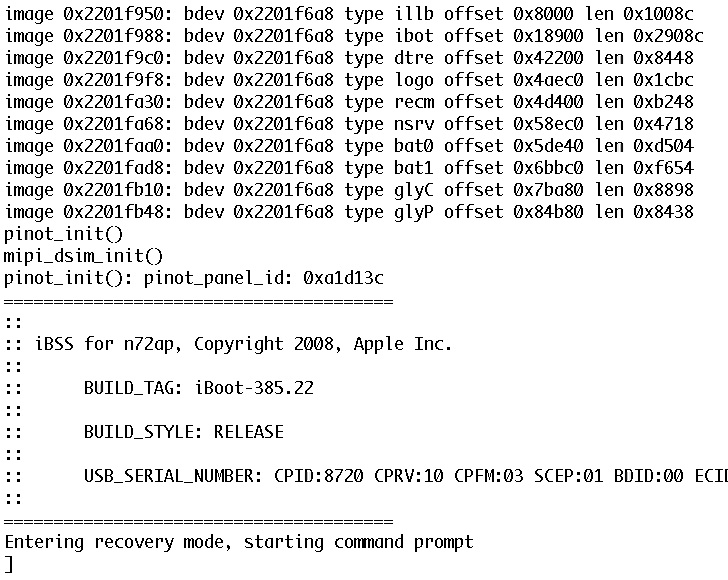
Dev Team also published two interesting screenshots:

There are so many tools, some for Mac OS, others for Windows, different versions… Complicated. So let’s summerize a little bit.

If you have iPhone 3G, you’ll be able to install 3-rd party non AppStore applications (through separate applications called Cydia and Installer) and run these applications. If you have old iPhone, in addition to that you’ll be able to unlock the device (use with any carrier).

There are two methods: quickpwn and custom firmware method. First one is for quikly pwning and jailbreaking  the device without restore. You should use it if you have unlocked device or an AT&T contract.

If you are Windows user:

  • Go for WinPwn. The current version is 2.5.0.2 (also called 2.5 beta-2). Download here. It supports both iPhone and iPhone 3G, firmwares 2.0, 2.0.1, 2.0.2. You can use either quickpwn or custom firmware method.
  • There is a separate QuickPwn tool for Windows. The current version is RC3. Download here. Do you need it? Yes, if you want to quick pwn and you do not like WinPwn (or you had problems with it).

If you’re using Mac OS:

  • Go for PwnageTool. The current version is 2.0.3.1. Download here. Works with 2.0, 2.0.1, 2.0.2 firmwares using custom-firmware method.
  • There is a version of QuickPwn tool for MAC OS. The current version is 1.0.0. Download here. It works only with firmware 2.0.2. Do you need it? Yes, if you want to quick pwn.
    QuickPwn is not a replacement for PwnageTool, they are different tools and provide different features, QuickPwn is for quickly pwning a device, whereas PwnageTool is designed to custom build and tailor the ipsw production process, both tools will be actively developed in the future.

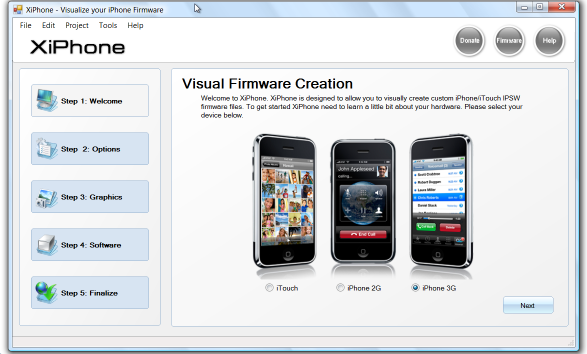
    Recently a new project has been started, called XiPhone. It will be based on XPWN. So functionality similar to WinPwn and Pwnage will be present (jailbreak, unlock, etc). In addition to that developers plan to include:

    • Auto downloading of stock firmware files from apple’s site (no need to hunt for it then select it)
    • Wizard based modern GUI (created with .net 2.0), and Vista Style UI.
    • Export of firmware settings so users can pass around an XML file which contains a configuration that works for them.
    • Auto updates to the XiPhone software.
    • Community based wallpapers used for Bootscreen, Restore screen and others
    • Enabling / Disabling of options available based on the device you select.

    Unfortunately, only Windows platform users will be able to use XiPhone.