ITunes | Jailbreak iPhone, iPod Touch, iPad - Part 9 Skip to content

Jailbreak iPhone, iPod Touch, iPad

новости про джейлбрейк iPhone, iPod Touch и iPad

Archive

Tag: iTunes

Dev Team finally made it. They created software called yellowsn0w, that unlocked iPhone 3G. Now you can use any carrier you want. I successfully unlocked my US version.It works much more stable than sim proxy method.

Please, back up everything on your iPhone before you start, just in case. Everything you do is your responsibility. I had to go through all 4 steps to make my iPhone 3G work. I used only my new sim without sim proxy.

Here are the steps:


Read the rest of this entry »

DevTeam says that 2.2 update SHOULD NOT be applied using iTunes if you want the chance of a soft-unlock in the near future. Use new version of PwnageTool (not avaliable yet, but will be soon).

Some fact:

  • The 2.2 firmware for 3G contains a baseband update for the 3G iPhone
  • The 2.2 firmware for 2G (1st gen iPhones) doesn’t contain a baseband update and the baseband is still at 04.05.04
  • Pwnage technique (and therefore the Jailbreak) isn’t affected, but PwnageTool and QuickPwn do not support this release as yet, so DO NOT install 2.2 using iTunes as you will lose your jailbreak


Read the rest of this entry »

This is a step-by-step tutorial. If you have iPhone 3G this guide will help you jailbreak and activate the device. For iPhone 2G it will also perform the unlock.

I recommend using 2.2 firmware, because iPhone 3G unlock is avaliable now. But you can use it with old v2.1, v2.0.1 and v2.0.2.


Read the rest of this entry »

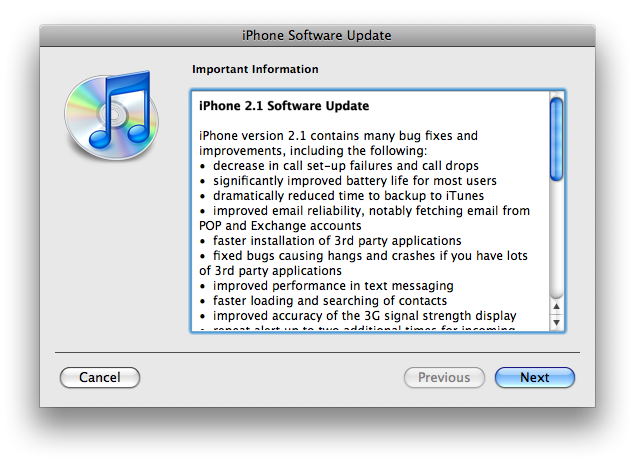
The iPhone 2.1 is out. It contains the following updates as listed by Apple:

– decrease in call set-up failures andcall drops
– significantly improve battery life for most users
– dramatically reduced time to backup to iTunes
– improve email reliability, notable fetching email from POP and Exchange accounts
– faster installation of 3rd party applications
– fixed bugs causing hangs and crashes if you have lots of 3rd party applications
– improved performance of text messaging
– faster loading and searching of contacts
– improved accuracy of the 3G signal strength display
– repeat alert up to two additional times for incoming text messages
– option to wipe data after ten failed passcode attempts
– Genius playlist creation

The 2.1 firmware is build 5F136 (weighing in at 237.8MB) and can be directly downloaded through iTunes. The new firmware also contains a number of security fixes including the well publicized passcode flaw.

Jailbreak for 2.1 is not avaliable yet.

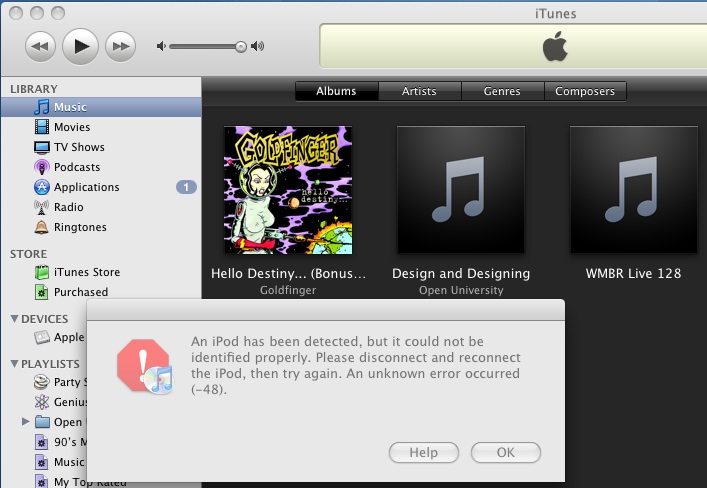
The only way Apple can fix the exploit that the iPhone Dev Team has been using to Jailbreak iPhone’s and iPod Touch’s is to fix their hardware, but it seems Apple has figured out a way to program iTunes 8 to detect and prevent the Pwnage exploit. The screenshot below from iTunes 8 using a Pwned ipsw (with an unPwned device attached) is one example.

The Dev Team reacted promptly:

“The nice thing about iTunes decisions is that we can provide you with patches to counter them. We have one such patch already for Mac iTunes 8 for iPod touch. We’ll be working out the full suite of patches for all the combinations over the next week.”

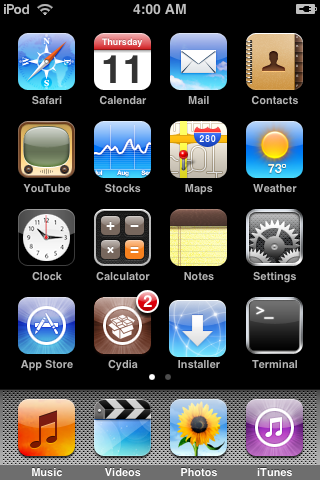
Dev Team also published two interesting screenshots:

This is the most famous Windows-based utility to jailbreak and unlock Apple’s iPhone and iTouch.

Release notes:

  • The new nice interface
  • Very very very easy to use
  • QuickPwn Support for firmwares 2.0/2.0.1/2.0.2
  • Root partition resize support
  • Installer support
  • Basic / Expert modes
  • Wizard style interface
  • Automatic updater
  • Support for WinXP and Vista 32/64bit.

Notes:

  • Why is it beta? It’s just the saying.. Use at your own risk
  • You MUST do a full uninstall of winpwn before installing the new version
  • Make sure you have the latest version of iTunes (7.7 and above)

Bug fixes

  • Crash when building ipsw
  • Quickpwn crash bug fix

Download WinPwn 2.5.0.2: Rapidshare.com

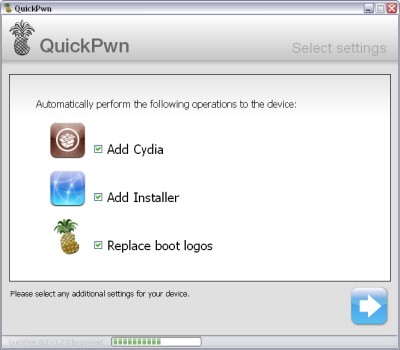
QuickPwn for Windows is updated. Support for all 2.x firmwares is added. So now you can QuickPwn and jailbreak the device if it is running 2.0, 2.0.1 or 2.0.2.

DevTeam reminds that it is still beta software, so usual rules apply, no complaints if anything goes wrong and use the tool at at your own risk!

Download here!

Using QuickPwn does not update the firmware itself, this tool is designed to ‘Pwn’ (the ability to install future custom non-Apple firmwares) , ‘Jailbreak’ and install Installer and/or Cydia on a given device. If your device is running 2.0.1 and you QuickPwn it, it’ll still be running 2.0.1, although it will now be Pwned and Jailbroken. It will also activate (not unlock) devices that are being used outside of their intended territories and cannot be activated using iTunes.

If you want to update to 2.0.2 then use the normal iTunes update to get to 2.0.2 and then use QuickPwn to Pwn, Jailbreak and Activate, remember that the 2.0.2 update includes a baseband update for the 3G iPhone, so depending what your long term intentions are for the phone, update wisely, of course in the upcoming PwnageTool application you’ll be able to create a custom ipsw without the baseband update enabled.

PS: Mac OS version is on it’s way.

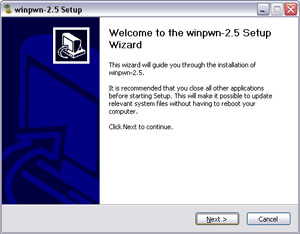
PwnageTool 2.0.2 released just a day ago. And now WinPwn – iPhone jailbreaker and unlocker for windows is avaliable. The main new feature – it supports firmware 2.0.1.

Download 2.0.0.4: [Rapidshare.com] [Rapidshare.de]

Download firmwares: iPhone 1.1.4, 2.0, 2.0.1, iPhone 3G 2.0, 2.0.1

2.0.0.4 features:

  • Support for both 1.1.4, 2.0, 2.0.1
  • Root partition resize support
  • Installer support
  • Support for WinXP and Vista 32/64bit.

Notes are as usual:

  • You MUST do a full uninstall of winpwn before installing the new version
  • Make sure you have the latest version of iTunes (from 7.7)
  • WinPwn uses 300MB of ram at peak due to the ipsw being extracted in memory
  • You must first click browse and load an IPSW to use WinPwn (i thought this was clear)
  • For 2.0 only the *5A347_Restore.ipsw files are valid. The 345 image will not work
  • If you see Failed to load image catalog/payload catalog, this is fine and won’t cause problems
  • If you already have service with AT&T do not activate or install Youtube Fix
  • As usual jailbreak for iPhone and iPhone 3G, unlock only for iPhone.
  • It is recommended to use at least 550mb partition size to accommodate a space issue that causes some folks errors such as “the ipsw failed to create”.

How to:


Read the rest of this entry »

iRinger creates free ringtones for your iPhone from virtually any music or video file you own. Even YouTube videos! iRinger exports ringtones to iTunes, so there is no need to “jailbreak” your iPhone. You will be creating ringtones in seconds. It’s that simple. Here is a video tutorial:

Feature:

  • FREE
  • Three Steps: Import, Preview then Export. Done.
  • Convert virtually any audio format into an iPhone ringtone
  • Extracts audio out of video
  • Choose which section of the audio you want to hear
  • Adjust ringtone length, volume, fade in, fade out and loop gap
  • Export to iPhone ringtone format and import right into iTunes
  • Export to iPhone using SCP/SFTP and skip using iTunes
  • Use audio effects: Delay, Flanger, Boost, Reverse, etc.
  • Runs on all versions of Microsoft Windows including Windows Vista
  • Requires iPhone firmware 1.1.2 or newer, iTunes software 7.5 or newer
  • Works with the new iPhone 3G!

Download here: iRinger.exe. Developer’s site: www.iringer.net

Here is an advanced video tutorial, it shows how to use some advanced features:


Read the rest of this entry »

Yesterday there was a release of PWNage 2.0. Now version 2.0.1 is avaliable.

Here is the list of bugfixes:

  • It auto-finds the bl39 and bl46 files better, if they’re on your computer
  • It creates the ~/Library/iTunes/Device Support/ folder if not present, which should help with some 1600 errors people have been having.
  • Many people have reported the PwnageTool not starting up at all (the icon never stops bouncing). This issue should be resolved now.
  • The Sparkle AppCast URL is fixed in this version, so automatic updates should work for future releases.

Because of the AppCast URL fix, we recommend that everyone who downloaded PwnageTool 2.0 get this version, if they want to stay up to date automatically.

If PwnageTool 2.0 pwned your phone correctly the first time, you do not need to pwn again with 2.0.1.

The file can be found on BigBoss_’s repository, or at Hackint0sh.

If you choose to download it from other mirrors, you may want to verify that the SHA1 of the file is 10b6c7dc22286e7b70c3d5a92cda7d117426fda9.