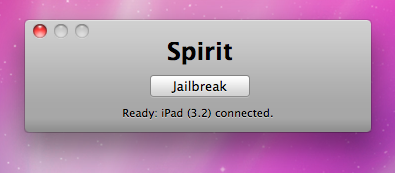
Finally the jailbreak for iPad, iPhone and iPod Touch from the Dev Team is available for download. It’s free and untethered and it’s called “Spirit”. The jailbreak supports every iDevice with firmware version 3.1.2, 3.1.3 or 3.2.
Finally the jailbreak for iPad, iPhone and iPod Touch from the Dev Team is available for download. It’s free and untethered and it’s called “Spirit”. The jailbreak supports every iDevice with firmware version 3.1.2, 3.1.3 or 3.2.

This is good news for for those who use Cydia, an alternative to Apple’s AppStore for jailbreaked iPhones and iPod Touches. Saurik has uploaded a new version of APT that has an optimized cache generator and greatly improves Cydia performance:
“I also uploaded a new version of APT I’ve been working on: it has an optimized cache generator and more error tolerant repository parsing.”
When launching Cydia the next time you will find updates for some APT packages (up to 3 depending on what you have installed). Perform the install and enjoy the speed improvements!

Difrnt.com published a tool that might help in the downgrade of firmware 3.1 to 3.0 (or if you’re lucky 3.0.1) using . In order for his method to work you had to allow Cydia to store your 3Gs SHSH key.
This tool is ONLY for 3Gs iPhones and is NOT a jailbreak method!
Download 3Gs Downgrade Assistant .
Mobile Substrate has been updated to version 0.9.3043-1. According to Saurik the update; “fixes the issues some extensions (like WinterBoard) are having with the new dyld “shared cache” in iPhone OS 3.1.”. So, if you are on firmware 3.1, WinterBoard should work properly once you update to the new version of Mobile Substrate.
Avaliable in Cydia for jailbreaked iPhones and iPod Touches.
via
Thanks to and the porting work of as well as the authors of , it is now possible to “tether” your iPhone 3G and use its Internet connection on your laptop.
Warning – Tethering your iPhone is against the iPhone data plan terms. AT&T could slap you with huge fees if you overuse this. I recommend only using it during emergencies.
Here is a basic plan (by the way, this should work for old IPhone also):
Later we’ll discuss it with more details.
Step 1: Jailbreak your iPhone
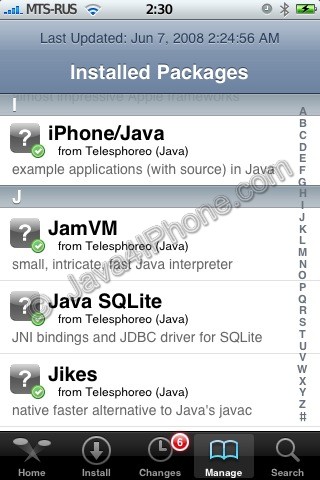
This is a tutorial, that shows step by step how to install Java on the IPhone.
What we need is a working unlocked and jailbraked IPhone with . I used latest firmware 1.1.4, unlocked, jailbreaked and customized by .
First of all I’d like to say we all want to use legal IPhones and operators. So everything written below is for testing purposes only :-). Hopefully this technology will be avaliable on all IPhones sold worldwide. You also might need to recover your IPhone, so make sure you backed up all your data. I personally did everything without any problems and needs to recover. Everything you do is your responsibility, etc…
So let’s start, because it’s worth it! It’s just one evening and you will be able to create your personal Java application, compile and run it on the IPhone, and amaze all your friends :-).
There are two steps: