Sed | Jailbreak iPhone, iPod Touch, iPad - Part 33 Skip to content

Jailbreak iPhone, iPod Touch, iPad

новости про джейлбрейк iPhone, iPod Touch и iPad

Archive

Tag: sed

DevTeam says that 2.2 update SHOULD NOT be applied using iTunes if you want the chance of a soft-unlock in the near future. Use new version of PwnageTool (not avaliable yet, but will be soon).

Some fact:

  • The 2.2 firmware for 3G contains a baseband update for the 3G iPhone
  • The 2.2 firmware for 2G (1st gen iPhones) doesn’t contain a baseband update and the baseband is still at 04.05.04
  • Pwnage technique (and therefore the Jailbreak) isn’t affected, but PwnageTool and QuickPwn do not support this release as yet, so DO NOT install 2.2 using iTunes as you will lose your jailbreak
Read the rest of this entry »

Many users of jailbreaked iPhones use application called BossPrefs. The developer of this app is creating a new one. The new application will be called SBSettings.

The toggles drop down when you swipe along the status bar. It is very fast and can be used while in any app without exiting the app. Suppose you are in Safari but realize your 3g is not yet enabled. Just swipe the statusbar and toggle 3g, than resume in Safari where you left off. The advantage is there is no need to exit Safari and load settings or bossprefs.

The look and feel of this new app will be something like this:

via thebigboss

Apple released firmware version 2.2 beta 1 a bit more than a week ago. Couple more features were hiden there.

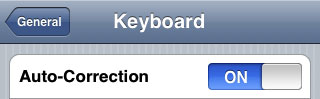
First of all Apple has addressed one common request within the iPhone’s Keyboard settings, allowing users to disable the iPhone’s auto-correction.

The other feature is for Japanese market – Japanese emoji icons. The lack of emoji support has been blamed as part of the reason for slow iPhone adoption in Japan.

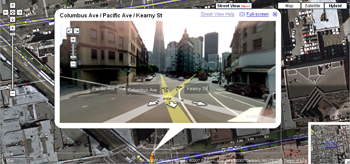
The third new feature is Street View. It allows users to view panoramic street level photographs in select cities within the Google Maps application.

Hopefully we will see more new features in this and next beta’s of 2.2 firmware.

via macrumors

Related articles:

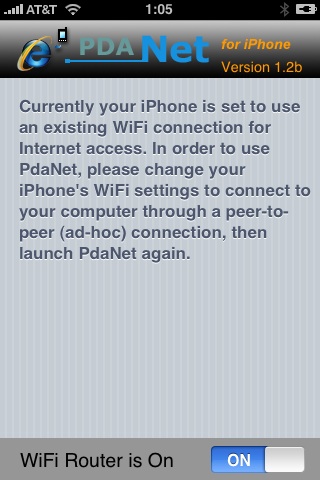
Many iPhone 3G users would like to use internet on a desktop or notebook through their phone. There were several solutions: iPhoneModem, NetShare, 3Proxy.. they all used SSH and SOCKS proxy. One of the working ones was described here get internet on a desktop or notebook through IPhone 3G.

Couple days ago PdaNet (fullname is PdaNet WiFi Router) was ported to iPhone. Now our life is much much easier.


Read the rest of this entry »

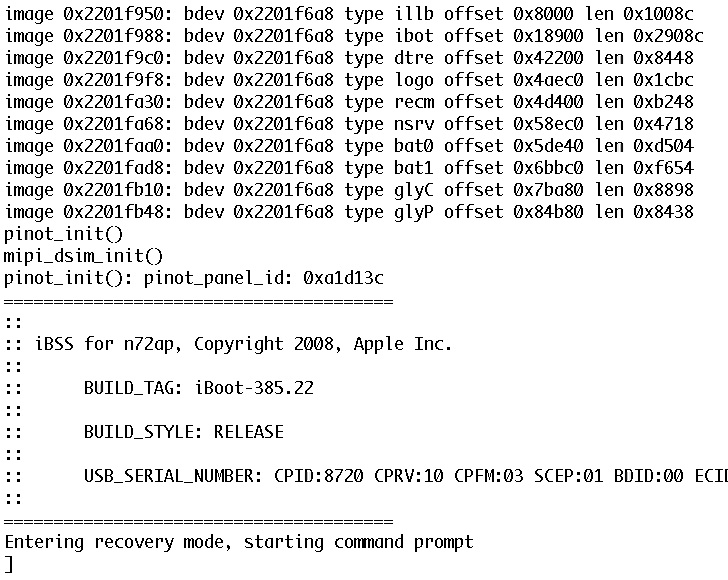
DevTeam published first screenshot about their procress of hacking (jailbreaking, pwning) new iPod Touch. New device has new hardware, that might be used in future iPhones. The DevTeam work just started, so the fun part is coming.

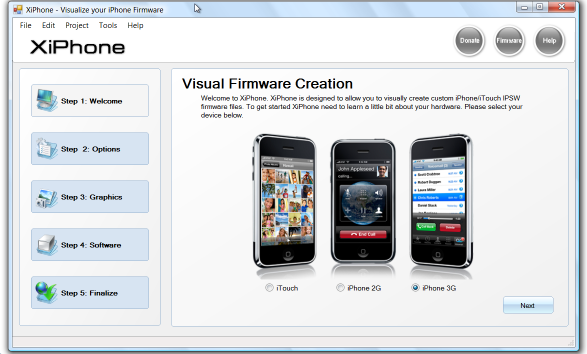
Recently a new project has been started, called XiPhone. It will be based on XPWN. So functionality similar to WinPwn and Pwnage will be present (jailbreak, unlock, etc). In addition to that developers plan to include:

  • Auto downloading of stock firmware files from apple’s site (no need to hunt for it then select it)
  • Wizard based modern GUI (created with .net 2.0), and Vista Style UI.
  • Export of firmware settings so users can pass around an XML file which contains a configuration that works for them.
  • Auto updates to the XiPhone software.
  • Community based wallpapers used for Bootscreen, Restore screen and others
  • Enabling / Disabling of options available based on the device you select.

Unfortunately, only Windows platform users will be able to use XiPhone.

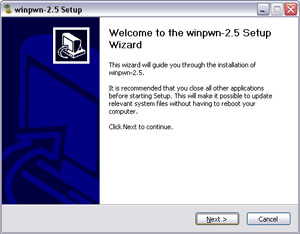
This is the most famous Windows-based utility to jailbreak and unlock Apple’s iPhone and iTouch.

Release notes:

  • The new nice interface
  • Very very very easy to use
  • QuickPwn Support for firmwares 2.0/2.0.1/2.0.2
  • Root partition resize support
  • Installer support
  • Basic / Expert modes
  • Wizard style interface
  • Automatic updater
  • Support for WinXP and Vista 32/64bit.

Notes:

  • Why is it beta? It’s just the saying.. Use at your own risk
  • You MUST do a full uninstall of winpwn before installing the new version
  • Make sure you have the latest version of iTunes (7.7 and above)

Bug fixes

  • Crash when building ipsw
  • Quickpwn crash bug fix

Download WinPwn 2.5.0.2: Rapidshare.com

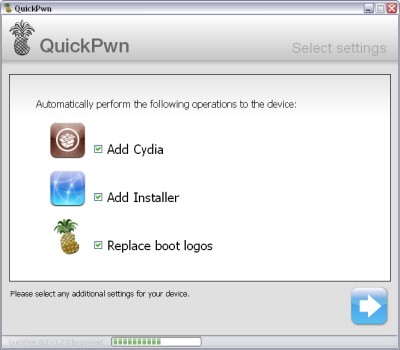
QuickPwn for Windows is updated. Support for all 2.x firmwares is added. So now you can QuickPwn and jailbreak the device if it is running 2.0, 2.0.1 or 2.0.2.

DevTeam reminds that it is still beta software, so usual rules apply, no complaints if anything goes wrong and use the tool at at your own risk!

Download here!

Using QuickPwn does not update the firmware itself, this tool is designed to ‘Pwn’ (the ability to install future custom non-Apple firmwares) , ‘Jailbreak’ and install Installer and/or Cydia on a given device. If your device is running 2.0.1 and you QuickPwn it, it’ll still be running 2.0.1, although it will now be Pwned and Jailbroken. It will also activate (not unlock) devices that are being used outside of their intended territories and cannot be activated using iTunes.

If you want to update to 2.0.2 then use the normal iTunes update to get to 2.0.2 and then use QuickPwn to Pwn, Jailbreak and Activate, remember that the 2.0.2 update includes a baseband update for the 3G iPhone, so depending what your long term intentions are for the phone, update wisely, of course in the upcoming PwnageTool application you’ll be able to create a custom ipsw without the baseband update enabled.

PS: Mac OS version is on it’s way.

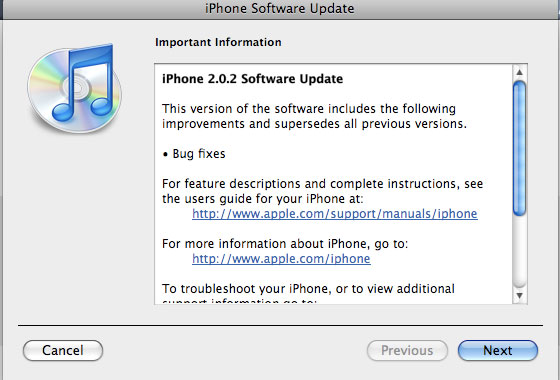
Apple just released new firmware for iPhone – version 2.0.2. As usual, all the company mentioned was that the update includes “Bug fixes.”

Notes on the release follow:

  • No new settings appear to have been included.
  • Some users report faster browsing, though this may be due to cleared cache.
  • Typing lag may be reduced.
  • No consensus on improved 3G connectivity.
  • iPod Touch firmware 2.0.2 also released.

But as always, do not update until we get word on a jailbreak.

Links for firmware downloads: iPhone 3G 2.0.2old iPhone 2.0.2.

PwnageTool 2.0.2 released just a day ago. And now WinPwn – iPhone jailbreaker and unlocker for windows is avaliable. The main new feature – it supports firmware 2.0.1.

Download 2.0.0.4: [Rapidshare.com] [Rapidshare.de]

Download firmwares: iPhone 1.1.4, 2.0, 2.0.1, iPhone 3G 2.0, 2.0.1

2.0.0.4 features:

  • Support for both 1.1.4, 2.0, 2.0.1
  • Root partition resize support
  • Installer support
  • Support for WinXP and Vista 32/64bit.

Notes are as usual:

  • You MUST do a full uninstall of winpwn before installing the new version
  • Make sure you have the latest version of iTunes (from 7.7)
  • WinPwn uses 300MB of ram at peak due to the ipsw being extracted in memory
  • You must first click browse and load an IPSW to use WinPwn (i thought this was clear)
  • For 2.0 only the *5A347_Restore.ipsw files are valid. The 345 image will not work
  • If you see Failed to load image catalog/payload catalog, this is fine and won’t cause problems
  • If you already have service with AT&T do not activate or install Youtube Fix
  • As usual jailbreak for iPhone and iPhone 3G, unlock only for iPhone.
  • It is recommended to use at least 550mb partition size to accommodate a space issue that causes some folks errors such as “the ipsw failed to create”.

How to:


Read the rest of this entry »