WiFi | Jailbreak iPhone, iPod Touch, iPad - Part 3 Skip to content

Jailbreak iPhone, iPod Touch, iPad

новости про джейлбрейк iPhone, iPod Touch и iPad

Archive

Tag: WiFi

IMG_0039

Action Menu, utility that extends traditional Copy / Paste functionality, is updated to version 1.0.1.

Here is an official changelog:

  • No longer allow copying secure text fields
  • Add option to disable extended menu support
  • Support for launching Birdfeed via the Tweet action
  • Remember language in Translate service
  • Allow carriage returns in Lookup (for supported services)
  • Option to sort Favorites alphabetically
  • Translations now work (Italian, German, Japanese, French)
  • Additional Support for more apps
  • Fix for Facebook crash
  • Fix for copying song or album name in iPod app
  • Fix biteSMS-button related crashes
  • Fix crash when Lookup action is used inside SpringBoard
  • Fix Copy All breaking copy in the Photos app
  • Fix crash in iTunes password dialog
  • Fix for freeze in Fast Notes
  • Fix annoying popup on Wifi network/ringtone cells in Preferences
  • Revert 1Password to value-only copying
  • Prevent Safari freeze when invoking inside a window.prompt (temporary fix)

Action Menu can be installed or updated via Cydia on a jailbreaked iPhone (iPod Touch).

icon-decoded

Discover is an application that allows you to transfer files and documents from one iPhone to another, or to a computer. It uses WiFi connection on both devices. Might be quite useful.

Avaliable via Cydia for jailbreaked iPhones.

img_00206 img_00178 img_001910

Many iPhone 3G users would like to use internet on a desktop or notebook through their phone. There were several solutions: iPhoneModem, NetShare, 3Proxy.. they all used SSH and SOCKS proxy. One of the working ones was described here get internet on a desktop or notebook through IPhone 3G.

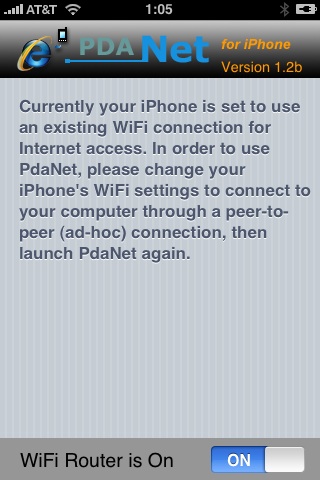
Couple days ago PdaNet (fullname is PdaNet WiFi Router) was ported to iPhone. Now our life is much much easier.


Read the rest of this entry »

Thanks to Dev Team and the porting work of Jay Freeman as well as the authors of 3Proxy, it is now possible to “tether” your iPhone 3G and use its Internet connection on your laptop.

WarningTethering your iPhone is against the iPhone data plan terms. AT&T could slap you with huge fees if you overuse this. I recommend only using it during emergencies.

Here is a basic plan (by the way, this should work for old IPhone also):

  • Jailbreak your iPhone 3G
  • Install 3Proxy and Terminal
  • Create an ad-hoc Wi-fi network using your laptop
  • Join the network with your iPhone
  • Find the iPhone’s IP address
  • Open Terminal and run the proxy program
  • Open Safari on your iPhone and open a web page
  • Configure your browser to use the proxy

Later we’ll discuss it with more details.

Step 1: Jailbreak your iPhone


Read the rest of this entry »