Cydia | Jailbreak iPhone, iPod Touch, iPad - Part 11 Skip to content

Jailbreak iPhone, iPod Touch, iPad

новости про джейлбрейк iPhone, iPod Touch и iPad

Archive

Tag: Cydia

gp_web

These are step-by-step instructions on how to jailbreak iOS 4.2.1 on iPhone 3GS, iPhone 4, iPad, iPod Touch 2G, iPod Touch 3G, iPod Touch 4G using Greenpois0n for Mac OS X. Tutorial for Windows users is available here. All the steps are the same for all devices, we will cover iPhone.

Greenpois0n has been updated to support the iOS 4.1 and iOS 4.2.1 firmware. Use Limera1n if you want to jailbreak iOS 4.0, iOS 4.0.1, iOS 4.0.2.

Remember: Greenpois0n recommends a clean restore before continuing.

Unlockers: do not update to iOS 4.1 or iOS 4.2.1 if you need the unlock. Ultrasn0w does not support that baseband yet. The only exception is the iPhone 4. Experienced users can also try update to iOS 4.2.1 without upgrading your baseband by using TinyUmbrella. Start TSS Server->Start iTunes->Plug in your iPhone->Restore 4.2.1->Error 1013->Put phone into DFU Mode->Launch Greenpois0n.

We are not authors of this app. We do not promise that everything will go well, use this tutorial at your own risk.

Step One
Open your web browser and download the latest Mac version of GreenPois0n from here.


Read the rest of this entry »

cydia3 cydia2 cydia1png

Jay Freeman (better known as Saurik) has reported that he added a new feature to Cydia, the jailbreak application store. “Cydia Theme Center” provides easer search of for Retina and non-Retina themes. Right now, you will find a selection of free and paid themes popular in Cydia, as well as themes selected by the employees of MacCiti and ModMyi. Soon Cydia user also will be able to vote their favorites into Theme Center. Freeman has predicted that the feature would be really popular. After release of Theme Center he posted to Twitter: The second feature to use my Whole Package Index, the “Cydia Theme Center”, went up an hour ago, and 15,000 people have already tried it! ;P

betatest

The iPhone Dev team has just released the second beta of their untethered RedSn0w jailbreak (the first beta has been released few hours ago and has more bugs).

New jailbreak is called “Jailbreak Monte”, as it uses new “backup method”. The iPhone Dev Team warns that their beta-version is not a general release and you should back up all your media before using it. There are also other limitations and bugs:


Read the rest of this entry »

untethered

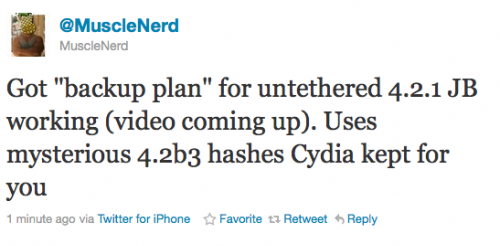
Currently iOS 4.2.1 jailbreak for iPhone 4, iPhone 3GS new bootrom, iPad, iPod 3G/4G is a tethered jailbreak. That means if you have to reboot your device, it will show a “connect to itunes” logo until you run the jailbreak software again. Musclenerd from iPhone DevTeam has announced that untethered jailbreak for iPhone iOS 4.2.1 is ready. Unfortunately this will be only for those who saved 4.2b3 SHSH keys via Cydia or tinyumbrella.

Got “backup plan” for untethered 4.2.1 JB working (video coming up). Uses mysterious 4.2b3 hashes Cydia kept for you.

“Backup plan” because hacker comex is working on a more extensible jailbreak. We’ll keep you up to date with more information as it develops. For now you can watch the proof video:


Read the rest of this entry »

Graviboard is an upcoming interesting iOS jailbreak application, which will be soon available in the Cydia Store for $2.99. The application allows iDevice owners to set their icons free by abolishing the gravity that holds them on their places on the Springboard. You may drag these “floating” icons around the screen, and there still might open the apps by touching.

Everybody knows that the iPhone Springboard can’t be turned in landscape mode. Apple wants you to hold the device in portrait mode only. But some apps, like Mail, support the horizontal orientation. So, Cydia developers offer us the alternative solution, a new hack available in Cydia called “SBRotator” ($1.99). If you change your iPhone’s orientation, using the app, the Springboard will just follow it. But Springboard orientation change requires a proper layout change too. SBRotator puts an extra tab which enables you find the configuration that best suits your needs. Moreover, the program allows you to resize icons for landscape mode.

1

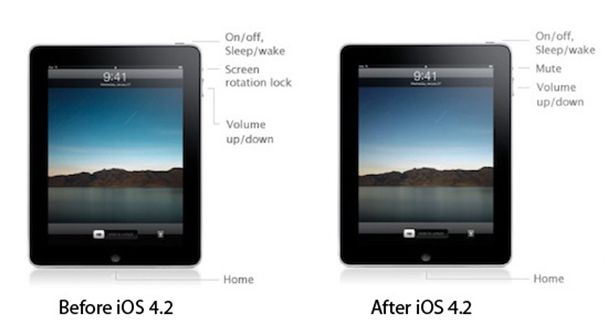
In iPad OS 4.2 ‘Orientation Lock’ was changed to ‘Mute Switch’. If you want to change it back there is an app for that.

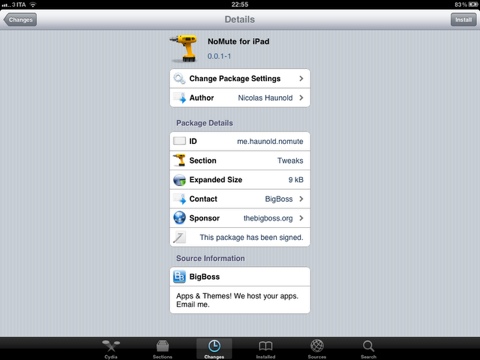
NoMute, a jailbreak only application, switches the controversial mute switch from iPad 4.2 into its former (and more useful) orientation lock. The plugin is free and you can get it from the BigBoss repository on Cydia.

no-mute

By the way you can lock screen orientation without jailbreaking through multitasking panel – just push Home button twice, slide to the left and hit lock icon.

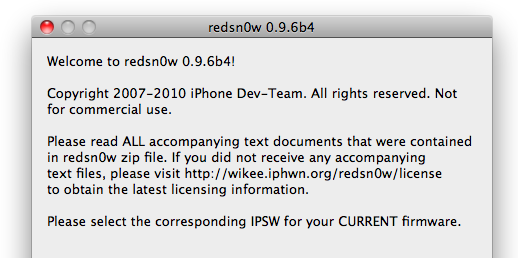
Redsn0w-096B4

DevTeam worked hard for the last several hours and released jailbreak tool for iOS 4.2.1. It is redsn0w 0.9.6 b4.

As usual we remind all ultrasn0w unlockers please stay away from this official firmware. Wait for the ability to create custom 4.2.1 IPSWs that don’t update your baseband!

New redsn0w 0.9.6 b4 uses limera1n exploit and will successfully jailbreak all devices. The only problem is that it is a tethered jailbreak, which means you will have to plug it to a computer and rerun redsn0w on every reboot. This so called tethered or semi-tethered jailbreak. This condition applies to iPhone 3GS (new bootrom), iPhone 4, iPad, iPod touch 2G (MC model), iPod touch 3G and iPod touch 4G. Hackers are working hard to create untethered jailbreak for these devices. To use future untethered jailbreak you need to save SHSH keys for iOS 4.1 using TinyUmbrella utility or directly in Cydia.

Old devices like iPhone 3GS (old bootrom), iPhone 3G and iPod touch 2G (non-MC model) can be jailbroken-untethered right now using this latest version of RedSn0w.

You can download RedSn0w 0.9.6 b4 here.

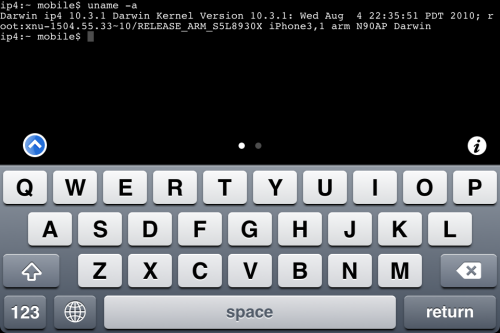
MobileTerminal-iPhone4-04

MobileTerminal is a terminal emulator application for the iPad and iPhone. The version of MobileTerminal that is available in Cydia doesn’t work with iPhone iOS 4.x. However there are beta versions that do work, but aren’t on Cydia because they are still in beta stages. This tutorial will show you step-by-step how to install MobileTerminal on iPhone with iOS 4.x (tutorial for iPad is here). If you have old version of MobileTerminal installed – uninstall it in Cydia (Search – MobileTerminal – Remove).

First of all you need to jailbreak your iPhone. If you have not done it already here is an easy tutorial: how to jailbreak iOS 4.0-4.1 on iPhone using Limera1n. After you successfully jailbreaked iPhone:

  1. Run Cydia by tapping on Cydia icon
  2. cydia_icon

  3. The Cydia will start:

Read the rest of this entry

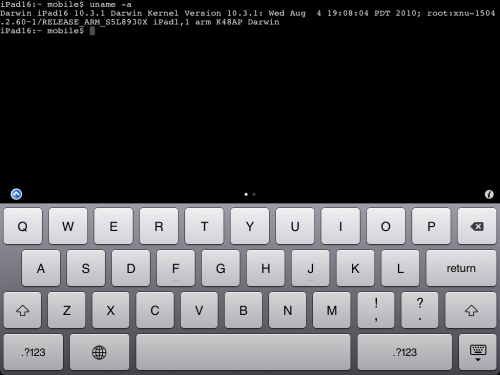
MobileTerminal-iPad-05

MobileTerminal is a terminal emulator application for the iPad and iPhone. The version of MobileTerminal that is available in Cydia doesn’t work with iPad iOS 3.2.2 and iPhone iOS 4.x. However there are beta versions that do work, but aren’t on Cydia because they are still in beta stages. This tutorial will show you step-by-step how to install MobileTerminal on iPad (tutorial for iPhone is here). If you have old version of MobileTerminal installed – uninstall it in Cydia (Search – MobileTerminal – Remove).

First of all you need to jailbreak your iPad. Here is an easy tutorial: how to jailbreak iPad with iOS 3.2.2 using Limera1n. After you successfully jailbreaked iPad:

  1. Run Cydia by tapping on Cydia icon
  2. cydia_icon

  3. The Cydia will start:

Read the rest of this entry