Mobile | Jailbreak iPhone, iPod Touch, iPad - Part 4 Skip to content

Jailbreak iPhone, iPod Touch, iPad

новости про джейлбрейк iPhone, iPod Touch и iPad

Archive

Tag: mobile

pdffix

As you may know, few days ago Apple had released a new version of iOS for all its mobile devices except first-generation iPhone and iPod touch, so owners of the latter are still not protected from a security flaw that allows hackers to obtain a remote control of their handsets. In fact, the latest compatible version for them is currently iOS 3.1.3.

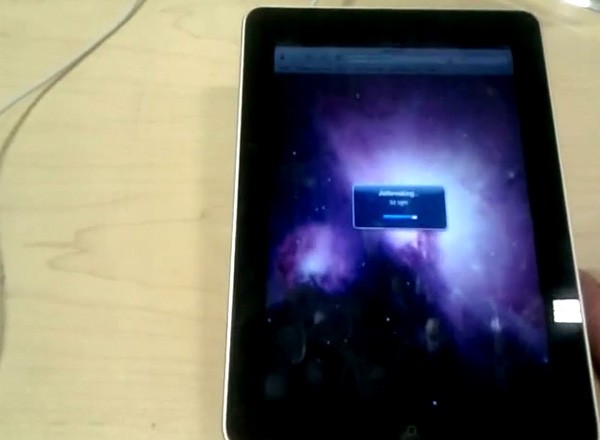
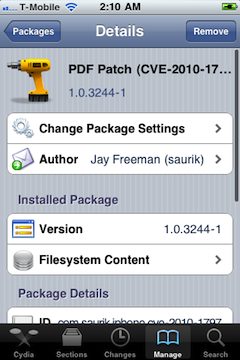
But Saurik (who is known as a developer of Cydia) recently announced on the Dev-Team blog that he released a PDF patch that is compatible with any iOS version down to 2.x. It can be found in Cydia if you’ll search for “PDF Patch”. After installing it you can check if the patch is working properly with visiting jailbreakme.com page. After sliding the box to jailbreak you should only see the star background (and not a dialog box), which means you are no longer vulnerable.

Read the rest of this entry »

PhotoshopExpressforiPadToday Adobe has announced a new Photoshop application for the devices based on iOS while giving a new image to its previous limited functional application Photoshop.com Mobile for the Apple iPhone. Now it has got a new name Adobe Photoshop Express. Here you’ll find a great number of new features for the iPad sporting the larger screen space, support for the device and improved user interface (UI).
Does it have pros and cons?

Yes! There is no support for the Retina Display of the new iPhone 4. It is quite disappointing for many users.

4.0.2 3.2.2

Today Apple released patches for its iOS that address a security hole in Mobile Safari, which allowed users to jailbreak their iDevices. The PDF exploit they used also allowed hackers to gain remote control over the device with an iOS.

iOS 4.0.2 is available for:

Apple did NOT release the patch for the first generation iPhones.

iOS 3.2.2 is intended to use on the iPad and iPad 3G.

You can update your device via the links above or simply by connecting your device to iTunes and clicking Update. But note, if you want to continue using jailbreak you should not update your handset/tablet and don’t forget to backup your SHSH blobs.

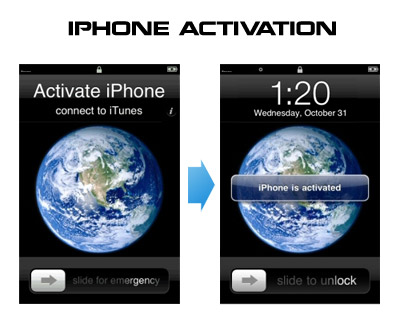
Having problems activating your iPhone? Don’t have original SIM-card? Cannot get passed emergency unlock screen? We have a solution:

If you have iPhone 3G, just use redsn0w to jailbreak and hactivate. If you have iPhone 3GS or iPhone 4 follow these instructions:

If you are already Jailbroken:

So you have an iPhone with iOS 4.0, but don’t have the original SIM and stuck on the Emergency Call Screen:

  1. Download ifunbox software (download link)
  2. Run ifunbox software and sync with phone
  3. Go to /private/var/root/Library/, delete original lockdown folder and put this lockdown folder after you extract it from the zip file
  4. Restart phone

If you are not jailbroken


Read the rest of this entry »

That was funny when people started jailbreaking iPhone’s inside Apple Stores. The fun ended because stores started banning jailbreakme.com from their WiFi networks. Well, it looks like it didn’t help.

One Apple fan published a video where he jailbreaks iPad by using his Nexus One’s mobile hotspot capabilities. Take a look at the video after the break:


Read the rest of this entry »

There is a big a security hole in iPhone iOS. The device is insecure in a big and obvious way. You should be extremely careful of what sites you visit.

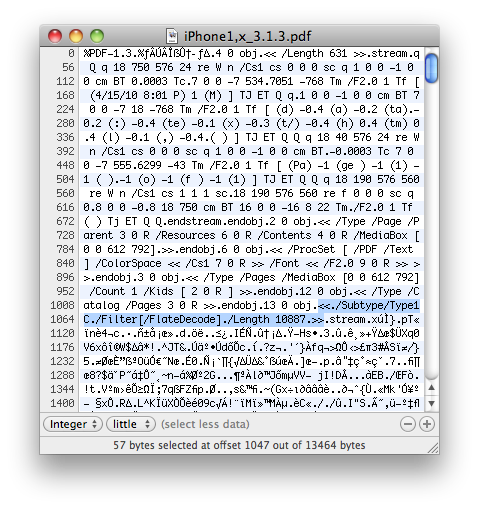
The FlateDecode vulnerability can be used when a PDF File is embedded within a Web page. Basically Safari tries to parse the PDF. And when it does it executes some code. Hackers can use this exploit to read and write iPhone data, get your contacts, sms, even delete something. So they can get all kinds to access your personal information stored on your iOS device.

Apple will fix it some day. Until then you need to take care of your iPhone security. There is a fix for that. It is available via Cydia for jailbroken devices. So you need to jailbreak in order to secure (funny isn’t it?).


Read the rest of this entry »

Good news from DevTeam. They just announced via twitter that unlock for firmwares 3.1.3 and 4.0 is ready:

RT @MuscleNerd: ultrasn0w tips: 1) Works for all basebands since 3.0 FW 2) Remember to disable 3G on T-Mobile USA

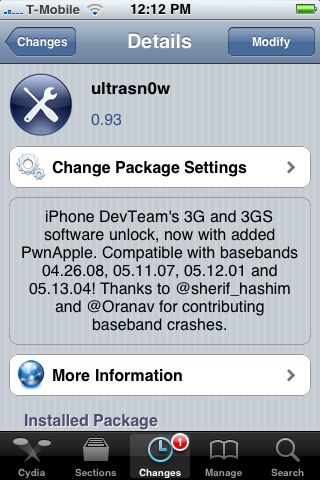
ultrasn0w 0.93 released! Cydia repo is repo666.ultrasn0w.com. Works with basebands 04.26.08 thru 05.13.04

This means, that all users with basebands 04.26.08, 05.11.07, 05.12.01 and 05.13.04 can use ultrasn0w 0.93.

There is no jailbreak for just released iOS4, so you need to wait a bit. Firmware 3.1.3 who need unlock can update ultrasn0w and use their iPhones with any carrier.


Read the rest of this entry »

Apple recentrly released new version of iPhone OS 4. it is called iOS 4.0 GM. Here is an update from DevTeam about iOS 4 jailbreak:

For those who can legitimately activate to the iPhone3G 4.0GM seed, the “point to previous IPSW” redsn0w trick works and will jailbreak your 4.0GM. The “trick” is to point redsn0w at the 4.0beta4 IPSW instead of 4.0GM (do this after you’ve updated to 4.0GM and activated through the new iTunes 9.2 on your Mac). Since the carrier unlocks aren’t yet supported at 4.0, don’t do this if you use yellowsn0w/ultrasn0w/blacksn0w. Many JB apps are still pretty buggy in 4.0, so again this is mostly useful only for developers of those JB apps.

Note: If you’re experiencing MobileSafari crashes, double check that you’re running the version at the bottom of this page.

For those without legit iPhone3G 4.0GM seed access, please wait until the full public 4.0 release for updates to the jailbreak tools.

You can download redsn0w 0.9.5.b4 here.

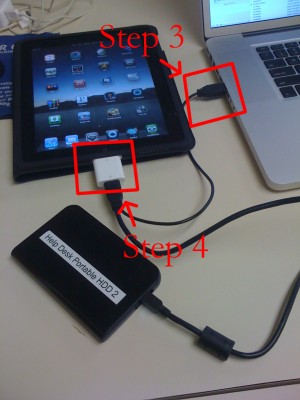
iPad USB Camera Connection Kit is much more useful as it seems. Max Sha, an experienced user, was able to access external hard drive with this kit. All you need is a jailbroken iPad, an external drive, a split-USB cable to give the drive some power and a terminal of some sort (f.e. MacBook) to mount the external storage. While it is a little unwieldy, it shows that Terabytes of external storage for iPad is possible.

Here is a complete step-by-step guide from Max Sha:


Read the rest of this entry »

spirit_jailbreak

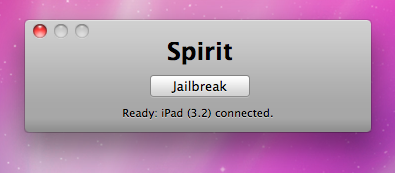
Finally the jailbreak for iPad, iPhone and iPod Touch from the Dev Team is available for download. It’s free and untethered and it’s called “Spirit”. The jailbreak supports every iDevice with firmware version 3.1.2, 3.1.3 or 3.2.


Read the rest of this entry »