Mobile | Jailbreak iPhone, iPod Touch, iPad - Part 6 Skip to content

Jailbreak iPhone, iPod Touch, iPad

новости про джейлбрейк iPhone, iPod Touch и iPad

Archive

Tag: mobile

Clippy is an iPhone addition from Cydia for copy/paste functionality. It was updated to version 0.96-1. Many issues are resolved and a lot of bugs fixed. Among these are: the ability to copy text from Safari, the ability to copy text from messages or biteSMS and Fix for the Mail application, many different crashes, etc.

Instructions:

  • Press-and-hold on list items to invoke Clippy on static text
  • Press-and-hold on the keyboard’s “123” button to invoke Clippy on editable text
  • Tap-pause-and-drag to highlight portions of editable text (except in web pages)

Install from Cydia on a jailbreaked iPhone or iPod Touch.

Here are several photos that show how Clippy works:

img_0154 img_0155

img_0156 img_0157


Read the rest of this entry »

3592web

SouthPark app was rejected by Apple. The developers found the solution. Now it is avaliable via Cydia for jailbreaked iPhones. It is called SouthPark Mobile.

It is called iMobileCinema. This Safari plugin is avaliable in Cydia for jailbreaked iPhones. Just add Cydia repository d.imobilecinema.com. Still in beta, but works! Watch the video:

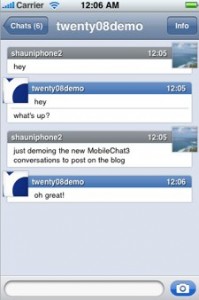
Both ApolloIM and MobileChat were jailbreak applications for chatting on the go with your iPhone/iPod touch. Alex Schaefer, ApolloIM’s founder, has recently joined the MobileChat development team. In a blog posting by the developer of MobileChat, he said that both applications underwent “friendly competition” and that, while there was no clear winner in the iPhone IM business, users got the benefit from the ongoing competition.

Now that Alex has joined the other team, you can expect that MobileChat will only get better. The post goes on to mention that Alex will be working on stability and user experience for the application.

via tuaw

PS: As for me, I like Agile Messanger much better.

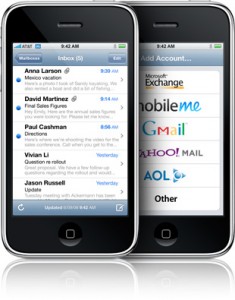
Is your mail crashing on 2.0 firmware?

This is generally caused after syncing your backup. This has nothing to do with jailbreaking or not. However, the fix for it is simple and is part of a jailbreak. The issue is that after syncing your backup, your mail folder is owned by root and your mail app running as user mobile does not have permissions to access it. You can fix it in SSH. But I also added a button in BossPrefs to solve it.

Step 1:Jailbreak your device

Step 2: Install BossPrefs from Cydia

Step 3: Tap “more”

Step 4: Tap “Fix User Dir Permissions”

Step 5: Sometimes, not always, you will need to load settings and reenter your mail passwords.

via sleepers.net

Thanks to Dev Team and the porting work of Jay Freeman as well as the authors of 3Proxy, it is now possible to “tether” your iPhone 3G and use its Internet connection on your laptop.

WarningTethering your iPhone is against the iPhone data plan terms. AT&T could slap you with huge fees if you overuse this. I recommend only using it during emergencies.

Here is a basic plan (by the way, this should work for old IPhone also):

  • Jailbreak your iPhone 3G
  • Install 3Proxy and Terminal
  • Create an ad-hoc Wi-fi network using your laptop
  • Join the network with your iPhone
  • Find the iPhone’s IP address
  • Open Terminal and run the proxy program
  • Open Safari on your iPhone and open a web page
  • Configure your browser to use the proxy

Later we’ll discuss it with more details.

Step 1: Jailbreak your iPhone


Read the rest of this entry »

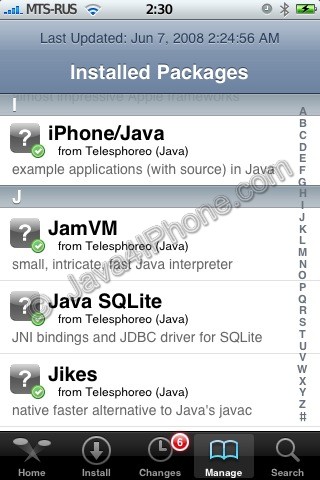
Installed packages

This is a tutorial, that shows step by step how to install Java on the IPhone.

What we need is a working unlocked and jailbraked IPhone with Installer. I used latest firmware 1.1.4, unlocked, jailbreaked and customized by winpwn.

First of all I’d like to say we all want to use legal IPhones and operators. So everything written below is for testing purposes only :-). Hopefully this technology will be avaliable on all IPhones sold worldwide. You also might need to recover your IPhone, so make sure you backed up all your data. I personally did everything without any problems and needs to recover. Everything you do is your responsibility, etc…

So let’s start, because it’s worth it! It’s just one evening and you will be able to create your personal Java application, compile and run it on the IPhone, and amaze all your friends :-).

There are two steps:


Read the rest of this entry »