3G | Jailbreak iPhone, iPod Touch, iPad - Part 26 Skip to content

Jailbreak iPhone, iPod Touch, iPad

новости про джейлбрейк iPhone, iPod Touch и iPad

Archive

Tag: 3G

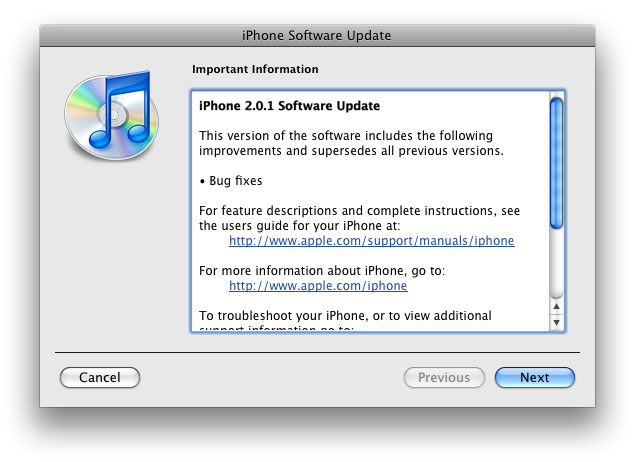
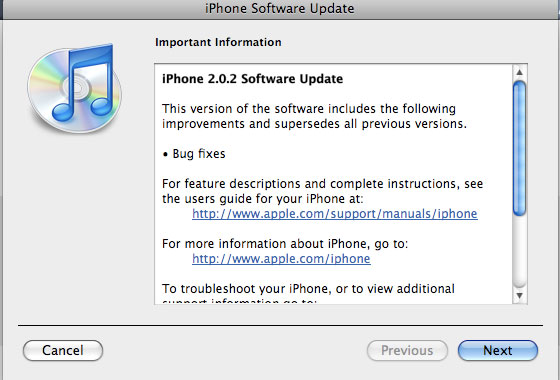
Apple just released new firmware for iPhone – version 2.0.2. As usual, all the company mentioned was that the update includes “Bug fixes.”

Notes on the release follow:

  • No new settings appear to have been included.
  • Some users report faster browsing, though this may be due to cleared cache.
  • Typing lag may be reduced.
  • No consensus on improved 3G connectivity.
  • iPod Touch firmware 2.0.2 also released.

But as always, do not update until we get word on a jailbreak.

Links for firmware downloads: iPhone 3G 2.0.2old iPhone 2.0.2.

PwnageTool 2.0.2 released just a day ago. And now WinPwn – iPhone jailbreaker and unlocker for windows is avaliable. The main new feature – it supports firmware 2.0.1.

Download 2.0.0.4: [Rapidshare.com] [Rapidshare.de]

Download firmwares: iPhone 1.1.4, 2.0, 2.0.1, iPhone 3G 2.0, 2.0.1

2.0.0.4 features:

  • Support for both 1.1.4, 2.0, 2.0.1
  • Root partition resize support
  • Installer support
  • Support for WinXP and Vista 32/64bit.

Notes are as usual:

  • You MUST do a full uninstall of winpwn before installing the new version
  • Make sure you have the latest version of iTunes (from 7.7)
  • WinPwn uses 300MB of ram at peak due to the ipsw being extracted in memory
  • You must first click browse and load an IPSW to use WinPwn (i thought this was clear)
  • For 2.0 only the *5A347_Restore.ipsw files are valid. The 345 image will not work
  • If you see Failed to load image catalog/payload catalog, this is fine and won’t cause problems
  • If you already have service with AT&T do not activate or install Youtube Fix
  • As usual jailbreak for iPhone and iPhone 3G, unlock only for iPhone.
  • It is recommended to use at least 550mb partition size to accommodate a space issue that causes some folks errors such as “the ipsw failed to create”.

How to:


Read the rest of this entry »

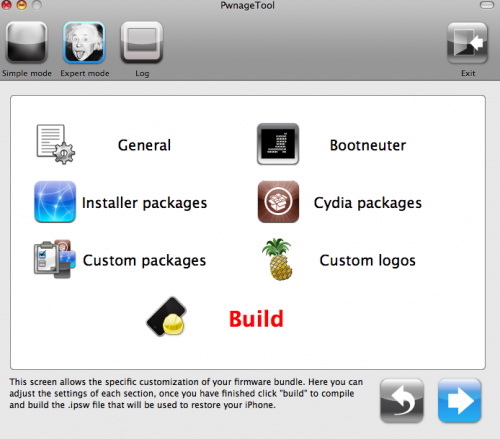
PwnageTool 2.0.2 is out. It will support new firmware 2.0.1. It will jailbreak and unlock the old iPhone and jailbreak new iPhone 3G. Here are the download links:

Installer 4 Beta is included, it is added in any mode by default.  The main installer package management interface within PwnageTool isn’t enabled yet, and will report that installer.app isn’t available, but the actual Installer.app package is added as a default option in both modes.

The latest Cydia is also enabled by default. We recommend to use Cydia, not Installer.

The main purpose is bug fixing. Many applications work faster. Here is the list of changes:

  • Drag an app icon across multiple pages in one motion, rather than having to drag it, drop it, pick it up again and drag it over to next page, and repeat.
  • Contacts are now more responsive.
  • Backup is much faster.
  • Apple may have changed the calibration of the iPhone’s reception “bars” while connected to a 3G network to reflect a stronger signal than before.
  • Keypad loads quicker.
  • Screen rotation in Safari appears to be smoother.
  • Some apps may ask to be updated after the firmware upgrade.
  • SMS typing faster.
  • Google Apps works faster.
  • Netshare still works (for those who use it).
  • Works with iPod.
  • Multimedia content is kept after update.
  • No Support from Pwnage and WinPwn. If you update you’ll loose unlock and jailbreak.

Thanks to Dev Team and the porting work of Jay Freeman as well as the authors of 3Proxy, it is now possible to “tether” your iPhone 3G and use its Internet connection on your laptop.

WarningTethering your iPhone is against the iPhone data plan terms. AT&T could slap you with huge fees if you overuse this. I recommend only using it during emergencies.

Here is a basic plan (by the way, this should work for old IPhone also):

  • Jailbreak your iPhone 3G
  • Install 3Proxy and Terminal
  • Create an ad-hoc Wi-fi network using your laptop
  • Join the network with your iPhone
  • Find the iPhone’s IP address
  • Open Terminal and run the proxy program
  • Open Safari on your iPhone and open a web page
  • Configure your browser to use the proxy

Later we’ll discuss it with more details.

Step 1: Jailbreak your iPhone


Read the rest of this entry »

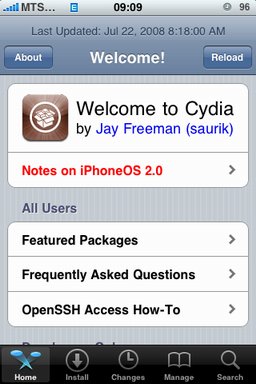
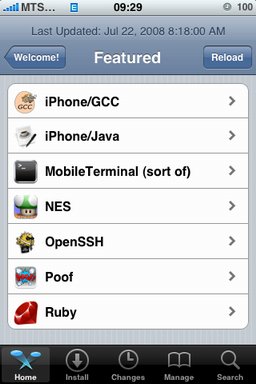
After successfull jailbreake of the IPhone/IPhone 3G with firmware 2.0 it is possible to install Cydia installer. And what is more exciting, there are many applications there, including Java.

Related articles:

screenshots are from iphoneapps.ru

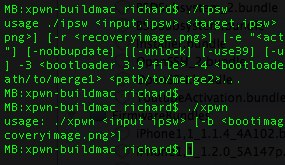
The development sources for xpwn 0.3, the firmware 2.0 version of our cross-platform jailbreaking library/command-line utility have been pushed onto github. DevTeam tested it on Linux, Windows XP, and Windows Vista for both the iPhone 2G and iPhone 3G thus far, but since it uses the same FirmwareBundles files as PwnageTool, and we know those work for the iPod touch, there ought not be any problems.

Being a suite of command-line utilities, this release is meant primarily for developers. While you can certainly jailbreak (both 3G and first-gen) and unlock (first-gen) with it, it’s not really something you want to try without reading the lengthy, detailed README. If you don’t have the patience to do that, this release is not for you.

For users this news mean that quite soon there will be a new version of winpwn, supporting 2.0.

iRinger creates free ringtones for your iPhone from virtually any music or video file you own. Even YouTube videos! iRinger exports ringtones to iTunes, so there is no need to “jailbreak” your iPhone. You will be creating ringtones in seconds. It’s that simple. Here is a video tutorial:

Feature:

  • FREE
  • Three Steps: Import, Preview then Export. Done.
  • Convert virtually any audio format into an iPhone ringtone
  • Extracts audio out of video
  • Choose which section of the audio you want to hear
  • Adjust ringtone length, volume, fade in, fade out and loop gap
  • Export to iPhone ringtone format and import right into iTunes
  • Export to iPhone using SCP/SFTP and skip using iTunes
  • Use audio effects: Delay, Flanger, Boost, Reverse, etc.
  • Runs on all versions of Microsoft Windows including Windows Vista
  • Requires iPhone firmware 1.1.2 or newer, iTunes software 7.5 or newer
  • Works with the new iPhone 3G!

Download here: iRinger.exe. Developer’s site: www.iringer.net

Here is an advanced video tutorial, it shows how to use some advanced features:


Read the rest of this entry »

pwnage 20

Now older IPhone users users can upgrade to firmware 2.0 and IPhone 3G users have a possibility to have jailbreaked IPhones. That is because PwnageTool 2.0 is released today. Download links are: mirror1, mirror2, mirror3.

Just a reminder: this tool jailbreaks and unlocks older iPhones, and jailbreaks iPhone 3Gs and iPod Touches. No unlock for Iphone 3G yet. The supported firmware is 2.0 only. Platform is Mac OS.

If you get Error 1600 from iTunes (or if you see in your log a failure to repare x12220000_4_Recovery.ipsw), try: mkdir “~/Library/iTunes/Device Support” ;  if that directory already exists, remove any files in it.  Then re-run PwnageTool.

Reminder: as of right now, there are no apps out for 2.0. Over the next few days some will come out. So do not update yet if you have some favorite 1.1.x apps you are using! 2.0 will not run 1.1.4 apps

UPDATE: version 2.0.1 is avaliable