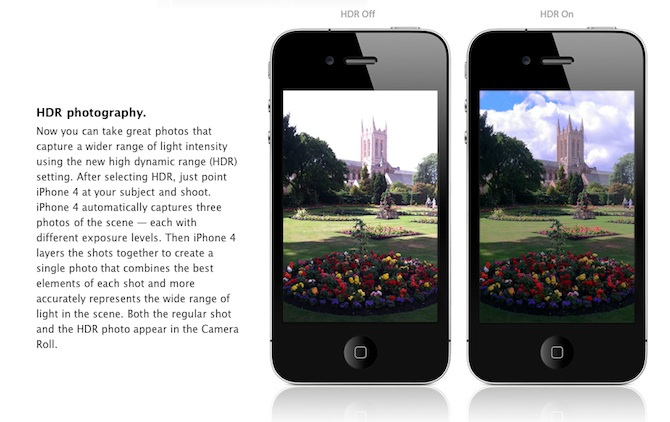
Are you looking forward to add a very popular HDR feature to your old iPhone? Do not worry! If you have a jailbroken (or ready to jailbreak) iPhone 3GS or 3G that runs on iOS 4.1, you can enable HDR photos. Here is a quick tutorial:
Are you looking forward to add a very popular HDR feature to your old iPhone? Do not worry! If you have a jailbroken (or ready to jailbreak) iPhone 3GS or 3G that runs on iOS 4.1, you can enable HDR photos. Here is a quick tutorial:
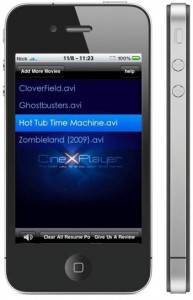 Can not wait for the official release? Do you want to get CineXPlayer for iPad on your iPhone and iPod touch right now? For those of you who do not know, CineXPlayer is an iPad application that allows you to download Xvid AVI files using iTunes, so you can easily reproduce the format that Apple won’t. Because the developer has not invented version of the application for the iPhone, the hacker decided to do everything by himself.
It is a complete step by step tutorial on how to install it on your iPhone or iPod touch available . You just need to jailbreak these devices, because the process involves SSH (SSH program for secure file sharing on the network) to access the iPhone, but it’s worth it if you want to get it right now!
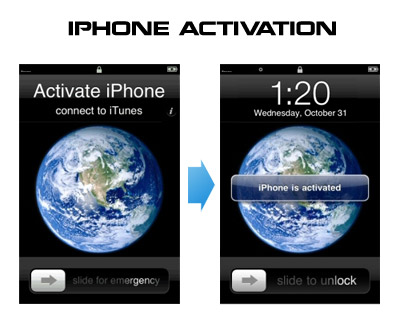
Having problems activating your iPhone? Don’t have original SIM-card? Cannot get passed emergency unlock screen? We have a solution:
If you have iPhone 3G, just use redsn0w to jailbreak and hactivate. If you have iPhone 3GS or follow these instructions:
If you are already Jailbroken:
So you have an iPhone with iOS 4.0, but don’t have the original SIM and stuck on the Emergency Call Screen:
If you are not jailbroken
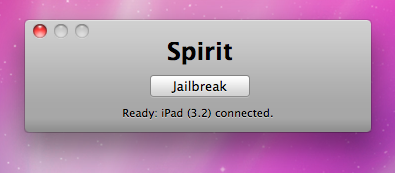
The first release of Spirit had a bug that accidently could delete all of your photos from the device that was jailbroken. If you have a backup which you made before jailbreaking your iPhone/iPod Touch/iPad, here is a quick guide how to recover deleted photos.
Read the rest of this entry »
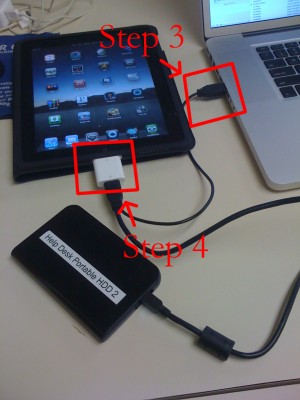
iPad USB Camera Connection Kit is much more useful as it seems. Max Sha, an experienced user, was able to access external hard drive with this kit. All you need is a jailbroken iPad, an external drive, a split-USB cable to give the drive some power and a terminal of some sort (f.e. MacBook) to mount the external storage. While it is a little unwieldy, it shows that Terabytes of external storage for iPad is possible.
Here is a complete step-by-step guide from Max Sha:

A second iPhone worm virus has been found by security company F-Secure. It is specifically targeting people in the Netherlands who are using their iPhones for internet banking with Dutch online bank ING.
It redirects the bank’s customers to a site with a log-in screen (). The worm attacks “jailbroken” phones – a modification which enables the user to run non-Apple approved software on their handset. Only handsets with installed SSH (secure shell) are at risk. SSH is a file-transfer program that enables users to remotely connect to their phones. It comes with a default password, ‘alpine’ which should be changed.
Here is a how to change the default SSH password and minimize the risk.

Apple released iTunes 8.2. You can download it .
This update breaks your ability to use QuickPwn, PwnageTool, and iPhone Tunneling Suite (ssh over usb). Many file managers do not work with iTunes 8.2 installed. We don’t think this is a deliberate breakage of these tools. It’s just that Apple has updated a low-level USB protocol. It may also break Palm Pre’s connection to the device.
So if you jailbreak, we recommend you not to update.
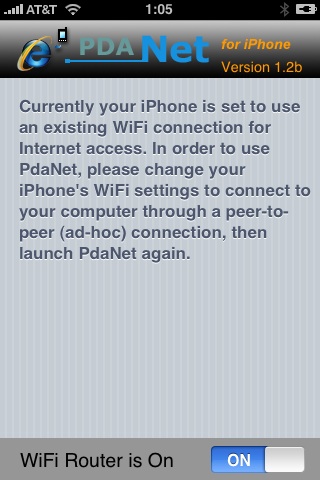
Many iPhone 3G users would like to use internet on a desktop or notebook through their phone. There were several solutions: iPhoneModem, NetShare, 3Proxy.. they all used SSH and SOCKS proxy. One of the working ones was described here .
Couple days ago PdaNet (fullname is PdaNet WiFi Router) was ported to iPhone. Now our life is much much easier.
Is your mail crashing on 2.0 firmware?
This is generally caused after syncing your backup. This has nothing to do with jailbreaking or not. However, the fix for it is simple and is part of a jailbreak. The issue is that after syncing your backup, your mail folder is owned by root and your mail app running as user mobile does not have permissions to access it. You can fix it in SSH. But I also added a button in BossPrefs to solve it.
Step 1:Jailbreak your device
Step 2: Install BossPrefs from Cydia
Step 3: Tap “more”
Step 4: Tap “Fix User Dir Permissions”
Step 5: Sometimes, not always, you will need to load settings and reenter your mail passwords.
via sleepers.net