прошивка | Jailbreak iPhone, iPod Touch, iPad - Part 4 Skip to content

Jailbreak iPhone, iPod Touch, iPad

новости про джейлбрейк iPhone, iPod Touch и iPad

Archive

Tag: прошивка

We are receiving more and more questions about JailbreakMe supporting particular iOS version and device. Here is a useful table that shows which firmwares can be jailbroken by JailbreakMe and which are not supported. Take a look:

Device JailbreakMe firmware support.
4.2.6 4.2.7 4.2.8 4.3 4.3.1 4.3.2 4.3.3 4.3.4 4.3.5
iPad N/A Yes No No
iPad 2 N/A No Yes No No
iPhone 3GS N/A Yes No No
iPhone 4 (GSM) N/A Yes No No
iPhone 4 (CDMA) Yes N/A
iPod touch 3G N/A Yes No Yes No No
iPod touch 4G N/A Yes No No

Here our step by step JailbreakMe tutorials:

Other jailbreak tutorials including iOS 4.3.5 jailbreak can be found here.

Seas0nPass

Apple TV 2G jailbreak utility Seas0nPass has been updated to support an un-tethered jailbreak of the latest firmware 4.3 build 8F455. Seas0nPass is one of the simplest jailbreaking tools available for the AppleTV, and is the first to support the new 4.3 build 8F455 software version.

You can download Seas0nPass here: Mac [10.6 or later] | Windows [XP or later].

You can read our step-by-step tutorial for Apple TV 2G jailbreak using Seas0nPass here.

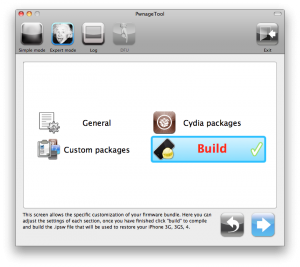
redsn0w-096rc15 pwnagetool-42

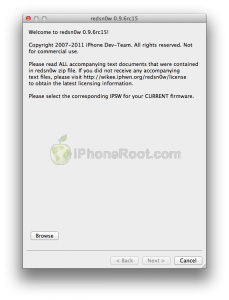
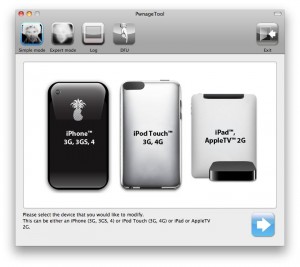
DevTeam released the untethered jailbreak for the latest iOS 4.3.3 – utilities RedSn0w 0.9.6 rc15 and PwnageTool 4.3.3.

The 4.3.3 untether works on all Apple devices that support 4.3.2 except for the iPad2:

  • iPhone 3GS
  • iPhone 4 (GSM)
  • iPod Touch 3G
  • iPod Touch 4G
  • iPad 1
  • AppleTV 2G (PwnageTool only for now)

Redsnow is easy to use, it is available for Windows and Mac OS. As usual for unlockers – do not update to 4.3.3, use PwnageTool (MAC) and Sn0wBreeze (Windows) to preserve the baseband.

You can download RedSn0w 0.9.6 rc15 here.

You can download PwnageTool 4.3.3 here.

Ultrasn0w was also updated to support old baseband on new iOS 4.3.3. Ultrasn0w 1.2.3 (for unlockers with old baseband) is available in Cydia.

New tutorials for iOS 4.3.3 are ready:

RedSn0w 0.9.6 rc16 (Windows)

RedSn0w 0.9.6 rc16 (Mac OS)

PwnageTool 4.3.3.1 (Mac OS)

Sn0wBreeze 2.7.3 (Windows)

redsn0w-096rc14

DevTeam released the untethered jailbreak for the latest iOS 4.3.2 – RedSn0w 0.9.6 rc14.

The 4.3.1 untether works on all Apple devices that support 4.3.2 except for the iPad2:

Redsnow is easy to use, it is available for Windows and Mac OS. As usual for unlockers – do not updaate to 4.3.1, wait for PwnageTool and Sn0wBreeze.

You can download RedSn0w 0.9.6 rc14 here.

New tutorials are on it’s way. For now you can still use our tutorials for iOS 4.3.1. Just download iOS 4.3.2 here, update in iTunes, point redsn0w to it, everything else is the same:

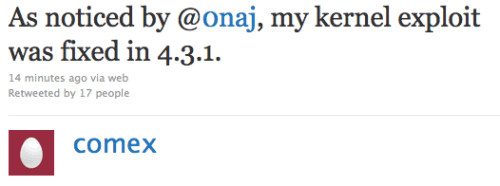
Comex, famous iPhone hacker, tweeted today that the kernel exploit for jailbreak he had found long ago was closed by Apple in recent iOS 4.3.1. This exploit could be used to jailbreak iPad 2.

As noticed by @0naj, my kernel exploit was fixed in 4.3.1.

I try not to be paranoid, but it is really hard to explain this as anything but a leak.

The funny thing is that my “new” kernel exploit is actually the kernel exploit used by JailbreakMe 2.0. It was never properly fixed.

It stayed there from 4.0.2 through 4.3, but was magically found in time for 4.3.1. well, go go @MuscleNerd and @i0n1c I guess

This is not good news. However we have recently seen working untethered jailbreak video. There are other vulnerabilities in iOS 4.3.1.

BGR have got their hands on the next iOS release – iOS 4.3.1. This new firmware will contain mostly minor bug fixes. Here are the changes from iOS 4.3:

  • Baseband updates for the 3GS and iPad (original)
  • Fixed memory hang that results in memory corruption when reading large files from USIM filesystem
  • Fixed problem with NTLM authentication in apps and on websites
  • Fixed issue with the Springboard and 3rd party apps not recognizing the gyroscope on the iPad 2
  • Fixed iPad 2 jailbreak vulnerability

This is not the final changelog, but still quite interesting. No information on whether or not it will be available for Verizon iPhone 4.

The new iOS 4.3.1 firmware is expected to be released in 1-2 weeks.

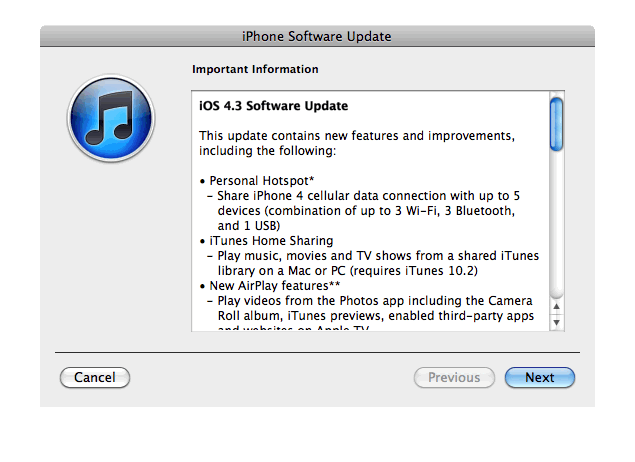
Apple just released new iOS 4.3 firmware. Jailbreakers and unlockers should wait for new tools. Everybody else will benefit. iOS 4.3 has Safari speed improvements, AirPlay features, hotspot, Home sharing, a new option for customizing the iPad’s side switch to serve as a mute toggle or screen orientation lock and much more:

This update contains new features and improvements, including the following:

* Personal Hotspot
– Share iPhone 4 cellular data with up to 5 devices (combination of up to 3 Wi-Fi, 3 Bluetooth, and 1 USB)

* iTunes Home Sharing
– Play music, movies, and TV shows from a shared iTunes library on a Mac or PC (requires iTunes 10.2)

* New AirPlay features
– Play videos from the Photos app including the Camera Roll album, iTunes previews, enabled third-party apps and websites on Apple TV
– Play slideshows from Photos on Apple TV using transitions available on Apple TV

* Faster Safari performance with Apple Nitro JavaScript engine

* HD video out using the Apple Digital AV Adapter
– View 720p HD videos from Videos app, iPod app, Photos, YouTube, Safari, Keynote, and enabled third-party apps on an HDMI display

* Ping features
– Push notifications for comments and follow requests
– Post and Like songs directly from the Now Playing screen
– Parental controls

* New Settings
– Messages setting for number of times to repeat an alert
– iPad side switch setting to lock screen rotation or mute audio notifications and sound effects

* Single tap conference call dialing with a pause to send a passcode

* Bug fixes

Products compatible with the software update:

  • iPhone 4 (GSM model)
  • iPhone 3GS
  • iPad
  • iPod touch (4th generation)
  • iPod touch (3rd generation)
  • Apple TV 2G

iPhone 3G, iPod Touch 2G and iPhone 4 Verizon do not have iOS 4.3 update.

Here are the direct links to download iOS 4.3:

device version release date
AppleTV(2G) (AppleTV2,1) 4.3 (8F191m) 03/09/2011 13:07:02
iPad (iPad1,1) 4.3 (8F190) 03/09/2011 13:07:02
iPad2,1 (iPad2,1) 4.3 (8F191) 03/09/2011 13:07:02
iPad2,2 (iPad2,2) 4.3 (8F191) 03/09/2011 13:07:02
iPad2,3 (iPad2,3) 4.3 (8F191) 03/09/2011 13:07:02
iPhone3GS (iPhone2,1) 4.3 (8F190) 03/09/2011 13:07:02
iPhone4 (iPhone3,1) 4.3 (8F190) 03/09/2011 13:07:02
iPodTouch(3G) (iPod3,1) 4.3 (8F190) 03/09/2011 13:07:02
iPodTouch(4G) (iPod4,1) 4.3 (8F190) 03/09/2011 13:07:02

pwnagetool413-3gs-3

UPDate: save your iOS 4.2.1 SHSH blobs now!

UPDate 2: Attention! We’ve received info, that Apple stopped signing iOS 4.2 for devices for which iOS 4.3 is available. This means you will not be able to restore to 4.2.1 without saved SHSH keys.

Using this tutorial you will be able to jailbreak iOS 4.2.1 running on iPhone 3G, iPhone 3GS, iPhone 4, iPod Touch 3G, iPod Touch 4G and iPad. Pwnagetool will also preserve baseband version if you need carrier unlock. If you have updated the baseband to version 06.15, you can use this tutorial. This tutorial uses PwnageTool 4.2 for Mac OS X.

We are not developers of jailbreak utilities, so we cannot assure that everything will work just fine. However we tried this tutorial on several devices and succeeded.

We will use iPhone 4 in our jailbreak tutorial. The process is the same for all devices.

Step One
Make a folder called “Pwnage” on the desktop. Download a couple of things:

Read the rest >>>

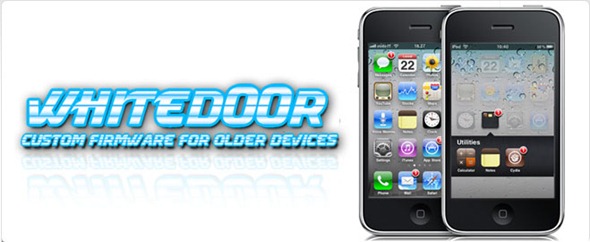
Apple stopped to support original iPhone 2G and iPod touch 1G starting from iOS 4.0. Their decision was justified because of the low RAM and sow CPU in these first-gen devices released back in 2007.

iPhone jailbreak community has now come up with a mod, which brings the complete look and feel of iOS 4.2.1 for iPhone 2G, 3G and iPod touch 1G and 2G. The mod is basically based on the iPhone OS 3.1.3, to replicate the experience of iOS 4 on the first and second generation iPhone and iPod touch.

This custom firmware, named WhiteD00r, includes everything from iOS 4.x: wallpapers, new semi transparent dock (and UI), backgrounds, all new icons from iOS 4.x, Voice Control, multitasking, video recording, and more. Full list of features can be found here.

Moreover WhiteD00r was also relased for iPhone 3G and iPod touch 2G. Regular iOS 4.х works really slow, on these devices, while modified 3.1.3 has much more chances.

WhiteD00r custom 4.2.1 firmware for iPhone 2G, iPhone 3G, iPod touch 1G and iPod touch 2G can be downloaded from here.

Here is a video of it in action:


Read the rest of this entry »

gp_web_win

These are step-by-step instructions on how to jailbreak iOS 4.2.1 on iPhone 3GS, iPhone 4, iPad, iPod Touch 2G, iPod Touch 3G, iPod Touch 4G using Greenpois0n for Windows. Tutorial for Mac OS X users is available here. All the steps are the same for all devices, we will cover iPhone.

Greenpois0n has been updated to support the iOS 4.1 and iOS 4.2.1 firmware. Use Limera1n if you want to jailbreak iOS 4.0, iOS 4.0.1, iOS 4.0.2.

Remember: Greenpois0n recommends a clean restore before continuing.

Unlockers: do not update to iOS 4.1 or iOS 4.2.1 if you need the unlock. Ultrasn0w does not support that baseband yet. The only exception is the iPhone 4. Experienced users can also try update to iOS 4.2.1 without upgrading your baseband by using TinyUmbrella. Start TSS Server->Start iTunes->Plug in your iPhone->Restore 4.2.1->Error 1013->Put phone into DFU Mode->Launch Greenpois0n.

We are not authors of this app. We do not promise that everything will go well, use this tutorial at your own risk.

Step One
Open your web browser and download the latest Windows version of GreenPois0n from here.


Read the rest of this entry »