Application | Jailbreak iPhone, iPod Touch, iPad - Part 2 Skip to content

Jailbreak iPhone, iPod Touch, iPad

новости про джейлбрейк iPhone, iPod Touch и iPad

Archive

Tag: application

sn0wbreeze-28b4

iH8Sn0w has released a new version of Sn0wBreeze 2.8 b4 with iOS 5.0 beta 3 jailbreak support. Sn0wBreeze is a so-called PwnageTool for Windows, an application that creates a custom ipsw with jailbreak preserving old baseband.

The jailbreak is tethered for iPhone 4, iPhone 3GS (new bootrom), iPad, iPod Touch 3G and iPod Touch 4G. Jailbreak is untethered for iPhone 3GS with old bootrom.

You can download Sn0wBreeze 2.8 b4 here.

sn0wbreeze v2.8 BETA 4 Release Notes:

Read the rest of this entry »
The Smart Sign is the iPad in front of each Apple product. It explains and provides specifications for the product. Customers are not able to actually use this iPad for anything but the Smart Sign application However with the right top-secret gesture anything is possible. One user figured out the secret gesture, went to the home screen, launched up Safari, and jailbroke the Smart Sign with the new JailbreakMe 3.0 tool. Here is the video:

UPDATE: Video is deleted from youtube by Apple request 🙂

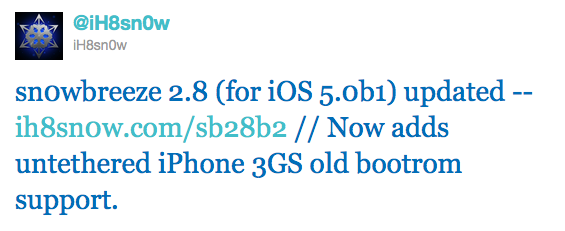
Hacker iH8Sn0w released Sn0wBeeze 2.8 beta 2 with ability to perform untethered jailbreak of the old bootrom iPhone 3GS on iOS 5.0b1. For other devices the jailbreak is still tethered.

Sn0wBreeze is a Windows application that creates a custom ipsw with jailbreak. It also preserves your baseband if you need unlock, but UltraSn0w has not yet been updated to work with iOS 5.

You can download Sn0wBeeze 2.8 beta 2 here.

sn0wbreeze-28b2

ios5-redsn0w

MuscleNerd recently Tweeted that iOS 5 beta 1 jailbreak is already available. DevTeam released Redsn0w 0.9.8 b1.

For now the jailbreak is tethered (you have to run redsn0w each time you reboot) and available for Mac OS X only. It will not activate your device, so you need have registered UDID. iPhone 3GS users with 06.15 baseband: redsn0w will get you past the iTunes restore error. This redsn0w will probably work on future versions of iOS 5.

Redsn0w 0.9.8 b1 works with iOS 5 b1 on iPhone 4 (GSM / CDMA), iPhone 3GS, iPod Touch 3G, iPod Touch 4G, iPad 1.

This is mostely for developers of Cydia apps. Most tweaks and Cydia applications do not work on iOS 5.

You can download Redsn0w 0.9.8 b1 here.

pwnagetool413-3gs-3

UPDate: save your iOS 4.2.1 SHSH blobs now!

UPDate 2: Attention! We’ve received info, that Apple stopped signing iOS 4.2 for devices for which iOS 4.3 is available. This means you will not be able to restore to 4.2.1 without saved SHSH keys.

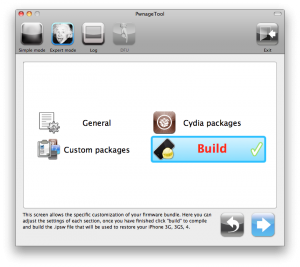
Using this tutorial you will be able to jailbreak iOS 4.2.1 running on iPhone 3G, iPhone 3GS, iPhone 4, iPod Touch 3G, iPod Touch 4G and iPad. Pwnagetool will also preserve baseband version if you need carrier unlock. If you have updated the baseband to version 06.15, you can use this tutorial. This tutorial uses PwnageTool 4.2 for Mac OS X.

We are not developers of jailbreak utilities, so we cannot assure that everything will work just fine. However we tried this tutorial on several devices and succeeded.

We will use iPhone 4 in our jailbreak tutorial. The process is the same for all devices.

Step One
Make a folder called “Pwnage” on the desktop. Download a couple of things:

Read the rest >>>

gplogo

The Chronic Dev Team has released Greenpois0n RC6.1, a new version of their ‘untethered’ iOS 4.2.1 jailbreak tool which now includes an update that disables Apple’s means of protecting the iBooks application from jailbreakers.

Recent Greenpois0n changelog:

  • RC6.1: comex ‘hunnypot’ iBooks fix, don’t overwrite animate if it already exist
  • RC6: Apple TV 2 support, fixed emulators compatibility issues with greenpois0n
  • RC5.4: Verizon iPhone 4 is now supported !

Greenpois0n RC6.1 supports iPod Touch 2G, iPod Touch 3G, iPod Touch 4G, iPad, iPhone 3GS, iPhone 4, Verizon iPhone 4 (iOS 4.2.6) and Apple TV 2G.

You can download the latest Greenpois0n RC6.1 here.

gp_web_win

These are step-by-step instructions on how to jailbreak iOS 4.2.1 on iPhone 3GS, iPhone 4, iPad, iPod Touch 2G, iPod Touch 3G, iPod Touch 4G using Greenpois0n for Windows. Tutorial for Mac OS X users is available here. All the steps are the same for all devices, we will cover iPhone.

Greenpois0n has been updated to support the iOS 4.1 and iOS 4.2.1 firmware. Use Limera1n if you want to jailbreak iOS 4.0, iOS 4.0.1, iOS 4.0.2.

Remember: Greenpois0n recommends a clean restore before continuing.

Unlockers: do not update to iOS 4.1 or iOS 4.2.1 if you need the unlock. Ultrasn0w does not support that baseband yet. The only exception is the iPhone 4. Experienced users can also try update to iOS 4.2.1 without upgrading your baseband by using TinyUmbrella. Start TSS Server->Start iTunes->Plug in your iPhone->Restore 4.2.1->Error 1013->Put phone into DFU Mode->Launch Greenpois0n.

We are not authors of this app. We do not promise that everything will go well, use this tutorial at your own risk.

Step One
Open your web browser and download the latest Windows version of GreenPois0n from here.


Read the rest of this entry »

gp_web

These are step-by-step instructions on how to jailbreak iOS 4.2.1 on iPhone 3GS, iPhone 4, iPad, iPod Touch 2G, iPod Touch 3G, iPod Touch 4G using Greenpois0n for Mac OS X. Tutorial for Windows users is available here. All the steps are the same for all devices, we will cover iPhone.

Greenpois0n has been updated to support the iOS 4.1 and iOS 4.2.1 firmware. Use Limera1n if you want to jailbreak iOS 4.0, iOS 4.0.1, iOS 4.0.2.

Remember: Greenpois0n recommends a clean restore before continuing.

Unlockers: do not update to iOS 4.1 or iOS 4.2.1 if you need the unlock. Ultrasn0w does not support that baseband yet. The only exception is the iPhone 4. Experienced users can also try update to iOS 4.2.1 without upgrading your baseband by using TinyUmbrella. Start TSS Server->Start iTunes->Plug in your iPhone->Restore 4.2.1->Error 1013->Put phone into DFU Mode->Launch Greenpois0n.

We are not authors of this app. We do not promise that everything will go well, use this tutorial at your own risk.

Step One
Open your web browser and download the latest Mac version of GreenPois0n from here.


Read the rest of this entry »

cydia3 cydia2 cydia1png

Jay Freeman (better known as Saurik) has reported that he added a new feature to Cydia, the jailbreak application store. “Cydia Theme Center” provides easer search of for Retina and non-Retina themes. Right now, you will find a selection of free and paid themes popular in Cydia, as well as themes selected by the employees of MacCiti and ModMyi. Soon Cydia user also will be able to vote their favorites into Theme Center. Freeman has predicted that the feature would be really popular. After release of Theme Center he posted to Twitter: The second feature to use my Whole Package Index, the “Cydia Theme Center”, went up an hour ago, and 15,000 people have already tried it! ;P

jailbreak API

Apple has reportedly disabled its jailbreak detection API through iOS 4.2 software update. The API helped third-party mobile device management (MDM) applications to check for unauthorized modifications of system files. Apple’s jailbreak detection API provided MDM applications direct access to iOS system information and was able to ask the operating system directly if it had been jailbroken. Jailbreak exploits typically change a number of operating system files, and exploit one or another low-level OS features to let users directly load their own or third-party applications.


Read the rest of this entry »