Archive
Tag: .NET

Clippy adds copy-paste functionality to iPhone and iPod Touch. It is avaliable in Cydia (iSpazio.net repository) for jailbreaked iPhones. The only limitation is you cannot select text in Safari and copy it to clipboard.
This application is developed by Jay Freeman, the creator of the Cydia. Veency is a free app that allows iPhone owners to remotely control their iPhone from PC or Mac desktop via a VNC client.
Here are some of the features:
- Launch applications on your iPhone
- Reply to emails, text messages, and more
- Rearrange icons
- Lock/Unlock your iPhone
- Browse through Photos and Contacts
Of course you cannot do two finger gestures with this app. All other actions can be done with the click of your mouse. The only area in which Veency fails tragically at is when opening any video recording application on the iPhone.
This application is avaliable for jailbreaked iPhones via Cydia installer.
Be sure to restart your iPhone after installing Veency and connect to the server using a Wi-Fi connection. We recommend using or to connect your Windows desktop. If you’re using a Mac, we recommend .
Here is a video demonstration:
via readwriteweb
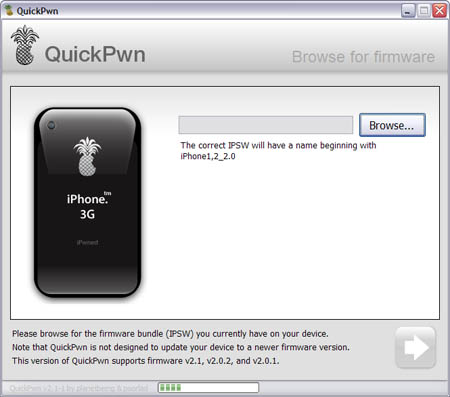
Congratulations, Windows users. The support for new firmware 2.1 is added. So here is what you can do:
- Support for FW v2.0.1, v2.0.2, v2.1.0
- Jailbreaking and Pwning iPhone 2G, iPhone 3G and iPod Touch
- Adding Cydia and Installer
- Replacing boot logos
- Unlocking iPhone 2G
Changes from QuickPwn RC3
- Support for firmware 2.1
- Auto-detection of firmware version, insistence on correct firmware bundle to prevent user epic fail.
- Use of iASign to activate to prevent bspatch epic fail.
- Removed buggy and never really tested 2.0 support
Sorry, no jailbreak for new iPod Touch and no unlock for iPhone 3G.
Here are download links:
Firmwares v2.1: ,
Related posts:
- QuickPwn and PwnageTool for 2.1 firmware
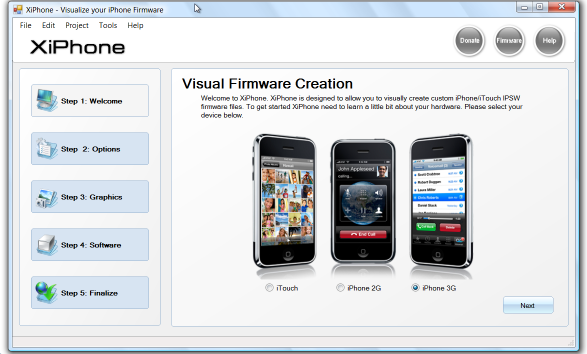
Recently a new project has been started, called XiPhone. It will be based on XPWN. So functionality similar to WinPwn and Pwnage will be present (jailbreak, unlock, etc). In addition to that developers plan to include:
- Auto downloading of stock firmware files from apple’s site (no need to hunt for it then select it)
- Wizard based modern GUI (created with .net 2.0), and Vista Style UI.
- Export of firmware settings so users can pass around an XML file which contains a configuration that works for them.
- Auto updates to the XiPhone software.
- Community based wallpapers used for Bootscreen, Restore screen and others
- Enabling / Disabling of options available based on the device you select.
Unfortunately, only Windows platform users will be able to use XiPhone.
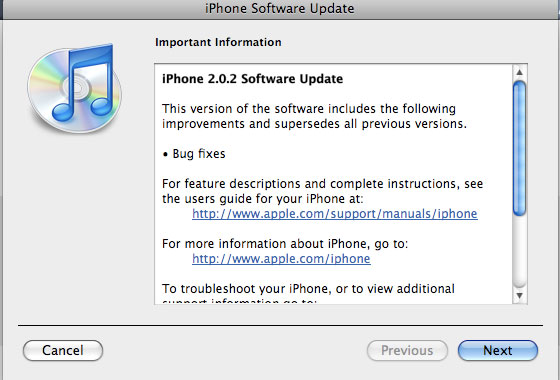
Apple just released new firmware for iPhone – version 2.0.2. As usual, all the company mentioned was that the update includes “Bug fixes.”
Notes on the release follow:
- No new settings appear to have been included.
- Some users report faster browsing, though this may be due to cleared cache.
- Typing lag may be reduced.
- No consensus on improved 3G connectivity.
- iPod Touch firmware 2.0.2 also released.
But as always, do not update until we get word on a jailbreak.
Links for firmware downloads: , .
released just a day ago. And now WinPwn – iPhone jailbreaker and unlocker for windows is avaliable. The main new feature – it supports firmware 2.0.1.
Download 2.0.0.4: [] []
Download firmwares: iPhone , , , iPhone 3G ,
2.0.0.4 features:
- Support for both 1.1.4, 2.0, 2.0.1
- Root partition resize support
- Installer support
- Support for WinXP and Vista 32/64bit.
Notes are as usual:
- You MUST do a full uninstall of winpwn before installing the new version
- Make sure you have the latest version of iTunes (from 7.7)
- WinPwn uses 300MB of ram at peak due to the ipsw being extracted in memory
- You must first click browse and load an IPSW to use WinPwn (i thought this was clear)
- For 2.0 only the *5A347_Restore.ipsw files are valid. The 345 image will not work
- If you see Failed to load image catalog/payload catalog, this is fine and won’t cause problems
- If you already have service with AT&T do not activate or install Youtube Fix
- As usual jailbreak for iPhone and iPhone 3G, unlock only for iPhone.
- It is recommended to use at least 550mb partition size to accommodate a space issue that causes some folks errors such as “the ipsw failed to create”.
How to:
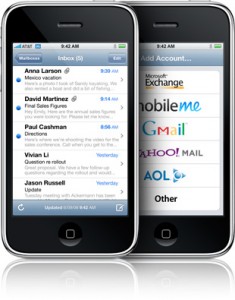
Is your mail crashing on 2.0 firmware?
This is generally caused after syncing your backup. This has nothing to do with jailbreaking or not. However, the fix for it is simple and is part of a jailbreak. The issue is that after syncing your backup, your mail folder is owned by root and your mail app running as user mobile does not have permissions to access it. You can fix it in SSH. But I also added a button in BossPrefs to solve it.
Step 1:Jailbreak your device
Step 2: Install BossPrefs from Cydia
Step 3: Tap “more”
Step 4: Tap “Fix User Dir Permissions”
Step 5: Sometimes, not always, you will need to load settings and reenter your mail passwords.
via sleepers.net
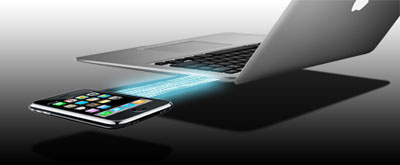
Thanks to and the porting work of as well as the authors of , it is now possible to “tether” your iPhone 3G and use its Internet connection on your laptop.
Warning – Tethering your iPhone is against the iPhone data plan terms. AT&T could slap you with huge fees if you overuse this. I recommend only using it during emergencies.
Here is a basic plan (by the way, this should work for old IPhone also):
- Jailbreak your iPhone 3G
- Install 3Proxy and Terminal
- Create an ad-hoc Wi-fi network using your laptop
- Join the network with your iPhone
- Find the iPhone’s IP address
- Open Terminal and run the proxy program
- Open Safari on your iPhone and open a web page
- Configure your browser to use the proxy
Later we’ll discuss it with more details.
Step 1: Jailbreak your iPhone
iRinger creates free ringtones for your iPhone from virtually any music or video file you own. Even YouTube videos! iRinger exports ringtones to iTunes, so there is no need to “jailbreak” your iPhone. You will be creating ringtones in seconds. It’s that simple. Here is a video tutorial:
Feature:
- FREE
- Three Steps: Import, Preview then Export. Done.
- Convert virtually any audio format into an iPhone ringtone
- Extracts audio out of video
- Choose which section of the audio you want to hear
- Adjust ringtone length, volume, fade in, fade out and loop gap
- Export to iPhone ringtone format and import right into iTunes
- Export to iPhone using SCP/SFTP and skip using iTunes
- Use audio effects: Delay, Flanger, Boost, Reverse, etc.
- Runs on all versions of Microsoft Windows including Windows Vista
- Requires iPhone firmware 1.1.2 or newer, iTunes software 7.5 or newer
- Works with the new iPhone 3G!
Download here: . Developer’s site:
Here is an advanced video tutorial, it shows how to use some advanced features: