Firmware | Jailbreak iPhone, iPod Touch, iPad - Part 21 Skip to content

Jailbreak iPhone, iPod Touch, iPad

новости про джейлбрейк iPhone, iPod Touch и iPad

Archive

Tag: Firmware

pwnage PwnageTool 2.0.2 is avaliable

PwnageTool 2.0.2 is out. It will support new firmware 2.0.1. It will jailbreak and unlock the old iPhone and jailbreak new iPhone 3G. Here are the download links:

Installer 4 Beta is included, it is added in any mode by default.  The main installer package management interface within PwnageTool isn’t enabled yet, and will report that installer.app isn’t available, but the actual Installer.app package is added as a default option in both modes.

The latest Cydia is also enabled by default. We recommend to use Cydia, not Installer.
201 New firmware 2.0.1

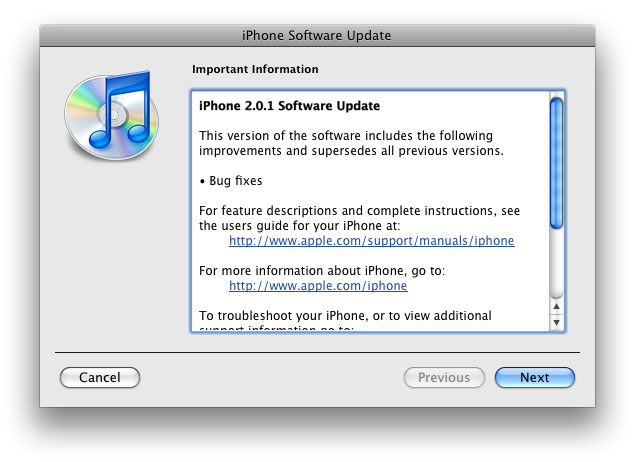
The main purpose is bug fixing. Many applications work faster. Here is the list of changes:

  • Drag an app icon across multiple pages in one motion, rather than having to drag it, drop it, pick it up again and drag it over to next page, and repeat.
  • Contacts are now more responsive.
  • Backup is much faster.
  • Apple may have changed the calibration of the iPhone’s reception “bars” while connected to a 3G network to reflect a stronger signal than before.
  • Keypad loads quicker.
  • Screen rotation in Safari appears to be smoother.
  • Some apps may ask to be updated after the firmware upgrade.
  • SMS typing faster.
  • Google Apps works faster.
  • Netshare still works (for those who use it).
  • Works with iPod.
  • Multimedia content is kept after update.
  • No Support from Pwnage and WinPwn. If you update you’ll loose unlock and jailbreak.

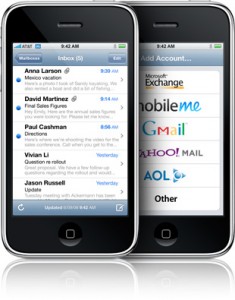
main mail 235x300 Mail app crashing on 2.0? There is a solution.

Is your mail crashing on 2.0 firmware?

This is generally caused after syncing your backup. This has nothing to do with jailbreaking or not. However, the fix for it is simple and is part of a jailbreak. The issue is that after syncing your backup, your mail folder is owned by root and your mail app running as user mobile does not have permissions to access it. You can fix it in SSH. But I also added a button in BossPrefs to solve it.

Step 1:Jailbreak your device

Step 2: Install BossPrefs from Cydia

Step 3: Tap “more”

Step 4: Tap “Fix User Dir Permissions”

Step 5: Sometimes, not always, you will need to load settings and reenter your mail passwords.

via sleepers.net

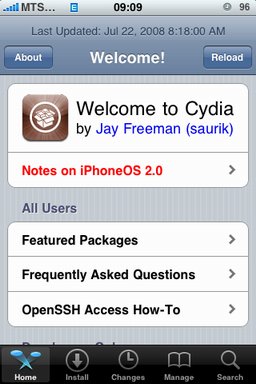
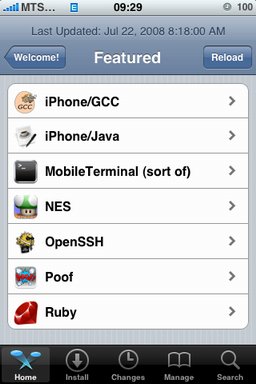
cydia20 1 Java for IPhone / IPhone 3G firmware 2.0 exists cydia20 2 Java for IPhone / IPhone 3G firmware 2.0 exists

After successfull jailbreake of the IPhone/IPhone 3G with firmware 2.0 it is possible to install Cydia installer. And what is more exciting, there are many applications there, including Java.

Related articles:

screenshots are from iphoneapps.ru

xpwn xpwn 0.3 sources are now up

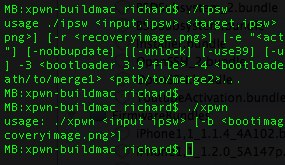
The development sources for xpwn 0.3, the firmware 2.0 version of our cross-platform jailbreaking library/command-line utility have been pushed onto github. DevTeam tested it on Linux, Windows XP, and Windows Vista for both the iPhone 2G and iPhone 3G thus far, but since it uses the same FirmwareBundles files as PwnageTool, and we know those work for the iPod touch, there ought not be any problems.

Being a suite of command-line utilities, this release is meant primarily for developers. While you can certainly jailbreak (both 3G and first-gen) and unlock (first-gen) with it, it’s not really something you want to try without reading the lengthy, detailed README. If you don’t have the patience to do that, this release is not for you.

For users this news mean that quite soon there will be a new version of winpwn, supporting 2.0.

iRinger creates free ringtones for your iPhone from virtually any music or video file you own. Even YouTube videos! iRinger exports ringtones to iTunes, so there is no need to “jailbreak” your iPhone. You will be creating ringtones in seconds. It’s that simple. Here is a video tutorial:

Feature:

  • FREE
  • Three Steps: Import, Preview then Export. Done.
  • Convert virtually any audio format into an iPhone ringtone
  • Extracts audio out of video
  • Choose which section of the audio you want to hear
  • Adjust ringtone length, volume, fade in, fade out and loop gap
  • Export to iPhone ringtone format and import right into iTunes
  • Export to iPhone using SCP/SFTP and skip using iTunes
  • Use audio effects: Delay, Flanger, Boost, Reverse, etc.
  • Runs on all versions of Microsoft Windows including Windows Vista
  • Requires iPhone firmware 1.1.2 or newer, iTunes software 7.5 or newer
  • Works with the new iPhone 3G!

Download here: iRinger.exe. Developer’s site: www.iringer.net

Here is an advanced video tutorial, it shows how to use some advanced features:

pwnage PwnageTool 2.0.1 released

Yesterday there was a release of PWNage 2.0. Now version 2.0.1 is avaliable.

Here is the list of bugfixes:

  • It auto-finds the bl39 and bl46 files better, if they’re on your computer
  • It creates the ~/Library/iTunes/Device Support/ folder if not present, which should help with some 1600 errors people have been having.
  • Many people have reported the PwnageTool not starting up at all (the icon never stops bouncing). This issue should be resolved now.
  • The Sparkle AppCast URL is fixed in this version, so automatic updates should work for future releases.

Because of the AppCast URL fix, we recommend that everyone who downloaded PwnageTool 2.0 get this version, if they want to stay up to date automatically.

If PwnageTool 2.0 pwned your phone correctly the first time, you do not need to pwn again with 2.0.1.

The file can be found on BigBoss_’s repository, or at Hackint0sh.

If you choose to download it from other mirrors, you may want to verify that the SHA1 of the file is 10b6c7dc22286e7b70c3d5a92cda7d117426fda9.

pwnage 20

Now older IPhone users users can upgrade to firmware 2.0 and IPhone 3G users have a possibility to have jailbreaked IPhones. That is because PwnageTool 2.0 is released today. Download links are: mirror1, mirror2, mirror3.

Just a reminder: this tool jailbreaks and unlocks older iPhones, and jailbreaks iPhone 3Gs and iPod Touches. No unlock for Iphone 3G yet. The supported firmware is 2.0 only. Platform is Mac OS.

If you get Error 1600 from iTunes (or if you see in your log a failure to repare x12220000_4_Recovery.ipsw), try: mkdir “~/Library/iTunes/Device Support” ;  if that directory already exists, remove any files in it.  Then re-run PwnageTool.

Reminder: as of right now, there are no apps out for 2.0. Over the next few days some will come out. So do not update yet if you have some favorite 1.1.x apps you are using! 2.0 will not run 1.1.4 apps

UPDATE: version 2.0.1 is avaliable

DevTeam recently published a video of working PwnageTool 2.0 – for unlocking, activating and jailbreaking IPhne fimware, that will work with the new firmware 2.0.

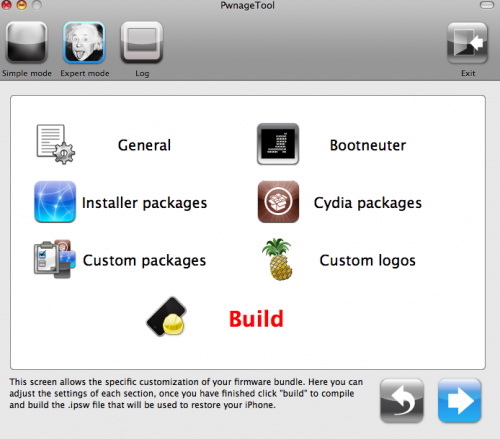
“Many many hours have gone into this and now it should be as easy enough for your grandmother to use. We’ve added lots of new features, including 2.0 support, spotlight file indexing of .ipsws, canned websearches, installer custom configuration, custom root partitions and various other things that you’ll see on the release. Release date is soon although not this weekend. So check out the video, hopefully it will hold you off until we release.”

PwnageTool works with 2.0 upgraded 1st gen (!) iPhones if they are activated or not.

Run

This is a tutorial, that shows step by step how to use installed Java on the IPhone. Just in case you do not have Java installed on your IPhone there is a tutorial how to do it.

What we need is a working jailbraked IPhone with Java Installed. I used latest firmware 1.1.4, unlocked, jailbreaked and customized by winpwn.

Step 1: Create simple Java application, compile and run.

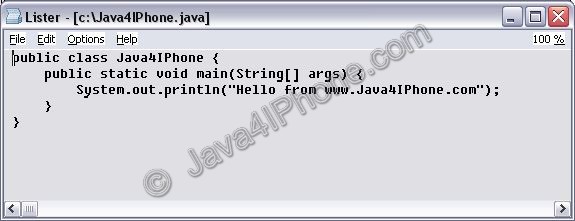
  1. Create file Java4IPhone.java and put simple Java hello-world code there. I used the following code:Create Java hello-world
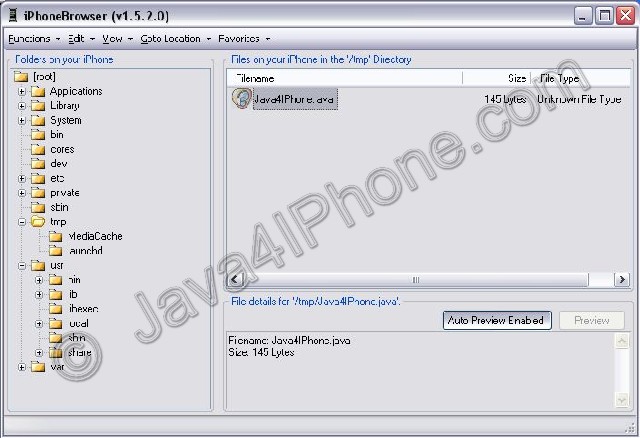
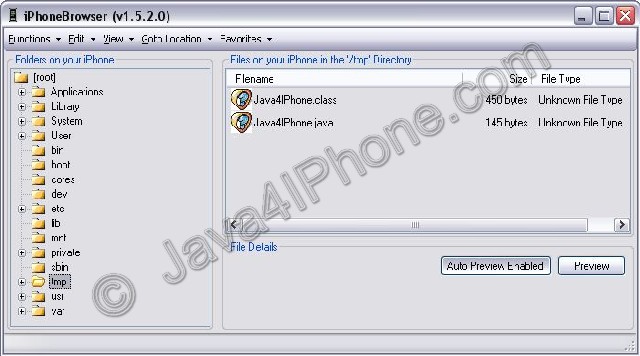
  2. Upload to IPhone. I used /tmp directory. For uploading I used IPhone Browser.
  3. Run Terminal.
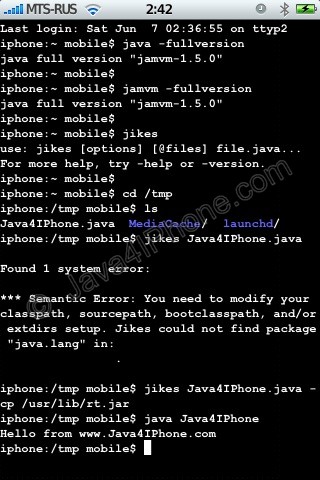
  4. Use command java -fullversion or jamvm -fullversion to see if java is avaliable.
  5. Use command jikes to invoke java compiler.
  6. Go to /tmp directory, using command cd /tmp
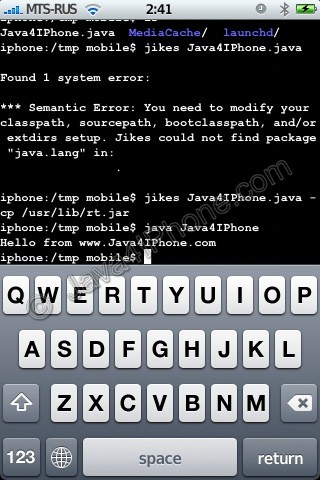
  7. Compile. We need to specify classpath to basic java packages. If we do not do that, jikes will produce an error (see screenshot). So use the following command: jikes Java4IPhone.java -cp /usr/lib/rt.jar
  8. After compiling Java4IPhone.class file should appear in the same directory. To run use commandjava Java4IPhone
  9. Take a look at the screenshots. Hopefully you’ll have something similar.

Upload Java application to IPhone

Check Java and Jikes Compile using Jikes Run

Upload Java application to IPhone

Step 2: Have fun!