IPhone 4G | Jailbreak iPhone, iPod Touch, iPad - Part 5 Skip to content

Jailbreak iPhone, iPod Touch, iPad

новости про джейлбрейк iPhone, iPod Touch и iPad

Archive

Tag: iPhone 4G

iOS 5 Download links for iOS 5.0 beta 1 and iTunes 10.5 beta

Apple recently released iOS 5 beta and iTues 10.5 beta. It is available only for Apple registered developers. But you can try it too. Remember that you do it at your own risk. Below you will find iOS 5 download links for iPhone 3GS, iPhone 4, iPod Touch 3G, iPod Touch 4G, iPad 1, iPad 2, Apple TV 2G and download links to iTunes 10.5 Mac and Windows.

Keep in mind that your iDevice will need to be activated, your UUID needs to be registered in Apple. Installing iOS beta on a non-activated device will render it useless. If you need help with registering UUID – write us, we will try to help..

Remember that currently there is no jailbreak for iOS 5 released.

You can download iOS 5.0 beta 1 and iTunes 10.5 beta here.

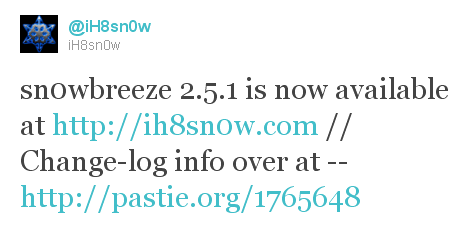
sn0wbreeze 2511 Sn0wBreeze 2.5.1 released: supports Apple TV 2G and 06.15 baseband

iH8sn0w updated their iOS 4.3.1 untethered jailbreak utility – released Sn0wBreeze 2.5.1.

They have added

Sn0wBreeze is used to create custom firmwares with jailbreak and preserve iPhone baseband. It is available for Windows only.

You can download Sn0wBreeze 2.5.1 here.

Here’ official changelog.

————————————————————————-
sn0wbreeze 2.5.1 Change-log:
————————————————————————-
* Cydia 1.1.1 is now pre-installed.
* iPhone 3GS users can now flash the iPad 06.15.00 baseband.
* Animate (Animated Boot Logos) by the Chronic Dev-Team is now supported.
* Added afc2
* Apple TV 2 is now fully supported.
* Added Apple TV 2 DFU Instructions.
* YouTube issues resolved on hacktivated devices.
* iPhone 3GS old-bootrom issues fixed (Error 37).
————————————————————————-
ULTRASN0W USERS:
————————————————————————-
There is a temp. fix available on Pushfix’s Cydia repo (http://cydia.pushfix.info)
for getting ultrasn0w to work on preserved basebands on 4.3.1.
[It does not fix the iPhone 4 single bar issue though!]
————————————————————————-

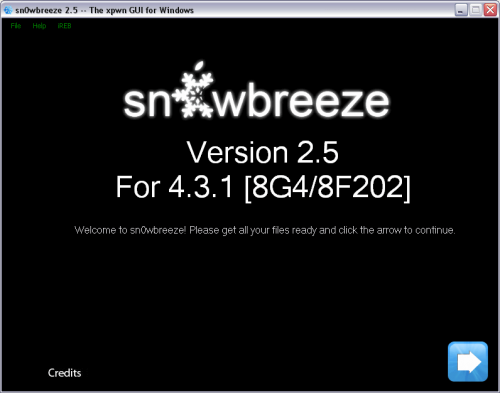
sn0wbreeze25 500x393 Sn0wBreeze 2.5 released: untethered jailbreak for iOS 4.3.1

ih8sn0w released Sn0wBreeze 2.5 – utility to untether jailbreak iOS 4.3 for Windows. It uses the same method as Redsn0w 0.9.6 rc9 and Pwnagetool 4.3.

Sn0wbreeze also preserves your baseband, which is very useful for unlockers. That is why it is so-called Pwnagetool for Windows. With Sn0wbreeze you can update to firmware iOS 4.3.1, while preserve old unlockable baseband. It also works with iPhone 3GS with 06.15 baseband.

Sn0wBreeze 2.5 does not support iPhone 4 Verizon and iPad 2.

You can download Sn0wBreeze 2.5 for Windows here.

pwned Untethered jailbreak for iOS 4.3.1 released: RedSn0w 0.9.6rc9 and PwngeTool 4.3

DevTeam released much anticipated untethered jailbreak for the latest iOS 4.3.1 – RedSn0w 0.9.6 rc9 and PwngeTool 4.3.

The 4.3.1 untether works on all Apple devices that support 4.3.1 except for the iPad2:

Redsnow is easy to use, it is available for Windows and Mac OS. Pwnagetool can be used to create custom ipsw and preserve baseband, it supports Mac OS only.

You can download RedSn0w 0.9.6 rc9 here and PwnageTool 4.3 here.

Here are our tutorials:

Ultrasn0w doesn’t work on iOS 4.3.1 yet (even with iOS 4.3.1 + old baseband). The fix will be available soon. Here’s a warning from DevTeam for unlockers:

ultrasn0w users don’t update yet! We need to first release an update to ultrasn0w that fixes some incompatibilities when FW 4.3.1 is used on the older basebands supported by ultrasn0w.  And remember once we do fix ultrasn0w for 4.3.1 (we’ll announce it here and on twitter), you must only get there via a custom IPSW from PwnageTool, Sn0wbreeze or xpwn!  Don’t ever try to restore or update to a stock IPSW, or you’ll lose the unlock!

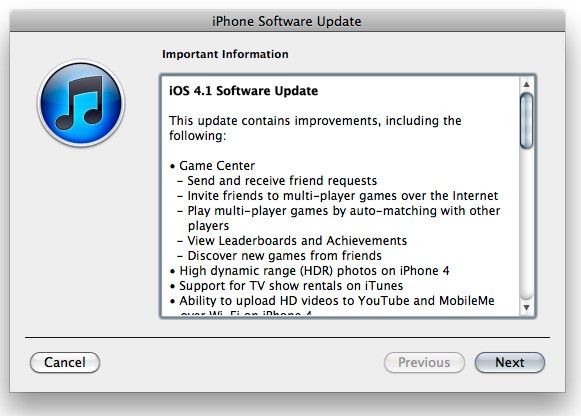
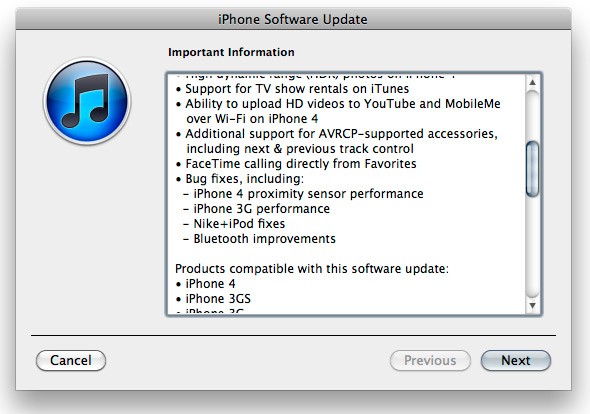
ios41 changes 1 300x214 Apple released iOS 4.1 for iPhone and iPod Touch ios41 changes 2 300x210 Apple released iOS 4.1 for iPhone and iPod Touch

Apple has released iOS 4.1 for the iPhone 3G, iPhone 3GS, iPhone 4, iPod Touch 2G, iPod Touch 3G and iPod touch 4G.

iOS 4.1 enables the Game Center social gaming network, support for High Dynamic Range (HDR) photos, and HD video uploading to YouTube. The update also fixes several bugs, including proximity sensor issues, performance issues and Bluetooth problems.

Full official changelog and download links are after the break:

● Game Center
- Send and receive friend requests
- Invite friends to multi-player games over the Internet
- Play multi-player games by auto-matching with other players
- View LEaderboards and Achievements
- Discover new games from friends
● High dynamic range (HDR) photos on iPhone 4
● Support for TV show rentals on iTunes
● Ability to upload HD videos to YouTube and MobileMe over Wi-Fi on iPhone 4
● Additional support for AVRCP-supported accessories, including next & previous track control
● FaceTime calling directly from Favorites
● Bug fixes, including
- iPhone 4 proximity sensor performance
- iPhone 4G performance
- Nike+ iPod fixes
- Bluetooth improvements

Game Center requires iPhone 4, iPhone 3GS, iPod touch 2G or later. HDR photos and HD video upload requires iPhone 4.

You can download iOS 4.1 here:

Jailbreakers: this update breaks jailbreak, wait for utilities from DevTeam.