Here are our step-by-step tutorials that will guide you through all the process of untether jailbreaking iOS 5.1.1 with absinthe, redsn0w and sn0wbreeze:
UnTethered jailbreak iOS 5.1.1

UnTethered jailbreak iOS 5.1.1
Here are our step-by-step tutorials that will guide you through all the process of untether jailbreaking iOS 5.1.1 with absinthe, redsn0w and sn0wbreeze:
UnTethered jailbreak iOS 5.1.1
UnTethered jailbreak iOS 5.1.1
FireCore has announced an update to Seas0nPass to jailbreak the new iOS 5.0.2 firmware for the Apple TV 2.
Seas0nPass updated for Apple TV 5.0.2. Still untethered. http://seas0npass.com
You can find step-by-step instructions on how to jailbreak Apple TV 2G with Seas0nPass (Windows, Mac OS).
The iPhone Dev-Team has released updates to RedSn0w and PwnageTool that bring support for the iOS 5.1.1 untethered jailbreak.
RedSn0w 0.9.12b1 supports untethered iOS 5.1.1 jailbreak for all devices:
PwnageTool 5.1.1 allows to create custom firmware and preserve modem version for unlock with ultrasn0w or Gevey. PwnageTool 5.1.1 supports all A4 devices:
You can download RedSn0w 0.9.12b1 and PwnageTool 5.1.1 .
iOS 5.1.1 untethered jailbreak tutorial using Redsn0w is available .
Official DevTeam comments:
RedSn0w
redsn0w allows owners of A4+earlier devices to install rocky-racoon two different ways:
- backup/restore method similar to Absinthe and cinject
- its traditional limera1n-based ramdisk install. If you have a lot of media on your A4 device (music, movies, TV shows, etc), then the ramdisk method is preferrred because it avoids any possibility of later problems related to syncing to iCloud (including Photo Stream and Music Match). The ramdisk method is not available for A5 devices or later because limera1n can’t be used. If you’d like to use redsn0w’s ramdisk method, just be sure to put the A4 device in DFU or Recovery mode before starting redsn0w (otherwise it will immediately start to use the backup/restore method).
We’ve also added a new redsn0w feature specifically for those who got in on the SAM unlock: you can now include your SAM tickets as part of your initial ramdisk jailbreak of iPhone4 or earlier, or alternatively you can upload your SAM tickets to any device after its been jailbroken. redsn0w accepts either the individual SAM activation ticket plist file, or the entire zip file created by redsn0w’s “Backup” button. As usual, redsn0w continues to cover all of its previous jailbreaks and untethers (so redsn0w-0.9.12b1 covers everything from 5.1.1 all the way back to 4.1).
PwnageTool
PwnageTool also avoids any possible sync issues, but again it applies only to A4+earlier devices. If you unlock your iPhone with ultrasn0w or a commercial method, you must use PwnageTool to avoid updating your baseband otherwise you’ll lose the unlock. PwnageTool will also jailbreak+untether the AppleTV2,1 5.0_2B206f (unless you customize the IPSW further, you’ll have just basic SSH access to the device).
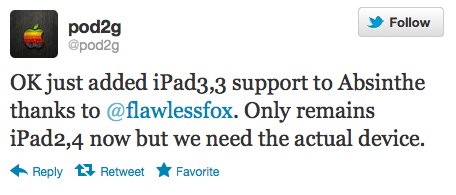
Pod2g has announced that iPad 3,3 support has been added to the Absinthe jailbreak utility, leaving only the iPad 2,4 jailbreak to be implemented.
OK just added iPad3,3 support to Absinthe thanks to @flawlessfox. Only remains iPad2,4 now but we need the actual device.
Any people of #HITB2012AMS has an iPad2,4? Model number: either MC954 or MC989. Please check in Settings / General / About.
So far support for the following devices has been completed:
- iPhone 3Gs, , iPhone 4 CDMA, iPhone 4S, iPad 1, iPad 2 Wifi, iPad 2 GSM, iPad 2 CDMA, iPad 3 Wifi, iPad 3 CDMA, iPad 3 GSM, iPod 3G, iPod 4G, AppleTV 2.
If anyone at the HITBSecConf has the new iPad2,4 device please contact @pod2g.

MuscleNerd from the iPhone Dev-Team has posted some details on the upcoming untethered jailbreak from pod2g.
- All info below is tentative and subject to last minute refinements
- @pod2g’s 5.1.1 jailbreak+untether is working out great. All devices are covered except for AppleTV3,1, which currently has no path for jailbreaking.
- the initial 5.1.1 plan used a kernel exploit from @westbaer which unfortunately precluded use in iPod3,1 and iPhone2,1
- @planetbeing stepped up and provided a kernel exploit that covers both of those. Those two JBers are the bomb!- The 5.1.1 A5 JB is very similar to the A5 5.0.1 JB. @pimskeks has done a tremendous job supporting both 5.0.1 and 5.1.1 in absinthe
- Similar to 5.0.1, there will also be a 5.1.1 CLI “cinject” binary and redsn0w version of the 5.1.1 JB+untether. Absinthe, cinject, and redsn0w will all provide the same JB in different fashions.
- timing is indeterminate. Plans are for this week, but a number of factors can influence that.- For those wishing to donate, we’ve set up a new 5.1.1 paypal URL: https://www.paypal.com/cgi-bin/webscr?cmd=_s-xclick&hosted_button_id=4U6DQGJ2NRVUN
- Please don’t pirate AppStore apps (seriously, please do not).

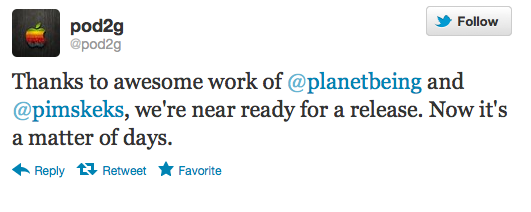
Pod2g has recently announced in twitter that the untethered jailbreak of iOS 5.1.1 is just days away from release. This is great news for many iPhone, iPad and iPod users.
Thanks to awesome work of @planetbeing and @pimskeks, we’re near ready for a release. Now it’s a matter of days.
Here is the list of devices that are known to work for sure :
Pod2g опубликовал список устройств, которые будут поддерживаться ожидаемым отвязанным джейлбрейком пршивки iOS 5.1.1:
Устройства, которые точно работают с отвязанным джейлбрейком:
Устройства, которые пока не поддерживаются:
Read the rest of this entry »

FireCore today that they have successfully jailbroken the Apple TV 2 with the latest iOS 5.1 (5.0). The jailbreak is tethered which requires the Apple TV to be connected to a Mac/PC when powering it on (each time).
Today we’re happy to release new versions of Seas0nPass and aTV Flash (black) that are compatible with latest 5.0 (iOS 5.1) software running on the ATV2.
What’s new in the 5.0 AppleTV software? Should I update?
- New interface: - Fast, visual access to all content choices
- Movie purchases in iCloud: Support for buying movies on Apple TV and playing back purchased movies from iCloud
- Genius Recommendations: Recommendations for content on the iTunes Store based on previous rentals and purchases
- Screensaver photos: New National Geographic photos built-in for screensaver
- On-device sign-up: On-device sign up for content partners on Apple TV using your Apple ID
Updating to the new 5.0 software is not required, and all aTV Flash (black) features will continue to be supported on AppleTV versions 4.2 and later.
What about the ATV3, will this work?
Unfortunately not. Work is still ongoing for the ATV3, and we hope to have more news soon. For the latest updates be sure to .
Which plugins are currently supported on 5.0?
- Couch Surfer (works)
- Last.fm (works)
- Maintenance (works)
- Media Player (works)
- NitoTV (works)
- RSS Feeds (works)
- Weather (works)
- Overflow (not working)
- Plex (not working)
- Remote HD (not working)
- Rowmote (not working)
- XBMC (not working)
Note: Non-working items require an author update for 5.0 compatibility.

Seas0nPass has been updated to perform an untethered jailbreak of the Apple TV running iOS 4.4.4.
Happy New Year! Today we are happy to release an updated version of Seas0nPass that supports an untethered jailbreak of the latest 4.4.4 (iOS 5.0.1) AppleTV software. Big thanks goes to the world famous @pod2g for doing the lion’s share of the work to make this new version possible.
Most of the apps are working just fine:
Which plugins are supported on 4.4.4?
● Couch Surfer (works)
● Last.fm (works)
● Media Player (works)
● NitoTV (works)
● Overflow (works)
● Remote HD (works)
● Rowmote (works)
● RSS Feeds (works)
● Weather (works)
● XBMC (works)
● Plex (0.9.0 beta only)
You can take a look at our step-by-step tutorial for Apple TV untethered jailbreak .
You can download the latest version of Seas0nPass from here: , .

UPDATE: Apple latest firmware is iOS 5.1.1. Apple has stopped signing all other firmwares, including iOS 5.0.1, iOS 4.3.3 and iOS 4.3.5. This means you can NOT restore to 5.0.1/4.3.3/4.3.5 any more (both original and custom), unless you have saved your SHSH keys for it.
If you have decided to perform an untethered jailbreak and unlock, you need to get the following information:
For iPhone 3G the latest is iOS 4.2.1. You can perform jailbreak with any utility. For iOS 4.2.1 you can also use them or GreenPois0n (Windows, Mac OS).
iPad 2 jailbreak is available only for iOS 4.3.3 via JailbreakMe and and iOS 5.0.1 via Absenthe.
iPhone 4S jailbreak is available for iOS 5.0 / iOS 5.0.1 via Absenthe.
Apple stopped signing iOS 4.3.3, so you cannot update to iOS 4.3.3 without SHSH keys saved (in advance some time ago). If you have , iPhone 3GS, iPad 1, iPod Touch 3G or iPod Touch 4G that run iOS 4.3.3 – use JailbreakMe or RedSn0w to untether jailbreak your device.
If you have saved SHSH keys for iOS 4.3.3 you can use PwnageTool (Mac OS) or Sn0wBreeze (Windows).
For iOS 4.3.4/4.3.5 only tethered jailbreak is possible with redsn0w. Tethered means that each time you restart your device you will have to connect it to a computer and run redsn0w. The untethered iOS 4.3.5 jailbreak is possible only for iPhone 3GS with old bootrom. You can detect your bootrom version using .
To jailbreak and unlock iOS 5 use latest version of redsn0w 0.9.9 or sn0wbreeze 2.8. You can jailbreak tethered or .
The untethered iOS 5 jailbreak is possible only for iPhone 3GS with old bootrom. You can detect your bootrom version using .
For iPhone 4/3GS, iPad 1, iPod Touch 3G/4G an untethered jailbreak is available for iOS 5.0.1. For untethered jailbreak use the latest redsn0w 0.9.10 or Corona – package from Cydia to untether currently installed tethered jailbreak.
Tutorial how to untether installed tethered jailbreak is available .
For iPhone 4S and iPad 2 use Absenthe.
For tethered iOS 5.0.1 jailbreak you an use redsn0w 0.9.9 and sn0wbreeze 2.8.
For now only tethered jailbreak is available for iPhone 4/3GS, iPad 1 and iPod Touch 3G/4G for iOS 5.1 and iOS 5.1.1.
You can download all firmwares .
Here are our step-by-step tutorials that will guide you through the jailbreak process:
 iPhone 4S
UnTethered jailbreak iOS 5.0 / iOS 5.0.1:
iPhone 4
Tethered jailbreak iOS 5.1.1:
Tethered jailbreak iOS 5.1:
UnTethered jailbreak iOS 5.0.1:
Semi-Tethered jailbreak iOS 5:
Tethered jailbreak iOS 4.3.5:
UnTethered jailbreak iOS 4.3.3: